

Verity - Bedrock Edition Mod for Minecraft Bedrock - Download & Install
Download Verity - Bedrock Edition Mod for Minecraft, your personal, undying horror companion. Experience unique roleplay, survival, and mob features. Get it free from IQMOD today!
Everything About Verity - Bedrock Edition Mod for Minecraft Bedrock - Download & Install
Read the full article about the mod
What is Verity - Bedrock Edition?
Verity - Bedrock Edition is a unique Minecraft addon developed by PnTMC, introducing players to a mysterious, undying personal companion. Specifically designed for the Bedrock Edition of Minecraft, this addon seamlessly blends elements of psychological horror, survival, and roleplay to deliver a profoundly different gameplay experience. Verity is characterized as an ancient entity, older than Minecraft itself, promising either assistance or new, unsettling challenges to those who encounter it. This mod aims to transform your world into an eerie, suspense-filled journey where every interaction with Verity could be a step deeper into its enigmatic lore.
Heavily inspired by ThatMob's renowned Verity ARG (Alternate Reality Game) series on YouTube, the addon injects a rich layer of narrative depth and backstory. Its purpose extends beyond merely adding a new entity; it aims to fundamentally alter the game's atmosphere through cryptic interactions and carefully extracted sounds from ThatMob's original content, used with PnTMC's permission. The mod is designed to evoke a constant sense of curiosity and tension, making it an unforgettable experience for enthusiasts of horror and survival gameplay who seek more than just jump scares.
Key Features and Highlights
- The Undying Companion: Verity is a persistent entity that cannot be defeated or killed, offering a unique challenge or continuous support depending on your interaction. This enigmatic being defies in-game mortality, making it an integral and inescapable part of your survival journey, constantly lurking and observing.
- Psychological Horror Elements: The mod is meticulously crafted to induce a sustained sense of dread and unease rather than relying solely on cheap jump scares. Ambient sounds, sudden appearances, and cryptic messages from Verity create an atmosphere of constant apprehension and fear, making every moment in your world tense.
- Dynamic Language Customization: Players can change Verity's language using specific in-game commands. This feature adds a layer of personalization and interactivity, allowing players to shape their relationship with Verity and potentially uncover different facets of its personality or intentions.
- Immersive Sound Design: The audio in this addon is meticulously extracted from ThatMob's original videos, ensuring an authentic and deeply immersive experience. These unique sound effects are crucial in building the mod's unsettling atmosphere and enhancing the overall sense of dread and mystery.
- ARG-Inspired Lore: Being heavily inspired by a popular ARG series, the mod incorporates a deep, hidden narrative that players can explore. By investigating clues, deciphering messages, and observing Verity's behavior, players can unravel its ancient origins and the secrets it holds.
- Enhanced Survival Gameplay: The presence of an undying, mysterious companion fundamentally alters survival dynamics. Verity's unpredictable nature forces players to adapt their strategies, creating new challenges in resource management, base building, and combat, as you must always account for its presence.
- Multiplayer Roleplay Potential: Verity's mysterious nature and interactive features make it ideal for roleplay scenarios. Whether crafting a solo narrative or engaging with friends in a collaborative story, the mod provides a compelling centerpiece for shared horror and adventure experiences.
- Distinctive Verity Character Model: While the original description doesn't detail its visual, the concept of a 'personal helper friend' and 'older than Minecraft' implies a unique, perhaps unsettling, design for Verity that sets it apart from typical Minecraft mobs, embodying its ancient and otherworldly nature.
- Environmental Interaction: As a sentient entity, Verity can interact with its surroundings in unexpected ways. It might follow you, appear in unusual locations, or leave subtle environmental clues that guide or mislead you, adding to the mystery and unpredictability of its presence.
- No Mod Loader Required: As an addon for Minecraft Bedrock Edition, Verity does not require any additional mod loaders like Forge or Fabric. This significantly simplifies the installation process, making it accessible to a wider range of players across various Bedrock platforms.
- Alters Core Game Dynamics: Verity's presence changes how players perceive safety, danger, and companionship in Minecraft. Its invulnerability and enigmatic behavior challenge traditional gameplay loops, forcing players to rethink their approach to exploration, combat, and long-term survival.
- Non-Combatant Yet Threatening Presence: Verity is not a typical hostile mob that you can fight. Its threat comes from its psychological impact, constant presence, and the unknown. This passive yet pervasive threat creates a unique brand of horror that distinguishes it from other combat-focused mods.
- Potential for Player Sanity Mechanics: While not explicitly stated, the psychological horror aspect could imply subtle effects on the player's in-game 'sanity' or perception, adding a layer of challenge beyond physical health and hunger. This could manifest as visual distortions or auditory hallucinations.
- Seamless Bedrock Integration: The addon is designed for smooth integration into any existing Bedrock world. Its .mcpack format allows for easy installation and activation through the game's built-in addon management system, ensuring compatibility with other Bedrock features.
- Community-Driven Feedback: The developer, PnTMC, actively encourages feedback, indicating a commitment to improving and evolving the mod based on player experiences. This fosters a sense of community involvement and promises potential future updates and enhancements.
How to Download and Install Verity - Bedrock Edition
Installing addons for Minecraft Bedrock Edition is generally a straightforward process. Ensure you have the latest version of Minecraft Bedrock installed on your device before proceeding.
- Download the Addon File: Start by downloading the Verity addon file from the trusted IQMOD website. The file will typically be in a
.mcpackor.mcaddonformat. Make sure to download the correct version compatible with your device (Windows 10/11, Android, iOS, Xbox, PlayStation, Nintendo Switch). - Open the File: Once the download is complete, simply double-click or tap on the
.mcpackor.mcaddonfile. Minecraft will automatically launch and begin the import process for the addon. A confirmation message will appear in-game, indicating that the import has successfully started. - Activate Behavior Packs: After the addon has been imported, open Minecraft and navigate to the 'Play' menu. Select an existing world you wish to use the addon in, or create a new one. Before entering the world, click the 'Edit' button next to the world's name.
- Enable Resource and Behavior Packs: In the world settings screen, scroll down to the 'Resource Packs' and 'Behavior Packs' sections. Find the Verity pack and activate it. It's crucial to activate both the resource pack and the behavior pack associated with the mod to ensure all features function correctly. You might need to ensure they are at the top of the active packs list to prevent conflicts.
- Enable Experimental Gameplay (Optional but Recommended): For some addons, especially those introducing complex mechanics, you may need to enable 'Experimental Gameplay' options in the world settings. Look for these options in the 'Game' tab of your world settings and toggle them on if necessary. Once enabled, you can enter your world and experience Verity!
For a complete guide, check out our Minecraft Mods Installation Guide.
System Requirements and Compatibility
- Minecraft Version: Compatible with the latest versions of Minecraft Bedrock Edition (preferably 1.20 and above) for optimal performance and a bug-free experience.
- Mod Loader: This addon does not require any external mod loaders. As a native Bedrock addon, it integrates directly into the game without the need for additional software like Forge or Fabric.
- Platform: Minecraft Bedrock Edition across all supported platforms, including Windows 10/11, Xbox, PlayStation, Nintendo Switch, Android, and iOS.
- Dependencies: Verity - Bedrock Edition operates independently and does not require any other mods or addons to function.
Pro Tips for Using Verity - Bedrock Edition
To maximize your immersive and unsettling experience with Verity, consider these advanced tips:
1. Play with Headphones On: The sound design is a cornerstone of Verity's psychological horror. Wearing headphones will significantly enhance the immersive experience, allowing you to catch subtle audio cues, distant whispers, and unsettling environmental sounds that contribute to Verity's omnipresent feel. This is crucial for fully appreciating the mod's atmosphere.
2. Explore the Lore and ARG Connections: Given its inspiration from ThatMob's ARG series, Verity likely has a rich, hidden backstory. Pay close attention to any cryptic messages, unusual entity behaviors, or environmental changes. These might be clues to unraveling Verity's origins, its purpose, or even how to interact with it more effectively. Document your findings!
3. Utilize Language Commands Strategically: The ability to change Verity's language is a unique feature. Experiment with different language settings (e.g., /function verity_lang_english) to see if it alters Verity's behavior, the type of messages it conveys, or opens new dialogue options. This could be key to understanding its personality or intentions.
4. Establish 'Safe Zones': While Verity cannot be killed, its constant presence can be psychologically taxing. Designate and build specific areas in your world that feel secure. Even if the safety is psychological, having a perceived sanctuary can help manage the constant tension and provide a mental break, enhancing the survival horror aspect.
5. Document Your Experiences: Keep a journal or log of your encounters with Verity. Note down when and where it appears, any sounds you hear, and specific interactions. Tracking patterns in its behavior can help you predict its movements, understand its triggers, and perhaps even learn to coexist with this mysterious entity.
6. Engage in Multiplayer Roleplay: Invite friends to join your world and experience Verity together. The shared experience of fear and mystery can lead to incredibly rich roleplay scenarios. You could work together to understand Verity, or even integrate Verity as a central figure in a collaborative horror story, amplifying the unique challenges it presents.
Is Verity - Bedrock Edition Safe and Free?
Yes, Verity - Bedrock Edition is absolutely safe and completely free to download. At IQMOD, we are committed to providing high-quality, thoroughly vetted content to ensure the safety and security of our users' experiences. All files available on our portal are rigorously scanned using the latest antivirus and anti-malware software, guaranteeing that they are free from any potential threats.
This mod was developed by PnTMC, a trusted creator within the Minecraft community, which adds an extra layer of confidence. You can download Verity from IQMOD without any concerns regarding the security of your device or your personal data. Enjoy the unique horror and survival experience this mod offers at no cost, as all content on IQMOD is available entirely for free.
Why Download from IQMOD?
IQMOD (iqmod.me) stands as the premier portal for both Arabic and English Minecraft mods and addons, offering you the ultimate experience for downloading Verity - Bedrock Edition. We guarantee a smooth and hassle-free download process for several key reasons:
Firstly, we provide direct and high-speed download links. This means you won't have to navigate through countless intrusive ad pages or endure long waiting times. You can access the addon file with a single click and dive into your game instantly. This streamlined experience is specifically designed to save you time and effort, getting you straight to the action.
Secondly, we are committed to always offering the latest versions of mods and addons. The Verity page is regularly updated to ensure its compatibility with the newest Minecraft Bedrock Edition releases, saving you from compatibility issues and ensuring you enjoy all new features and optimizations the developer might add. Our team constantly monitors updates to provide you with the best experience.
Thirdly, security is our paramount priority. Every file available on IQMOD, including Verity, is meticulously scanned to ensure it is free from any viruses or malicious software. You can download with complete confidence that your device and data are secure, allowing you to focus purely on the gameplay.
Fourthly, we offer dedicated technical support should you encounter any issues during download or installation. Our team is readily available to assist you in resolving any queries or obstacles, ensuring a smooth and enjoyable gaming experience from start to finish.
Finally, we foster a vibrant community where you can read reviews, leave comments, and share your Verity experience with other players. Join thousands of Minecraft enthusiasts who trust IQMOD as their go-to source for mods. Don't hesitate; download Verity now from IQMOD and embark on a truly unique horror and survival adventure!
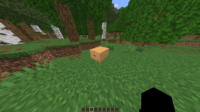
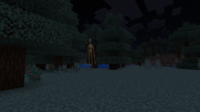
Verity - Bedrock Edition Mod for Minecraft Bedrock - Download & Install Minecraft Mod Screenshots
View images and verify quality before download
Image Gallery








Verity - Bedrock Edition Mod for Minecraft Bedrock - Download & Install Technical Information
Learn technical details, version, and supported platform
Technical Specifications

Your Own Minecraft Server! 🎮
Start your own server with friends on BisectHosting — insane performance, one-click mod installs, and 24/7 support. Use the discount code and start at the lowest price!
Download and Share
Download for free or share it with friends
Get the advantage!
Subscribe for early access to exclusive mods and direct downloads without timers or ads.
Mod not opening in Minecraft? This applies to Bedrock edition only (mobile/console) — the issue is your file manager, not the mod. Use our app IQ OpenMC to open the file and it will give you the option to open it in Minecraft directly. (Java players don't need this step)