

Naruto Jedy - Made by Jedy Tensei Mod for Minecraft
Download Naruto Jedy Mod V27 for Minecraft Bedrock, transforming your game into the Ninja world with unique abilities and powerful foes. Enjoy 100+ new items and survival challenges. Free from IQMOD!
Everything About Naruto Jedy - Made by Jedy Tensei Mod for Minecraft
Read the full article about the mod
What is Naruto Jedy - Made by Jedy Tensei?
Naruto Jedy V27 is a comprehensive fan-made addon for Minecraft Bedrock Edition, developed by Jedy Tensei, that completely transforms the game into the thrilling ninja world of Naruto. This modification allows players to utilize iconic ninja abilities, battle powerful enemies, and evolve their own ninja character within an immersive survival gameplay environment. The addon introduces over 100 new items, dozens of unique jutsus and abilities, and a host of enemies and locations directly inspired by the Naruto universe.
This mod stands out as one of the most detailed and ambitious anime-inspired creations within the Minecraft modding community. It's more than just a cosmetic overhaul; it introduces a deep gameplay system centered around chakra management, jutsu learning, character interaction, and epic battles. With each new version, Jedy Tensei continuously adds fresh content and refines the addon's quality, making it a consistently engaging experience for both Naruto and Minecraft enthusiasts. The mod exemplifies the creativity and dedication of the modding community in seamlessly merging different fictional worlds.
Key Features and Highlights
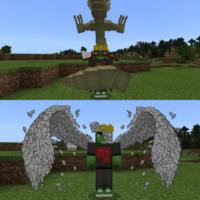
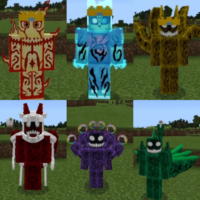
- Iconic Ninja Characters & Transformations: The mod introduces a vast roster of iconic characters from the Naruto series, including Naruto, Sasuke, Sakura, Kakashi, and various Akatsuki members. Players can also unlock powerful transformations such as Sage Mode, Nine-Tails Chakra Mode, and character-specific Susanoo forms, granting immense power-ups and unique abilities to turn the tide of battle. Each transformation comes with distinct stat boosts and skill sets.
- Diverse Jutsu & Abilities: Explore a colossal arsenal of famous jutsus, ranging from the fundamental Rasengan and Chidori to various elemental techniques like Fireball Jutsu and Earth Wall. The mod incorporates medical ninjutsu, genjutsu, and powerful Kekkei Genkai eye abilities like Sharingan and Byakugan, allowing for highly diverse combat strategies and role-playing potential.
- Authentic Weapons & Tools: Equip yourself with a wide array of ninja weaponry, including Kunai, Shuriken, Explosive Tags, and Katana. Additionally, you can discover jutsu scrolls, specialized ninja food pills, and unique armor sets inspired by different characters, each offering distinct advantages in combat or exploration. Custom crafting recipes enable players to create these tools using in-game resources.
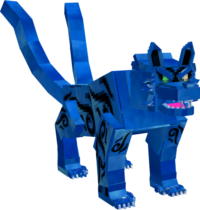
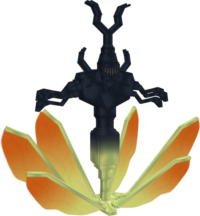
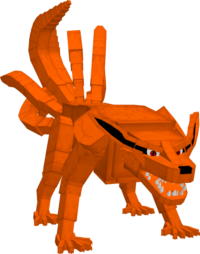
- Challenging Enemies & Bosses: Encounter a variety of foes, from common rogue ninjas to formidable Akatsuki members and even the colossal Tailed Beasts. Each enemy possesses unique attack patterns and requires different strategies to defeat, adding significant depth and challenge to the survival gameplay. Prepare for epic boss battles that test your ninja skills.
- Explorable Naruto-Themed Locations: Discover areas directly inspired by the Naruto world, such as sections of the Hidden Leaf Village, dedicated ninja training grounds, and even enemy hideouts. These locations are not just visual additions; they often contain unique resources, special enemies, and perhaps hidden quests or lore elements to uncover.
- Chakra System Integration: The mod features a dynamic Chakra system, requiring players to manage their Chakra levels to perform jutsus. Chakra can be regenerated through meditation, consumption of special items, or simply over time. This system adds a strategic layer to combat, forcing players to consider their energy expenditure and plan their attacks carefully.
- Progression & Training System: Begin as a novice ninja and progress through training and combat. As you gain experience, you can unlock new jutsus, enhance existing abilities, and become stronger, opening up more combat options. This system encourages continuous exploration and engagement to become a legendary ninja.
- New Crafting Recipes: The mod introduces numerous new crafting recipes that allow players to create ninja tools, armor, weapons, and even some magical items using a combination of vanilla Minecraft resources and mod-specific materials. This encourages resource gathering and exploration to acquire the necessary components for powerful gear.
- HD Textures & Custom Models: Naruto Jedy V27 boasts stunning visual fidelity, featuring high-definition 3D models for characters, enemies, weapons, and even some blocks. These detailed visuals significantly enhance player immersion, making the experience feel more authentic and visually appealing, bringing the anime world to life within Minecraft.
- Survival Mode Compatibility: The Naruto Jedy mod is designed to be fully playable within Minecraft's survival mode. This means you can gather resources, build shelters, craft tools, and face the daily challenges of Minecraft, all while utilizing your powerful ninja abilities and interacting with the Naruto-themed content.
- Custom Sound Effects & Animations: The mod integrates distinctive sound effects for each jutsu and ability, alongside impressive visual effects that amplify the excitement of battles. These details contribute to a cinematic experience, making every jutsu cast feel impactful and visually spectacular, enhancing the overall immersive quality.
- Summoning Contracts: Players can forge summoning contracts with various creatures, much like the ninjas in Naruto. These summoned allies, such as frogs or snakes, can assist in combat, provide transportation, or even help with resource gathering, adding a new strategic dimension to gameplay and offering versatile support options.
- Variety of Ninja Armor Sets: Discover and craft a multitude of ninja armor sets, including specific clan armors and outfits inspired by individual characters. These armor sets not only offer defensive benefits but also often come with unique passive abilities or stat bonuses, allowing for character customization and strategic gear choices.
How to Download and Install Naruto Jedy - Made by Jedy Tensei
Installing the Naruto Jedy V27 addon is a straightforward process, especially since it's designed for Minecraft Bedrock Edition. Unlike Java mods, Bedrock addons don't require external mod loaders like Forge or Fabric, making the installation quick and hassle-free. Follow these simple steps to begin your ninja adventure:
- Step 1: Download the Mod File: First, download the Naruto Jedy V27 mod file (typically in .mcaddon or .mcpack format) from the direct and secure download link provided on the IQMOD website. Ensure you are downloading the latest version compatible with your specific Minecraft Bedrock Edition. Always download from trusted sources like IQMOD to avoid malicious files.
- Step 2: Import the Addon into Minecraft: Once the download is complete, simply locate and click on the .mcaddon file you've downloaded. This action will automatically launch your Minecraft Bedrock game and initiate the import process for both the resource and behavior packs of the mod. A confirmation message will appear in-game, indicating a successful import.
- Step 3: Activate the Mod in World Settings: Open Minecraft, navigate to the 'Play' section, and then either select an existing world where you wish to activate the mod or create a new world. In the world settings, you'll find 'Resource Packs' and 'Behavior Packs' sections. Expand both sections, locate the 'Naruto Jedy' addon, and activate it in both the resource and behavior pack lists.
- Step 4: Enable Experimental Gameplay Features: To ensure the mod functions correctly and without issues, it is crucial to enable certain 'Experimental Gameplay Features' within your world settings. Look for options such as 'Holiday Creator Features', 'Upcoming Creator Features', and 'Molang Features' and toggle them all ON. This step is vital for the mod's complex mechanics and custom content to load properly.
- Step 5: Launch and Play: After activating the mod's resource and behavior packs, and enabling the necessary experimental features, save your world settings and launch the game. You should immediately notice the changes in your world, and you'll be ready to embark on your journey as a ninja in the Naruto universe. Enjoy discovering new abilities and facing exciting challenges!
For a comprehensive guide on installing various types of Minecraft mods and addons, check out our Minecraft Mods Installation Guide.
System Requirements and Compatibility
To ensure a smooth and enjoyable gaming experience with the Naruto Jedy V27 mod, please confirm your system meets the following requirements:
- Minecraft Version: The mod requires Minecraft Bedrock Edition. It is highly recommended to use the latest stable versions (such as 1.20.x and above) for optimal compatibility and performance, as the mod is continuously updated to support newer game versions.
- Mod Loader: The Naruto Jedy addon does not require any specific mod loader. It is installed directly as an addon within the Minecraft Bedrock game environment.
- Platform: Compatible with all Minecraft Bedrock platforms, including mobile devices (iOS and Android), Windows 10/11, Xbox, PlayStation, and Nintendo Switch.
- Dependencies: No other mods or addons are required for Naruto Jedy to function. It operates as a standalone modification.
Pro Tips for Using Naruto Jedy - Made by Jedy Tensei
To fully master the Naruto Jedy V27 mod and truly become a legendary ninja, here are some advanced tips and strategies:
- Mastering Chakra Management: Chakra is the lifeblood of your abilities. Learn to regenerate it effectively through meditation, using chakra pills, or strategically resting. Avoid overusing powerful jutsus at the beginning of a fight; conserve some chakra for critical moments, escape, or to finish off a tough opponent. Consider building a safe base with beds to quickly sleep and replenish chakra.
- Early Game Training & Exploration: Focus on training basic jutsus and gathering resources immediately upon entering the world. Explore new biomes and areas for jutsu scrolls, crafting recipes, and unique materials needed to forge advanced ninja weapons and armor. Hidden training grounds might offer temporary stat boosts or rare items. Prioritize finding materials for an early weapon and some basic healing items.
- Utilizing Different Jutsu Combinations: The mod offers a vast array of jutsus. Experiment with different combinations to find combat styles that suit you. Do you prefer ranged combat with fire jutsus, close-quarters combat with Rasengan, or stealth tactics using genjutsu? Remember that some jutsus are more effective against specific enemy types or in certain environmental conditions.
- Building a Secure Ninja Base: With powerful enemies roaming the world, establishing a secure and fortified base is paramount. Use vanilla Minecraft blocks for defense, but also consider incorporating ninja-inspired traps or even deploying explosive tags around your perimeter to deter intruders. A well-placed base can serve as a vital re-supply and training hub.
- Strategic Combat Against Powerful Foes: Enemies like Akatsuki members or Tailed Beasts require careful planning. Study their attack patterns, utilize the environment to your advantage (e.g., using trees for cover, water for stealth), and don't hesitate to retreat to regroup if necessary. Use tools like smoke bombs for quick escapes or surprise attacks. Consider crafting specialized anti-boss gear.
- Multiplayer Synergy: If playing with friends, consider forming a genuine ninja squad. Each player can specialize in a different type of jutsu (e.g., medical support, long-range offense, close-quarters combat) to create complementary battle strategies. One ninja could distract an enemy while another prepares a powerful, high-chakra jutsu from behind, maximizing team damage and survival.
Is Naruto Jedy - Made by Jedy Tensei Safe and Free?
Yes, the Naruto Jedy V27 mod is completely safe and free for download and use. All mods and addons available on the IQMOD website are meticulously scanned to ensure they are free from any malware or viruses, guaranteeing a secure experience for our users. Furthermore, the mod is entirely free, allowing you to enjoy all its features without any cost. IQMOD is committed to providing high-quality, safe content from trusted sources to the Minecraft community.
The developer, Jedy Tensei, is a recognized figure in the modding community, and regular updates are released for the mod, indicating ongoing support and content integrity. You can be assured that you are getting a safe and reliable gaming experience when downloading this mod from IQMOD, a platform dedicated to player safety and content quality.
Why Download from IQMOD?
IQMOD is the premier destination for downloading the Naruto Jedy V27 mod, offering several key advantages that ensure you have the best possible experience. Firstly, we provide direct and fast download links, completely free from intrusive ads and pop-ups that typically hinder the download process. This means you get the mod you want without any frustration or unnecessary delays.
Secondly, we are committed to providing the latest versions of mods and addons as soon as they become available. Our team works diligently to ensure that your Naruto Jedy V27 mod is always up-to-date and compatible with the newest Minecraft Bedrock editions, ensuring you have access to the most current features and bug fixes. Thirdly, all files on IQMOD are rigorously scanned for viruses and malware, offering you a secure and trustworthy download environment. Finally, IQMOD provides responsive technical support to assist with any questions or issues you might encounter during installation or gameplay. Don't hesitate, download the Naruto Jedy V27 mod from IQMOD now and embark on your ninja adventure! Click here to get started!
Naruto Jedy - Made by Jedy Tensei Mod for Minecraft Minecraft Mod Screenshots
View images and verify quality before download
Image Gallery


Naruto Jedy - Made by Jedy Tensei Mod for Minecraft Technical Information
Learn technical details, version, and supported platform
Technical Specifications

Your Own Minecraft Server! 🎮
Start your own server with friends on BisectHosting — insane performance, one-click mod installs, and 24/7 support. Use the discount code and start at the lowest price!
Download and Share
Download for free or share it with friends
Get the advantage!
Subscribe for early access to exclusive mods and direct downloads without timers or ads.
Mod not opening in Minecraft? This applies to Bedrock edition only (mobile/console) — the issue is your file manager, not the mod. Use our app IQ OpenMC to open the file and it will give you the option to open it in Minecraft directly. (Java players don't need this step)