
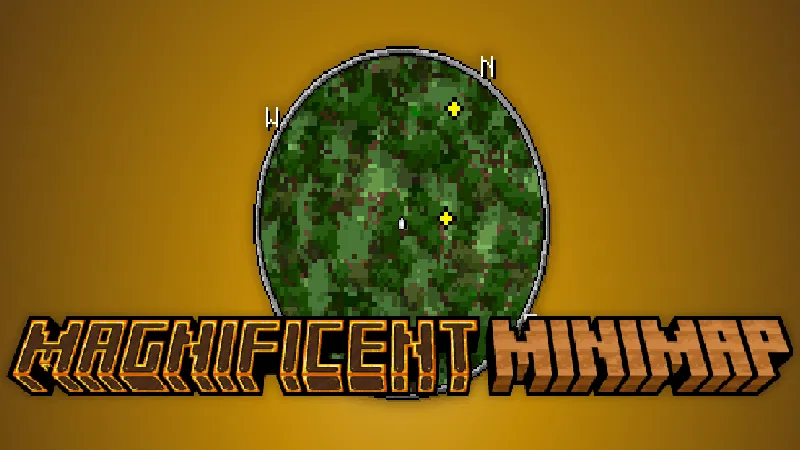
Magnificent Minimap Mod for Minecraft - Download & Install
Download Magnificent Minimap Mod for Minecraft and enhance your exploration with a real-time, customizable mini-map. Adjust its size, style, and displayed info for perfect navigation. Get it free from IQMOD now!
Everything About Magnificent Minimap Mod for Minecraft - Download & Install
Read the full article about the mod
What is Magnificent Minimap?
The Magnificent Minimap mod is a powerful and intuitive addon for Minecraft designed to revolutionize your exploration and navigation experience. It introduces a dynamic, real-time mini-map directly onto your screen, providing an instant overview of your immediate surroundings without the constant need to open the full-sized map. Whether you're delving into treacherous caves, traversing dense forests, or establishing a new base, this mini-map offers crucial information that keeps you oriented and prevents you from getting lost in Minecraft's expansive worlds.
What truly sets Magnificent Minimap apart is its unparalleled level of customization. Players have the freedom to adjust virtually every aspect of the mini-map, from its size and on-screen position to its visual style and the specific information it displays. This ensures that the mini-map remains a practical tool that seamlessly integrates with your existing UI, never disrupting core gameplay or obstructing your view. By combining robust performance, exceptional adaptability, and aesthetic appeal, Magnificent Minimap transforms every Minecraft adventure into a more fluid, efficient, and enjoyable journey.
Key Features
- Real-Time Map Display: Experience a continuously updating map that reflects your current surroundings, ensuring you always know where you are and where you're headed in the vast Minecraft landscape.
- Highly Customizable Interface: Take full control over the mini-map's appearance, including its size, shape (circular or square), transparency, and on-screen position, allowing it to blend perfectly with your gameplay style and visual preferences.
- Essential Information Overlay: The map can display vital data such as your current coordinates, the locations of various entities (mobs, animals, villagers), and even other players in multiplayer, making tracking and navigation effortless.
- Multiple Map Styles & Themes: Choose from a diverse range of visual styles and rendering options to make your mini-map look exactly how you want, whether you prefer a realistic, simplistic, or aesthetically pleasing design that complements your resource packs.
- Seamless Navigation with Waypoints: Easily create and manage custom waypoints for important locations like your base, mining sites, or discovered villages. Waypoints can be named, color-coded, and toggled on/off for convenience.
- Optimized Performance: Engineered to be lightweight, the mod ensures minimal impact on your game's frame rate (FPS). Enjoy smooth gameplay without any noticeable lag, even on moderate systems.
- Multi-Dimensional Support: Magnificent Minimap functions flawlessly across all Minecraft dimensions, providing reliable navigation whether you're exploring the Overworld, braving the dangers of the Nether, or seeking out End Cities in The End.
- Cave & Underground Mapping: A unique feature that allows you to visualize subterranean structures and caves as you explore, significantly streamlining resource gathering and dungeon discovery.
- Advanced Configuration Options: Fine-tune what information appears on your map, such as specific entity types, block grids, or even a 'safe mode' that hides certain sensitive details.
- High Compatibility: The mod is developed to work well with most other Minecraft mods and resource packs, ensuring a cohesive and trouble-free gaming experience.
- Intuitive User Interface: All settings and options are easily accessible through a clear and straightforward in-game interface, making customization quick and user-friendly.
- Dynamic Zoom Levels: Adjust the mini-map's zoom level on the fly to get a more detailed close-up view or a broader overview of your surroundings whenever needed.
How to Install
Installing the Magnificent Minimap mod is a straightforward process that requires just a few simple steps to get you started with your new, enhanced mini-map. Please follow these instructions carefully to ensure a successful installation:
- Install a Mod Loader: First, you need a compatible mod loader for your Minecraft version. Popular choices include Forge, Fabric, or NeoForge. Download your preferred loader from its official website and install it as a standard JAR file.
- Download the Mod Files: Obtain the Magnificent Minimap .jar file from IQMOD or the mod's official page. Ensure that you download the version specifically designed for your Minecraft game version.
- Download Required Dependencies: This mod explicitly requires the 'UI Queue Kamiis Script' to function correctly. Make sure to download its .jar file as well from a reliable source, ensuring compatibility with your Minecraft version.
- Move Files to the Mods Folder: After downloading both the Magnificent Minimap and UI Queue Kamiis Script .jar files, navigate to your Minecraft installation directory (typically %appdata%/.minecraft on Windows). Locate a folder named 'mods'. If it doesn't exist, create it. Then, move both downloaded .jar files into this 'mods' folder.
- Launch Minecraft: Open your Minecraft Launcher, and make sure to select the profile associated with the mod loader you installed (e.g., Forge or Fabric). Start the game, and the mini-map should automatically appear on your screen. You can begin customizing it immediately through the in-game mod settings.
System Requirements
- Minecraft Version Needed: Compatible with recent Minecraft versions such as 1.19.x, 1.20.x, and potentially newer. Always choose the correct mod version for your game.
- Mod Loader Needed: Requires either Forge, Fabric, or NeoForge to be installed. Select your preferred loader and ensure it's properly set up before installing the mod.
- Additional Dependencies: The 'UI Queue Kamiis Script' is a mandatory dependency for Magnificent Minimap to function. It must be downloaded and placed in your 'mods' folder alongside the main mod file.
Tips & Tricks
To get the most out of your Magnificent Minimap mod, consider these practical tips:
- Optimize Size and Position: Experiment with different mini-map sizes and on-screen positions in the settings. Find a configuration that doesn't obscure your view of gameplay but is still easily visible and accessible.
- Customize Displayed Information: Don't let your map get cluttered. Disable the display of entities or points of interest that aren't relevant to your current activity to keep the map clean and focused on what truly matters.
- Utilize Waypoints Smartly: Use waypoints not just for your base, but for every important location. Mark mining shafts, villages, Nether portals, and even areas with rare resource spawns to make returning to them effortless.
- Efficient Cave Exploration: Take advantage of the cave and underground mapping feature. This will help you identify new subterranean passages and avoid dead ends, making your mining expeditions far more productive and safer.
Why Download This Mod?
Downloading the Magnificent Minimap mod is a genuine investment in enhancing your Minecraft gameplay experience. It's not merely a cosmetic addition; it's a powerful and practical tool that transforms navigation and exploration from a potentially tedious and frustrating task into an enjoyable and seamless part of the game. Imagine never getting lost in a sprawling forest or a complex cave maze again. You'll be able to track enemies, easily locate resources, and return to your base without a second thought. This mod frees you to focus on creativity, building, and adventure, rather than worrying about directions. With its flexibility, excellent performance, and vital informational overlays, Magnificent Minimap is an indispensable addon for any serious Minecraft player seeking a more efficient, immersive, and ultimately more fun gaming experience.
Magnificent Minimap Mod for Minecraft - Download & Install Minecraft Mod Screenshots
View images and verify quality before download
Image Gallery


Magnificent Minimap Mod for Minecraft - Download & Install Technical Information
Learn technical details, version, and supported platform
Technical Specifications

Your Own Minecraft Server! 🎮
Start your own server with friends on BisectHosting — insane performance, one-click mod installs, and 24/7 support. Use the discount code and start at the lowest price!
Download and Share
Download for free or share it with friends
Get the advantage!
Subscribe for early access to exclusive mods and direct downloads without timers or ads.
Mod not opening in Minecraft? This applies to Bedrock edition only (mobile/console) — the issue is your file manager, not the mod. Use our app IQ OpenMC to open the file and it will give you the option to open it in Minecraft directly. (Java players don't need this step)