

Ultimate Elemental Swords Mod for Minecraft - Download & Install
Download Ultimate Elemental Swords Mod for Minecraft to wield powerful elemental weapons, including the new Void Sword with black hole abilities. Unleash devastating attacks and conquer foes. Get it free from IQMOD!
Everything About Ultimate Elemental Swords Mod for Minecraft - Download & Install
Read the full article about the mod
What is Ultimate Elemental Swords?
Ultimate Elemental Swords is a groundbreaking addon for Minecraft Bedrock Edition that revolutionizes your combat experience by introducing a vast array of unique swords, each harnessing the power of nature's elements and the void. This mod, compatible with the latest game versions, empowers players with incredibly potent and diverse combat tools, adding unprecedented strategic depth and excitement to skirmishes. It's designed for adventurers seeking a fundamental overhaul of Minecraft's combat system, allowing them to wield supernatural abilities far beyond traditional weaponry.
This addon transcends a mere collection of new weapons; it introduces innovative gameplay mechanics that fundamentally alter how you interact with enemies and the environment. From unleashing fireballs and freezing adversaries to summoning lightning and tearing open black holes, each sword offers a distinct experience demanding mastery and tactical planning. The Ultimate Elemental Swords mod has garnered significant popularity within the modding community due to its meticulous design and balanced blend of power and challenge, making it an essential choice for any player eager to unleash elemental might in their Minecraft journey.
Key Features and Highlights
The Ultimate Elemental Swords mod presents an extensive collection of swords, each distinguished by its unique powers and stunning visual effects. Here are some of its most prominent features:
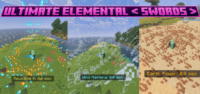
- Void Sword: The most powerful sword in the addon, it creates a massive black hole 8 blocks in front of the player. This black hole relentlessly pulls all nearby entities into its gravitational grasp. After a short duration, it spectacularly explodes, launching affected entities in all directions and dealing immense damage. Ideal for crowd control and annihilating large groups of enemies.
- Fire Sword: Ignites enemies upon strike, inflicting continuous burn damage over time. It can also launch fireballs or create trails of magma that damage anyone who treads upon them. Perfect for facing fire-vulnerable foes or clearing areas.
- Ice Sword: Temporarily freezes enemies on hit, drastically slowing their movement and making them vulnerable to follow-up attacks. It can also launch icy projectiles that deal damage and slow, or create ice blocks to obstruct movement.
- Earth Sword: Allows you to summon sharp earth spikes from the ground, damaging nearby enemies and impeding their movement. It also grants the player temporary damage resistance, making it a versatile offensive and defensive weapon.
- Wind Sword: Empowers you to push enemies away with a powerful gust of wind, providing excellent battlefield control. It also grants increased movement speed and jump height, making it ideal for rapid maneuvers and dodging attacks.
- Lightning Sword: On impact, this sword can summon a bolt of lightning, dealing significant damage to enemies. It is particularly effective in watery areas, where it can chain-electrocute multiple nearby targets.
- Water Sword: Offers minor healing capabilities to the wielder and can launch water bubbles that deal slow drowning damage to enemies. It can also be used to extinguish fires or remove certain negative status effects.
- Nature Sword: Enables you to summon vines that entangle enemies and inflict continuous poison damage. It also accelerates the growth of nearby plants, making it useful for farmers and explorers.
- Light Sword: Emits a blinding flash that disorients enemies and reveals hidden creatures. It deals bonus damage to undead mobs, making it a potent weapon against zombies, skeletons, and phantoms.
- Shadow Sword: Grants temporary invisibility to the user and deals extra damage to enemies during nighttime. It can also apply weakness and slowness effects to targets, perfect for stealthy assassinations.
- Ender Sword: Allows for short-range instantaneous teleportation, providing a tactical advantage in combat. It can also pull enemies towards you, making it useful for controlling one-on-one engagements.
- Poison Sword: Applies a potent dose of poison to enemies on hit, inflicting substantial damage over time. The poison can spread to nearby foes, making it highly effective against clustered groups.
- Explosive Sword: Creates a small area-of-effect explosion with each strike, damaging the surrounding area. It is ideal for dealing widespread damage in densely packed enemy zones or for quick block destruction.
- Gravity Sword: Manipulates the gravitational pull around enemies, either lifting them into the air before slamming them down or drawing them firmly to the ground. This sword offers unique crowd control options on the battlefield.
- Life Sword: This sword can drain health from enemies and transfer it to the player, offering a crucial lifeline in prolonged battles. It also provides a minor regeneration boost to the user when activated.
How to Download and Install Ultimate Elemental Swords
Installing the Ultimate Elemental Swords mod is straightforward, especially since it's an addon designed for Minecraft Bedrock Edition. Simply follow these steps precisely to ensure the mod functions correctly:
- Download the Mod File: Begin by downloading the mod file (in .mcpack format) from the direct download link on IQMOD. Ensure you are downloading the version compatible with your specific Minecraft Bedrock Edition.
- Open the .mcpack File: Once the download is complete, simply open the .mcpack file you've downloaded. Your device will automatically launch Minecraft and begin importing the pack. A message within the game will confirm the successful import.
- Create or Edit a World: From the Minecraft main menu, select 'Play'. You can either create an entirely new world by clicking 'Create New World' or modify an existing world by clicking the pencil icon next to its name.
- Activate Resource and Behavior Packs: Within the world settings, navigate to the 'Resource Packs' section and then the 'Behavior Packs' section. In both sections, locate the 'Ultimate Elemental Swords' pack and activate it by moving it from the 'My Packs' list to the 'Active' list. It's crucial to activate it in both sections for the mod to function completely.
- Launch the Game: After successfully activating the packs, click 'Create' if you're making a new world, or 'Play' if you're modifying an existing one. The new elemental swords will be available in-game, either through crafting (if the mod supports specific recipes) or directly from your Creative Inventory.
For a complete guide, check out our Minecraft Mods Installation Guide.
System Requirements and Compatibility
To ensure a smooth gaming experience with the Ultimate Elemental Swords mod, please review the following requirements:
- Minecraft Version: Bedrock Edition (Latest compatible versions)
- Mod Loader: None required (installs as a direct Bedrock Addon)
- Platform: Bedrock (Windows 10, Xbox, Mobile, Nintendo Switch, PS4)
- Dependencies: No other mods are primarily required to run this addon.
Pro Tips for Using Ultimate Elemental Swords
To maximize your effectiveness with the Ultimate Elemental Swords mod, here are some advanced tips and strategies:
- Strategic Sword Switching: Don't rely on just one sword. Learn the strengths and weaknesses of each elemental blade and switch between them based on the enemy type or situation. For example, use the Ice Sword to slow down fast enemies, then finish them with a powerful Fire Sword strike.
- Master the Void Sword's Black Hole: The Void Sword is not just a damage dealer; it's a strategic crowd control tool. Use its black hole ability to group large swarms of zombies or skeletons into a single point before the explosion, making it easy to eliminate them en masse. It can also temporarily displace dangerous foes.
- Combine Swords with Terrain: The Lightning Sword can be devastating near bodies of water, electrifying multiple enemies. Use the Water Sword to douse fires caused by other swords or to create temporary aquatic defenses. The Earth Sword can create natural barriers to protect you or trap enemies.
- Utilize Swords for Exploration and Farming: The Wind Sword can significantly boost your movement speed and jump height, helping you traverse difficult terrain quickly. The Nature Sword isn't just for combat; it can accelerate crop growth, making it a valuable tool for farmers in your Minecraft world.
- Tackling Bosses and Powerful Mobs: When facing Minecraft bosses like the Wither or the Ender Dragon, plan a diverse sword loadout. The Light Sword is highly effective against undead creatures, while the Shadow Sword might offer a chance for stealth and debuffs before direct engagement. The Life Sword can be crucial for sustaining yourself through long, drawn-out battles.
- Timing Your Abilities: Many swords have special abilities with cooldowns that require precise timing. Practice using the Void Sword's black hole or the Lightning Sword's strike at the opportune moment for maximum impact. Understanding each ability's cooldown period will give you a significant advantage in combat.
Is Ultimate Elemental Swords Safe and Free?
Yes, the Ultimate Elemental Swords mod is completely safe and free to download and use. At IQMOD, we prioritize the safety and security of our users above all else. All mods and addons available on our website undergo rigorous checks to ensure they are free from any malicious software or viruses. You can download this mod with complete confidence, enjoying its powerful features without any concern for the security of your device or Minecraft account. Furthermore, it is provided free of charge, allowing you to experience these potent swords without any additional cost.
Why Download from IQMOD?
IQMOD stands as the premier destination for downloading Minecraft mods and addons, and we guarantee you the best download experience for the Ultimate Elemental Swords mod. Here's why we are your optimal choice:
- Direct and Secure Download Links: We provide direct, clean download links, free from intrusive ads or deceptive redirects that could compromise your device's security.
- Consistent Updates: We are committed to regularly updating all mods to ensure compatibility with the latest Minecraft versions, guaranteeing a stable and bug-free gameplay experience.
- Dedicated Support: Our support team is readily available to assist you with any questions or issues you might encounter during the download or installation process.
- Trusted Community: IQMOD is a community trusted by thousands of Minecraft players worldwide, making it a reliable source for all your modding needs.
- Hassle-Free Experience: With IQMOD, you'll get the mod you want quickly and easily, allowing you to spend more time playing and enjoying your game.
Don't miss the opportunity to unleash the power of the elements in Minecraft. Download the Ultimate Elemental Swords mod now from IQMOD and prepare for an unforgettable combat experience!
Ultimate Elemental Swords Mod for Minecraft - Download & Install Minecraft Mod Screenshots
View images and verify quality before download
Image Gallery


Ultimate Elemental Swords Mod for Minecraft - Download & Install Technical Information
Learn technical details, version, and supported platform
Technical Specifications

Your Own Minecraft Server! 🎮
Start your own server with friends on BisectHosting — insane performance, one-click mod installs, and 24/7 support. Use the discount code and start at the lowest price!
Download and Share
Download for free or share it with friends
Additional Files Required
This mod requires additional files to work properly
Get the advantage!
Subscribe for early access to exclusive mods and direct downloads without timers or ads.
Mod not opening in Minecraft? This applies to Bedrock edition only (mobile/console) — the issue is your file manager, not the mod. Use our app IQ OpenMC to open the file and it will give you the option to open it in Minecraft directly. (Java players don't need this step)