

TWW: WW2 Tanks Mod for Minecraft - Download & Install
Download TWW: WW2 Tanks Mod for Minecraft - adds 10+ iconic WWII tanks with powerful cannons & durable armor for intense PvP battles. Get it free from IQMOD!
Everything About TWW: WW2 Tanks Mod for Minecraft - Download & Install
Read the full article about the mod
What is TWW: WW2 Tanks?
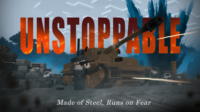
TWW: WW2 Tanks is a comprehensive Minecraft addon developed by a dedicated modding team, designed to immerse players in the intense historical conflicts of World War II by introducing a vast array of iconic tanks. This mod is specifically tailored for Minecraft Java Edition versions, commonly supporting 1.19.2 and 1.20.1, transforming traditional gameplay into a dynamic battlefield of armored warfare. It provides a realistic yet fun experience, allowing players to command powerful war machines and redefine their combat strategies.
This mod fundamentally alters the Minecraft combat experience, moving beyond conventional swords and bows to embrace heavy firepower and durable armor. It adds a significant layer of strategic depth, making it ideal for players seeking intense PvP encounters, large-scale base sieges, or simply a more formidable way to explore their worlds. TWW: WW2 Tanks has quickly become a favorite within the community for those looking to recreate historical battles or dominate their opponents with unparalleled mechanized might.
Key Features and Highlights
- Authentic WWII Tank Roster: The mod introduces over 10 meticulously crafted tanks, each inspired by real-life vehicles from the Second World War. Players can command legendary machines like the American M4 Sherman, German Tiger I, Soviet T-34, British Churchill, and many more, all featuring distinct models and characteristics.
- Functional Cannons and Ammunition: Every tank is equipped with a fully operational main cannon and, in some models, secondary machine guns. Players can utilize various ammunition types, such as Armor-Piercing (AP) and High-Explosive (HE) shells, each with unique destructive properties against different targets.
- Realistic Armor and Damage Mechanics: Tanks feature robust armor plating that simulates real-world thickness and resilience. The damage system is localized, meaning hits to specific areas like the engine, tracks, or turret can impair performance, disable the tank temporarily, or lead to its complete destruction.
- Advanced Driving and Control System: Operating these tanks requires skill, as the mod implements a realistic driving mechanism. Players must learn to manage speed, navigate terrain, and precisely aim their turrets. Multi-seat functionality allows for cooperative gameplay, with separate roles for the driver and gunner.
- Immersive Sound and Visual Effects: The mod includes high-fidelity sound effects for engine roars, cannon blasts, and explosions, significantly enhancing the sense of immersion. Visual effects such as smoke plumes from damaged tanks and fiery explosions upon destruction further enrich the combat experience.
- Fuel and Maintenance Systems: Tanks require fuel to operate, which players can craft and supply using custom fuel cans. Regular maintenance and repairs are also necessary, utilizing specialized tools and resources to fix damage sustained in battle.
- Destructible Environments: Certain tanks possess the ability to obliterate smaller blocks and environmental obstacles, allowing players to forge new paths through forests or destroy light structures, adding a tactical dimension to engagements.
- Multiplayer Combat (PvP and Co-op): TWW: WW2 Tanks truly shines in multiplayer settings. Teams can engage in epic tank battles, coordinate assaults on enemy bases, or work together to crew a single tank, enhancing strategic depth and teamwork.
- Comprehensive Crafting System: The mod introduces numerous new crafting recipes for tanks, their components, ammunition, fuel, and repair kits. This necessitates resource gathering and strategic planning for production.
- Tank Customization Options: Players can personalize their tanks with various camouflage patterns or minor aesthetic modifications to distinguish their vehicles on the battlefield and express individuality.
- Advanced Targeting System: An integrated targeting system assists players in accurately aiming at distant enemies, accounting for projectile trajectory and gravity, making long-range engagements more skillful.
- Historical Accuracy: While adapted for Minecraft, the mod strives for historical accuracy in tank models, performance characteristics, and weaponry, offering an educational and engaging experience for history enthusiasts.
- New Resource Generation: To support tank production and maintenance, the mod may introduce new ore types or require specific vanilla resources in larger quantities, encouraging exploration and mining.
- Integration with World Generation: Some versions or future updates might include pre-generated WWII-themed structures or battlefields, providing immediate arenas for tank combat.
- Cross-Mod Compatibility: Designed with compatibility in mind, TWW: WW2 Tanks often works well alongside other popular technical or military-themed mods, expanding gameplay possibilities even further.
How to Download and Install TWW: WW2 Tanks
To download and install the TWW: WW2 Tanks mod, you'll need a mod loader like Minecraft Forge or Fabric, as this mod is designed for the Java Edition. For this guide, we'll assume the use of Minecraft Forge, which is widely popular for complex content mods. Ensure your Minecraft version matches the mod version you intend to download.
- Install Minecraft Forge: First, you must install Minecraft Forge for the correct version of Minecraft (e.g., 1.19.2 or 1.20.1). Visit the official Forge website, download the installer for your desired Minecraft version, run it, and follow the on-screen instructions to install Forge. This process will add a new profile to your Minecraft launcher.
- Download the TWW: WW2 Tanks Mod File: Navigate to the TWW: WW2 Tanks download page on IQMOD (or the mod's official source). Download the mod file, which will be in a
.jarformat. It is crucial to select the version that corresponds to both your Minecraft installation and your Forge version. - Locate and Open Your Minecraft 'mods' Folder: After downloading the mod file, open your Minecraft game directory. You can usually do this by opening your Minecraft launcher, going to the "Installations" tab, selecting your Forge profile, and clicking the small folder icon. Once the directory opens, locate the folder named
mods. If this folder doesn't exist, create it manually. - Place the Mod File into the 'mods' Folder: Drag and drop the downloaded
.jarfile for TWW: WW2 Tanks directly into themodsfolder you just opened or created. Do not extract the contents of the.jarfile; simply place the file itself into the folder. - Launch Minecraft with the Forge Profile: Re-open your Minecraft launcher. On the main screen, ensure that the selected profile is the Forge profile you installed (it's usually named something like
Forge [Minecraft Version]). Click the "Play" button to start the game. - Verify Mod Installation: Once in the game, either create a new world or load an existing one. You can typically confirm the mod's successful installation by checking the in-game mods menu (often accessible from the main menu) or by searching for the new tank items and related crafting recipes in the Creative Inventory. If you see the WWII tanks and associated items, you're ready to roll!
For a complete guide, check out our Minecraft Mods Installation Guide.
System Requirements and Compatibility
- Minecraft Version: Recommended for 1.19.2, 1.20.1 (or the latest supported version by the mod).
- Mod Loader: Minecraft Forge (essential for running this mod).
- Platform: Java Edition (not directly compatible with Bedrock Edition).
- Dependencies: TWW: WW2 Tanks is designed to be a standalone mod and typically does not require other specific mods to function.
Pro Tips for Using TWW: WW2 Tanks
To truly master the TWW: WW2 Tanks mod and dominate the battlefield, consider these advanced tips:
- Master Tank Controls and Maneuvers: Each tank has unique handling characteristics. Practice driving and aiming in a safe environment to understand its speed, turning radius, and turret traverse rate. Learn to perform evasive maneuvers and utilize reverse speed effectively to reposition or escape dangerous situations. Understanding the weight and momentum of your tank is crucial for effective combat.
- Strategic Positioning and Cover Utilization: Never stay in the open for too long. Use terrain features like hills, ridges, and large structures for cover. Hull-down positions (where only your turret is exposed) are excellent for minimizing your target profile. Always think about your escape routes and potential ambush points before engaging an enemy.
- Effective Ammunition Management: Understand the difference between AP (Armor-Piercing) and HE (High-Explosive) shells. AP rounds are best for penetrating heavy armor, while HE rounds are effective against lightly armored targets, structures, or groups of mobs. Always carry a balanced loadout of both, and be mindful of your dwindling supplies during prolonged engagements.
- Teamwork in Multiplayer Tank Combat: If playing with friends, leverage the multi-seat functionality. A dedicated driver can focus on positioning and evasion, while a skilled gunner concentrates on targeting and firing. Communication is key for coordinating movements, calling out targets, and executing flanking maneuvers. A third player could act as a spotter or commander, providing intel.
- Base Building for Tank Support and Defense: Construct fortified tank garages, repair bays, and fuel depots within your base. Design defensive perimeters with anti-tank obstacles, trenches, and even fixed artillery positions to deter enemy tank assaults. A well-placed defensive network can turn the tide of a siege.
- Resource Gathering for Tank Upgrades and Repairs: Tanks are resource-intensive. Establish efficient mining operations for iron, copper, and coal, which are vital for crafting new tanks, ammunition, and repair kits. Prioritize automating resource collection where possible to maintain a steady supply line for your mechanized division.
Is TWW: WW2 Tanks Safe and Free?
Yes, the TWW: WW2 Tanks mod is completely safe and free to download and use. All mods available on IQMOD are regularly scanned and vetted to ensure they are free from malicious software or viruses, guaranteeing a secure gaming experience for our users. The mod is provided freely by its developers to support the vibrant Minecraft community, and we at IQMOD are committed to delivering these mods safely and without any additional cost. You can download it with full confidence, enjoying its content without concerns about your device's safety or your personal data.
Why Download from IQMOD?
IQMOD is the premier destination for both Arabic and English-speaking players seeking high-quality Minecraft mods. When you download TWW: WW2 Tanks from IQMOD, you benefit from several exclusive advantages: we provide direct, high-speed download links, entirely free from intrusive ads and pop-ups that hinder your experience. We also ensure that all mods are consistently updated to their latest versions and thoroughly vetted for security and compatibility. The IQMOD support team is always available to assist you with any questions or issues you might encounter during installation or gameplay. Don't hesitate—download the TWW: WW2 Tanks mod now from IQMOD and step into a new era of epic combat in Minecraft!
TWW: WW2 Tanks Mod for Minecraft - Download & Install Minecraft Mod Screenshots
View images and verify quality before download
Image Gallery


TWW: WW2 Tanks Mod for Minecraft - Download & Install Technical Information
Learn technical details, version, and supported platform
Technical Specifications

Your Own Minecraft Server! 🎮
Start your own server with friends on BisectHosting — insane performance, one-click mod installs, and 24/7 support. Use the discount code and start at the lowest price!
Download and Share
Download for free or share it with friends
Additional Files Required
This mod requires additional files to work properly
Get the advantage!
Subscribe for early access to exclusive mods and direct downloads without timers or ads.
Mod not opening in Minecraft? This applies to Bedrock edition only (mobile/console) — the issue is your file manager, not the mod. Use our app IQ OpenMC to open the file and it will give you the option to open it in Minecraft directly. (Java players don't need this step)