

Storage Drawers Mod for Minecraft - Download & Install
Download Storage Drawers Mod for Minecraft, adding compact and efficient storage solutions with 12 distinct drawer types and multiple upgrades. Organize resources easily. Get it free from IQMOD now!
Everything About Storage Drawers Mod for Minecraft - Download & Install
Read the full article about the mod
What is Storage Drawers?
Storage Drawers is a highly popular and efficient Minecraft mod that introduces a new way to store and organize items within the game. Unlike traditional chests that can quickly become cluttered and unwieldy, this mod provides compact, high-density storage solutions specifically designed for holding large quantities of a single item type. Developed primarily by TexelElf, Storage Drawers is compatible with a wide range of Minecraft versions, from older ones like 1.8-1.12 (with dependencies) up to the latest releases such as 1.18.2, 1.19.x, and 1.20.x, making it a staple in many modded Minecraft experiences.
The core concept behind Storage Drawers is to offer a visually appealing and incredibly efficient alternative to conventional storage. Players can quickly deposit or withdraw items, see at a glance what's inside, and even automate their storage systems. Its integration into various popular modpacks highlights its utility and versatility, transforming chaotic inventory management into a streamlined, enjoyable process, particularly for players with large-scale farms or automated production lines who deal with vast amounts of specific resources.
Key Features and Highlights
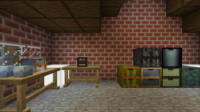
- High-Density, Compact Storage: Storage Drawers excel at storing massive quantities of a single item type in a very small footprint. This makes them ideal for bulk resources like cobblestone, wood, dirt, or ores, significantly reducing the space required compared to rows of traditional chests.
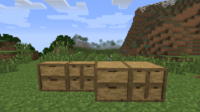
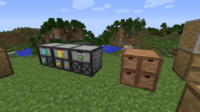
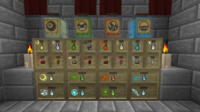
- Diverse Drawer Sizes: The mod offers various drawer configurations to suit different storage needs and aesthetic preferences. These include full-size (1x1), half-size (1x2), and quarter-size (2x2) drawers, allowing for flexible base design and item organization.
- Storage Upgrades: Enhance the capacity of any drawer using specialized upgrades like Diamond, Emerald, or Gold upgrades. These upgrades multiply a drawer's storage capacity several times over, enabling a single drawer to hold hundreds of thousands or even millions of a specific item.
- Void Upgrade: Perfect for automated farms, the Void Upgrade automatically destroys any items that exceed a drawer's maximum capacity. This prevents your storage systems from overflowing with unwanted or excess resources, maintaining efficiency.
- Indicator Upgrade: This upgrade provides a visual indicator of the current item count within a drawer, making it easy to check stock levels without needing to interact with the drawer directly. The indicator can be a simple bar or a numerical display.
- Locking Functionality: Secure a drawer to a specific item type with the locking feature. Once locked, the drawer will only accept that particular item, preventing accidental cross-contamination and ensuring your storage remains perfectly organized.
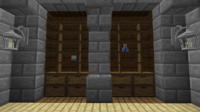
- Aesthetic Customization: Craft drawers from various wood types available in Minecraft to match your base's décor. You can also add decorative trims to further customize their appearance, blending functionality with aesthetics seamlessly.
- Quick and Intuitive Interaction: Storage Drawers offers rapid interaction methods. A simple right-click deposits items from your hand, while a Shift+right-click withdraws a single stack. A double-right-click will pull all available items from the drawer into your inventory, making bulk transfers effortless.
- Compacting Drawers: A revolutionary feature, Compacting Drawers automatically convert items between their different forms (e.g., iron ingots to iron blocks, wheat to bread, or gold nuggets to ingots). This eliminates the need for manual crafting, saving vast amounts of space for stackable resources.
- Drawer Controller: The cornerstone of large-scale storage systems, the Drawer Controller provides a centralized access point for all connected drawers within a certain radius (typically 12 blocks). This allows you to manage your entire inventory from one convenient block.
- Drawer Slaves: These blocks extend the range of a Drawer Controller, allowing you to control drawers located further away from the main controller. This provides greater flexibility when designing complex and spread-out storage networks.
- Framing Table: This utility block allows for even deeper aesthetic customization. You can use the Framing Table to apply custom textures to your drawers, making them blend perfectly with any unique building style or theme you might have.
- Seamless Automation Integration: Storage Drawers integrates flawlessly with other automation mods, including Hoppers, Applied Energistics 2 (AE2), and Refined Storage. This compatibility makes it an indispensable component of any tech-focused Minecraft setup.
- Ghost Items: Even when a drawer is empty, it can display a 'ghost' image of the item it's designated to hold. This handy visual cue helps you remember what belongs where and assists automation systems in sorting new items to their correct locations.
- Status Indicators: Some drawer types or configurations include subtle visual indicators, such as a small light or a texture change, to quickly show if a drawer is full, empty, or nearly depleted.
How to Download and Install Storage Drawers
To install the Storage Drawers mod, you will first need to have the appropriate mod loader (Forge or Fabric) installed for your specific Minecraft version. Ensure you download the version of Storage Drawers that matches both your Minecraft version and your chosen mod loader.
- Step 1: Install a Mod Loader (Forge/Fabric): If you don't already have one, download the installer for your desired Minecraft version from the official Forge website (files.minecraftforge.net) or Fabric website (fabricmc.net/use). Run the installer and follow the prompts to install it into your Minecraft directory. Make sure to launch Minecraft at least once with the newly created Forge/Fabric profile to ensure everything is set up correctly.
- Step 2: Download Storage Drawers Mod: Navigate to the Storage Drawers download page on IQMOD.ME. Select the version of the mod that is compatible with your Minecraft version and your chosen mod loader (Forge or Fabric). Click on the direct download link to save the mod file (typically a .jar file) to your computer.
- Step 3: Download Required Dependencies: For Minecraft versions 1.8 through 1.12, Storage Drawers requires the Chameleon library. For Fabric versions, there might be an optional dependency on Forge Config API Port for configuration support. Always check the mod description for any other required dependencies and download them similarly.
- Step 4: Place the Mod File in Your Mods Folder: Open your Minecraft game directory. You can usually access this by typing
%appdata%in your Windows Start menu search bar, pressing Enter, and then navigating to the.minecraftfolder. Inside this folder, locate themodsfolder. Drag and drop the downloaded Storage Drawers mod file(s) (.jar) and any dependency files into thismodsfolder. If themodsfolder doesn't exist, simply create it. - Step 5: Launch Minecraft: Open your Minecraft Launcher. Ensure that you select the Forge or Fabric profile you installed in Step 1. Start the game. If the installation was successful, you should see Storage Drawers listed in the in-game mods menu, and you'll be able to craft and use the new storage blocks.
For a complete guide, check out our Minecraft Mods Installation Guide.
System Requirements and Compatibility
- Minecraft Version: Compatible with a wide range of versions including 1.8, 1.9, 1.10, 1.11, 1.12.2, 1.14.4, 1.15.2, 1.16.5, 1.18.2, 1.19.2, 1.20.1, and newer. Always download the specific mod file for your Minecraft version.
- Mod Loader: Forge or Fabric (depending on the mod version you choose).
- Platform: Java Edition. (An official Bedrock Marketplace port exists, but this article focuses on the Java Edition mod).
- Dependencies: For 1.8 - 1.12 versions, the Chameleon library is required. Fabric versions may have an optional dependency on Forge Config API Port for configuration.
Pro Tips for Using Storage Drawers
To maximize your efficiency and enjoyment with the Storage Drawers mod, consider these advanced tips:
- Prioritize Compacting Drawers Early: For common resources like cobblestone, dirt, logs, and all types of ores, immediately craft Compacting Drawers. They automatically handle conversion between nuggets, ingots, and blocks, saving immense space and simplifying resource management from the get-go.
- Strategic Drawer Controller Placement: Position your Drawer Controller in a central, easily accessible location within your base. This single block can interact with all connected drawers within its 12-block radius, acting as your primary interface for depositing and withdrawing items from your entire storage network.
- Use Void Upgrades Judiciously: While powerful for automated farms generating infinite resources (e.g., cobblestone generators, mob farms), be cautious with Void Upgrades. Only apply them to drawers holding items you truly don't need excess of, as they permanently destroy surplus items. For valuable resources, always opt for capacity upgrades.
- Aesthetic Integration: Don't just focus on function. Craft your drawers from different wood types to match your base's interior design. Utilize the Framing Table to apply custom block textures, allowing your storage solutions to blend seamlessly or stand out as a decorative feature.
- Automate with Buses/Pipes: Integrate Storage Drawers with item transportation systems from other mods. Use Hoppers for simple input/output, or leverage Storage Buses (from Applied Energistics 2) or Storage Connectors (from Refined Storage) to link your entire drawer network directly into your larger digital storage system, providing a highly efficient and searchable inventory.
- Leverage Ghost Items for Organization: Even before you have items to store, use the 'ghost item' feature (often by right-clicking an empty drawer with an item) to designate what belongs in each drawer. This not only aids your memory but also helps set up automation filters, ensuring new items are routed to their intended storage locations immediately.
Is Storage Drawers Safe and Free?
Yes, the Storage Drawers mod is completely safe and free to use. All mods available on IQMOD undergo rigorous checks to ensure they are free from any malicious software or viruses. We are committed to providing reliable and free content from trusted and reputable sources. You can download and install Storage Drawers with full confidence, enhancing your Minecraft experience without any security concerns.
Why Download from IQMOD?
IQMOD.ME is your premier destination for downloading Minecraft mods, offering a seamless and secure download experience. When you download the Storage Drawers mod from IQMOD, you benefit from direct download links free of intrusive advertisements, saving you time and hassle. We consistently strive to provide the latest versions of mods, and our dedicated support team is ready to assist with any issues you may encounter. Join our community and download Storage Drawers now to elevate your Minecraft experience to a new level of organization and efficiency!
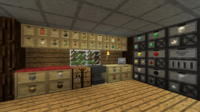
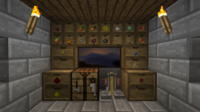
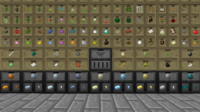
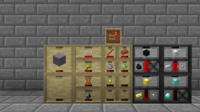
Storage Drawers Mod for Minecraft - Download & Install Minecraft Mod Screenshots
View images and verify quality before download
Image Gallery
Storage Drawers Mod for Minecraft - Download & Install Technical Information
Learn technical details, version, and supported platform
Technical Specifications

Your Own Minecraft Server! 🎮
Start your own server with friends on BisectHosting — insane performance, one-click mod installs, and 24/7 support. Use the discount code and start at the lowest price!
Download and Share
Download for free or share it with friends
Get the advantage!
Subscribe for early access to exclusive mods and direct downloads without timers or ads.
Mod not opening in Minecraft? This applies to Bedrock edition only (mobile/console) — the issue is your file manager, not the mod. Use our app IQ OpenMC to open the file and it will give you the option to open it in Minecraft directly. (Java players don't need this step)