

Rustic Furniture Addon for Minecraft Bedrock - Download & Install
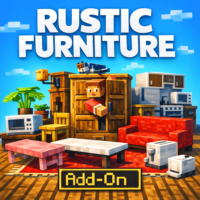
Enhance your Minecraft Bedrock home with Rustic Furniture Addon, adding 100+ decorative pieces. Includes chairs, tables, kitchens, bathrooms, and appliances in 16 colors and 12 wood types. Download free from IQMOD!
Everything About Rustic Furniture Addon for Minecraft Bedrock - Download & Install
Read the full article about the mod
What is Rustic Furniture?
Rustic Furniture is a comprehensive addon for Minecraft Bedrock Edition that significantly enhances your in-game building and decorating experience by introducing an extensive collection of diverse furniture and decorative items. This addon focuses on providing a rich variety of design options, including classic and modern chairs, sofas, functional kitchen appliances, essential bathroom fixtures, and various aesthetic decorations, all available in multiple vibrant colors and distinct wood types. It is specifically designed for Bedrock Edition players, aiming to elevate their visual and functional building capabilities, enabling them to create more realistic, cozy, and aesthetically pleasing homes and bases within their Minecraft worlds.
Minecraft has always been a beacon of creativity, allowing players to construct magnificent structures. However, one common limitation players often encounter is the scarcity of detailed furniture and decorative items in the vanilla game, which can make interiors feel somewhat bland or repetitive. The Rustic Furniture addon expertly addresses this gap, offering players an unparalleled degree of freedom to express their creativity in designing and furnishing their virtual homes. Following a Vanilla+ approach, this addon seamlessly integrates its new items with Minecraft's original art style, ensuring that the additions feel natural and cohesive rather than out of place. It empowers the Minecraft community with powerful tools to transform their built spaces into true works of art, whether they prefer a warm, rustic charm or sleek, modern aesthetics, bringing a new dimension of interior design to their gameplay.
Key Features and Highlights
- Expansive Furniture Catalog: This addon introduces over 100 brand-new furniture pieces and decorative items, meticulously crafted to cover every aspect of home decor. From living rooms and kitchens to bathrooms and outdoor spaces, you'll find an endless array of options to personalize and elevate your builds.
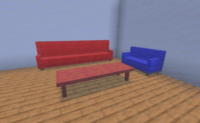
- Diverse Seating Options: Discover an impressive collection of over 20 unique chair styles, including classic dining chairs, modern armchairs, comfortable office chairs, and functional bar stools. Complementing these are more than 10 types of sofas, ranging from elegant single-seaters to spacious double and corner units, all fully customizable in 16 vibrant colors to match any interior design scheme.
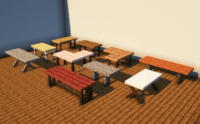
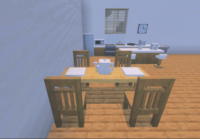
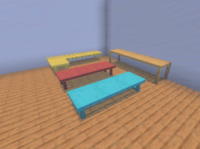
- Functional and Stylish Tables: The addon offers a wide array of tables designed for various purposes. Choose from chic coffee tables for your living room, grand dining tables for your feasts, versatile side tables, and practical shelf tables. These pieces are perfect for creating dynamic social spaces, functional workstations, or cozy reading nooks.
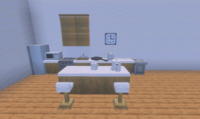
- Integrated Storage Solutions: Beyond aesthetics, Rustic Furniture provides practical storage solutions. Outfit your kitchen with stylish cabinets, organize your belongings with multi-drawer dressers, and add functional nightstands to your bedrooms, offering both visual appeal and essential utility for survival mode.
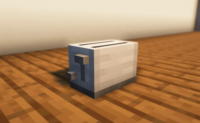
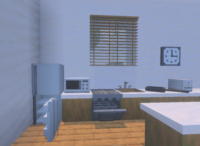
- Modern Home Appliances: Bring a touch of contemporary living to your Minecraft kitchens with a detailed set of home appliances. The addon includes realistic refrigerators, functional ovens, convenient microwaves, and charming toasters, adding a layer of realism and modern functionality to your culinary spaces.
- Elegant Decorative Accents: Elevate the ambiance of any room with a rich selection of decorative accents. Adorn your walls with elegant mirrors and classic wall clocks, display detailed globes, add charming teapots, and arrange various utensils to imbue your spaces with character and sophistication.
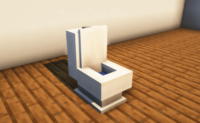
- Complete Bathroom Sets: Design fully functional and aesthetically pleasing bathrooms with a comprehensive collection of fixtures. The addon provides detailed showers, luxurious bathtubs, elegant sinks, modern toilets, and fluffy towels, allowing you to create a serene and practical oasis within your home.
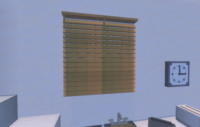
- Outdoor & Utility Items: Extend your decorative flair beyond the indoors. The addon includes practical outdoor items such as blinds for windows, charming dog kennels for your loyal companions, and versatile ladders, enabling you to enhance exterior spaces and create multi-level structures.
- Extensive Material Variety: All wooden furniture items are thoughtfully designed to be available in 12 different Minecraft wood types, including oak, spruce, birch, jungle, acacia, dark oak, and crimson. This extensive variety ensures perfect stylistic coherence with any existing build or allows for creative blending to achieve unique aesthetic contrasts.
- Vanilla+ Aesthetic Integration: Every item within the Rustic Furniture addon is meticulously crafted to blend seamlessly with Minecraft's original art style. This Vanilla+ approach ensures that the new additions enhance the game's visual appeal without compromising its core aesthetic, maintaining a cohesive and immersive gameplay experience.
- Enhanced Survival Gameplay: Many items, particularly the storage solutions and appliances, offer tangible practical benefits in survival worlds. Efficiently organize your resources with new cabinets and drawers, making base building more engaging, organized, and ultimately, more enjoyable.
- Extensive Color Customization: The addon provides an extensive color palette for upholstered items, allowing players to customize chairs, sofas, and other fabric-based furniture in 16 vibrant colors. This feature grants complete freedom to match furniture to your unique interior design schemes and personal preferences.
- Intuitive Crafting Recipes: Accessing the new furniture is made easy with intuitive and balanced crafting recipes that fit perfectly within Minecraft's established gameplay mechanics. This ensures that obtaining new items feels natural and rewarding, encouraging exploration and resource gathering.
- Regular Updates & Compatibility: The developers are committed to providing consistent updates for Rustic Furniture, ensuring its compatibility with the latest Minecraft Bedrock versions. These updates often include new features, bug fixes, and additional content, guaranteeing a continuously evolving and stable gameplay experience.
How to Download and Install Rustic Furniture
Installing the Rustic Furniture addon for Minecraft Bedrock Edition is a straightforward process, as it doesn't require complex mod loaders like Forge or Fabric. Follow these simple steps to get the addon installed and start decorating your world:
- Download the Addon File: Begin by clicking the direct download link for the Rustic Furniture addon provided on IQMOD. A file with the
.mcaddonextension will be downloaded to your device. Ensure you download from a trusted source like IQMOD to guarantee the file's safety and integrity. - Open the Addon File: Once the download is complete, simply tap or double-click the
.mcaddonfile. Minecraft Bedrock Edition will automatically launch and begin the process of importing the addon into your game. You should see an in-game message confirming the successful import. - Activate the Addon in World Settings: After the import, open Minecraft. You can activate the addon in either a new world or an existing one.
- For a New World: When creating a new world, navigate to the 'Resource Packs' and 'Behavior Packs' sections in the left-hand menu. Find 'Rustic Furniture' under 'My Packs' and activate it in both sections.
- For an Existing World: From the world selection screen, tap the pencil icon next to the world you wish to add the addon to. Then, go to the 'Resource Packs' and 'Behavior Packs' sections and activate 'Rustic Furniture'.
- Enable Essential Experimental Features: This step is crucial for the addon to function correctly. In your world settings (whether creating a new world or editing an existing one), scroll down to the 'Experiments' section and enable the following options: 'Holiday Creator Features,' 'Molang Features,' 'Beta APIs,' and 'Gametest Framework.' While not all addons require every experimental feature, enabling these ensures maximum compatibility and functionality for Rustic Furniture.
- Launch Your World and Enjoy: After activating the addon and enabling the necessary experimental features, save your world settings and load into your game. You will find all the new furniture items available in your creative inventory or via crafting recipes, depending on how the addon is designed. Start furnishing your world with beautiful new pieces!
For a complete, in-depth guide covering various installation methods for different types of Minecraft content, check out our Minecraft Mods Installation Guide.
System Requirements and Compatibility
- Minecraft Version: The Rustic Furniture addon requires the latest versions of Minecraft Bedrock Edition. It is highly recommended to use version 1.20 or newer to ensure optimal compatibility, performance, and access to all features.
- Mod Loader: This addon does not require any specific mod loader (such as Forge or Fabric) as it is designed to work natively with Minecraft Bedrock's built-in addon system.
- Platform: This addon is exclusively for the Bedrock Edition of Minecraft, meaning it is compatible with all platforms that support this version, including Windows 10/11, Xbox, PlayStation, Nintendo Switch, and mobile devices (Android/iOS).
- Dependencies: There are no other mods or addons required to run Rustic Furniture; it functions completely independently.
Pro Tips for Using Rustic Furniture
To truly maximize your experience with the Rustic Furniture addon and transform your Minecraft Bedrock world into a beautifully crafted masterpiece, consider these advanced tips:
- Themed Room Design: Utilize the vast array of furniture to design distinct rooms with specific themes. For instance, create a cozy, rustic kitchen with dark wood furniture and vintage appliances, or design a sleek, modern living room with vibrant sofas and glass coffee tables. Don't be afraid to blend styles to achieve a unique ambiance.
- Leverage Storage for Survival: In survival mode, the kitchen cabinets and various drawers are not just decorative; they offer valuable storage functionality. Use them to organize your resources and belongings efficiently, reducing clutter and adding both aesthetic appeal and practical utility to your base.
- Create Inviting Outdoor Living Spaces: Extend your creative designs beyond interior spaces. Adorn your garden or patio with charming dog kennels for your pets, use ladders to connect multi-level outdoor structures, or add blinds to exterior windows to give your home a more complete and finished look from the outside.
- Enhance Role-Playing and Realism: The detailed appliances and small decorative items like clocks and mirrors significantly enhance role-playing scenarios. By making your virtual homes feel more alive and functional, you immerse yourself deeper into the game world, creating a more realistic and enjoyable living experience.
- Experiment with Wood Type Combinations: Since all wooden furniture pieces are available in 12 different wood types, don't shy away from experimenting. Mix and match different wood types to create intriguing visual contrasts or harmonious blends that complement your overall design palette. Combining light oak with dark acacia, for example, can yield stunning results.
- Integrate with Shaders and Lighting: For the ultimate visual experience, combine Rustic Furniture with high-quality shader packs. Shaders can dramatically improve lighting, shadows, and reflections, highlighting the intricate details and textures of the new furniture items, adding depth and realism to your interior designs and making every room feel like a luminous masterpiece.
- Creative Mode Prototyping: Before committing to building in survival mode, use creative mode to experiment freely with different furniture placements, color combinations, and room layouts. This allows you to visualize and perfect your designs without resource constraints, saving time and effort in your survival world.
Is Rustic Furniture Safe and Free?
Yes, the Rustic Furniture addon is absolutely safe to download and use, and it is entirely free of charge. At IQMOD, we prioritize the safety and security of our users above all else. Therefore, all addons and mods available on our platform undergo rigorous scanning and verification processes to ensure they are free from any malicious software, viruses, or unsafe content. We are committed to providing a reliable and secure source for the Minecraft community, guaranteeing that all content, including Rustic Furniture, is thoroughly checked and safe for your device. You can download Rustic Furniture with complete confidence, enjoying all its features without any security risks or hidden costs.
Why Download from IQMOD?
IQMOD stands as your premier and most trusted destination for downloading high-quality Minecraft Bedrock addons. When you choose to download the Rustic Furniture addon from our website, you are guaranteed a seamless and superior experience. We provide direct, high-speed download links that are completely free from intrusive advertisements, annoying pop-ups, or deceptive redirects. Our unwavering commitment ensures that all addons are consistently updated to maintain compatibility with the latest game versions, guaranteeing you always have access to the newest and best iteration of your desired content. Furthermore, our dedicated support team is readily available to assist you with any questions or issues you might encounter during installation or usage. Download Rustic Furniture from IQMOD today and embark on transforming your Minecraft world into a beautifully furnished and uniquely designed masterpiece!
Rustic Furniture Addon for Minecraft Bedrock - Download & Install Minecraft Mod Screenshots
View images and verify quality before download
Image Gallery
Rustic Furniture Addon for Minecraft Bedrock - Download & Install Technical Information
Learn technical details, version, and supported platform
Technical Specifications

Your Own Minecraft Server! 🎮
Start your own server with friends on BisectHosting — insane performance, one-click mod installs, and 24/7 support. Use the discount code and start at the lowest price!
Download and Share
Download for free or share it with friends
Get the advantage!
Subscribe for early access to exclusive mods and direct downloads without timers or ads.
Mod not opening in Minecraft? This applies to Bedrock edition only (mobile/console) — the issue is your file manager, not the mod. Use our app IQ OpenMC to open the file and it will give you the option to open it in Minecraft directly. (Java players don't need this step)