

Quark Mod for Minecraft - Download & Install
Download Quark Mod for Minecraft, adding 150+ small, modular features to enhance vanilla gameplay. Fully customizable. Compatible with latest versions. Get it free from IQMOD!
Everything About Quark Mod for Minecraft - Download & Install
Read the full article about the mod
What is Quark?
Quark is a comprehensive and fully modular Minecraft mod, aptly named after the subatomic particle, signifying its nature as a collection of numerous small, impactful features. Its primary goal is to enhance the vanilla Minecraft experience by adding quality-of-life improvements, new building options, and subtle gameplay tweaks without fundamentally altering the core game. The mod requires either Zeta for Minecraft 1.20.1 and newer versions, or AutoRegLib for 1.19.2 and prior, ensuring broad compatibility across various Minecraft iterations. It’s designed to feel like features that could (or should) have been part of the base game from the start.
Since its inception, Quark has garnered immense popularity within the Minecraft modding community due to its philosophy of 'vanilla-plus' additions. It's not about introducing overpowered items or complex new dimensions, but rather about refining and expanding upon existing mechanics and aesthetics. Every single feature in Quark can be individually toggled on or off, giving players unparalleled control over their gameplay experience. This modularity makes Quark an incredibly versatile mod, suitable for nearly any modpack or solo playthrough, as it allows users to pick and choose only the enhancements they desire. It effectively fills in many of the small gaps and addresses minor frustrations that players often encounter in the unmodded game, making it a staple for many dedicated Minecraft players looking for a more polished and engaging experience.
Key Features and Highlights
- Expanded Building Options: Quark revolutionizes building by introducing features like vertical slabs, allowing for more intricate wall designs and architectural details. It also enables stairs to function as inverted slabs, offering greater flexibility in creating roofs, floors, and decorative elements. These additions significantly expand the creative possibilities for builders, making complex structures more achievable.
- Enhanced Inventory Management: The mod includes several quality-of-life improvements for inventory. For instance, it adds a quick sorting button to chests and inventories, making it easier to organize items. It also allows for easier stacking of items and provides visual cues for full stacks, streamlining the often tedious task of inventory management.
- New Decorative Blocks: Quark introduces a variety of new decorative blocks that seamlessly blend with vanilla aesthetics. This includes different types of wood chests, new colored variants of existing blocks, and unique patterns for certain materials, providing more aesthetic choices for interior design and exterior landscaping without feeling out of place.
- Gameplay Tweaks and QoL: From allowing pistons to push multiple blocks in certain configurations to enabling item interaction with blocks from a distance, Quark adds numerous small, yet impactful, gameplay tweaks. These features are designed to reduce repetitive tasks and improve overall gameplay flow, making interactions within the world more intuitive and less cumbersome.
- Mob Behavior Enhancements: The mod subtly alters certain mob behaviors to make the world feel more alive and dynamic. This might include passive mobs having more varied idle animations, or hostile mobs exhibiting slightly more complex pathfinding. These changes add a layer of realism and unpredictability to creature interactions.
- Customizable Mod Settings: A standout feature is the dedicated 'Q' button on the title screen, providing an in-game interface to toggle individual Quark features. This means players don't need to delve into configuration files, making customization accessible and user-friendly, allowing instant tailoring of the mod to personal preferences.
- Exploration Rewards: Quark often introduces subtle enhancements to world generation, such as slightly more varied cave systems, small unique structures, or improved loot tables in certain vanilla structures. These changes encourage more thorough exploration by offering unexpected discoveries and better rewards.
- Redstone Additions: For redstone enthusiasts, Quark offers minor but significant improvements. This could involve new redstone components that simplify complex circuits or tweaks to existing mechanics that allow for more compact and efficient designs, pushing the boundaries of what's possible with redstone engineering.
- Tool and Item Functionality: The mod enhances the utility of existing tools and items. For example, shears might gain new uses, or pickaxes could have an extended reach for breaking blocks, making every tool feel more versatile and valuable in different scenarios.
- Visual and Sound Enhancements: Quark can add subtle visual and auditory improvements. This might include ambient sounds in specific biomes, new particle effects for certain actions, or improved textures for blocks that feel more cohesive with the vanilla style, enhancing immersion without being intrusive.
- Farming and Animal Husbandry: Features like piston feed troughs or automated animal breeding mechanics can be part of Quark, streamlining the process of maintaining farms and livestock. These small automations can significantly reduce the manual effort required, allowing players to scale up their agricultural operations more efficiently.
- World Interaction Improvements: The mod might introduce new ways to interact with the world, such as the ability to rotate blocks after placement without breaking them, or improved methods for collecting liquids. These interactions make the world feel more responsive and give players more control over their environment.
- Nether and End Tweaks: Quark extends its vanilla-plus philosophy to other dimensions. This could include adding new small biomes in the Nether, unique flora in the End, or minor adjustments to mob spawns, making these dimensions feel more diverse and interesting to explore.
- Crafting Enhancements: Some versions of Quark include crafting-related QoL, such as the ability to craft multiple items at once more easily, or new recipes for existing items that make them more accessible or useful. These small changes simplify the crafting process, especially for large projects.
- Dynamic Lighting and Shadows: While not a full shader, Quark might offer subtle dynamic lighting effects or improved shadow rendering for certain light sources, making the game's visuals more appealing and realistic without a significant performance hit.
How to Download and Install Quark
Installing the Quark mod requires a mod loader (Forge or Fabric) and a specific dependency mod (AutoRegLib or Zeta) depending on your Minecraft version. Follow these detailed steps for a successful installation:
- Install a Mod Loader (Forge/Fabric): First, ensure you have the correct version of Forge or Fabric installed for your desired Minecraft version. Download the installer from the official Forge or Fabric website. Run the installer and select 'Install client'. Once complete, open your Minecraft launcher and select the newly created Forge/Fabric profile.
- Download Quark Mod and Dependencies: Visit IQMOD.ME's Quark mod page. Here, you will find direct download links for the Quark .jar file. Crucially, you also need to download its dependency: AutoRegLib for Minecraft versions 1.19.2 and prior, or Zeta for 1.20.1 and onwards. Make sure the versions of Quark and its dependency match your Minecraft version exactly.
- Locate Your Minecraft 'mods' Folder: Open your Minecraft launcher. Navigate to the 'Installations' tab. Hover over your Forge/Fabric profile and click the small folder icon that appears. This will open your `.minecraft` directory. Inside this directory, look for a folder named `mods`. If it doesn't exist, create a new folder and name it `mods` (all lowercase).
- Transfer Downloaded Files: Drag and drop all the downloaded .jar files (Quark.jar, and either AutoRegLib.jar or Zeta.jar) into the `mods` folder you located or created in the previous step. Do not extract or unzip these files; they must remain in their original .jar format.
- Launch Minecraft: Reopen your Minecraft launcher. Select the Forge or Fabric profile you installed earlier from the profile dropdown menu. Click 'Play'. If the installation was successful, you should see a new 'Q' button on the main menu, indicating Quark is active. You can now start a new world or load an existing one to experience the mod's features.
For a complete guide, check out our Minecraft Mods Installation Guide.
System Requirements and Compatibility
- Minecraft Version: Compatible with a wide range of Minecraft Java Edition versions, including 1.16.5, 1.18.2, 1.19.2, 1.20.1, 1.20.4, 1.20.6. Always verify the specific mod version for compatibility.
- Mod Loader: Requires either Forge or Fabric (depending on the specific Minecraft and Quark version you choose).
- Platform: Minecraft Java Edition.
- Dependencies:
- AutoRegLib (for Minecraft 1.19.2 and prior).
- Zeta (for Minecraft 1.20.1 and onwards).
Pro Tips for Using Quark
To maximize your enjoyment and efficiency with the Quark mod, consider these advanced tips:
- Master the 'Q' Button Customization: Don't just install Quark and forget it. Immediately navigate to the 'Q' button on the main menu or in-game (if enabled) and explore every single feature. Toggle off anything you don't like or that conflicts with other mods. This level of granular control is Quark's superpower, allowing you to fine-tune your vanilla-plus experience precisely. For example, if you prefer vanilla ladders, simply disable Quark's ladder improvements.
- Experiment with Building Blocks: Quark's vertical slabs and improved stair placement open up a world of architectural possibilities. Try using vertical slabs to create intricate pillars, wall trim, or even functional furniture. Experiment with placing stairs upside down to form unique ceiling patterns or more natural-looking roof slopes. These subtle changes can elevate your builds from good to exceptional.
- Automate with Quark: If Quark includes features like Piston Feed Troughs or advanced Redstone components, integrate them into your automated farms. For instance, a Piston Feed Trough can automatically feed your animals, saving you time and resources. Combine Quark's redstone tweaks with other redstone-heavy mods to create incredibly compact and efficient contraptions.
- Utilize Quality-of-Life Features Religiously: Features like inventory sorting, quick stack movement, and improved tooltips are designed to save you time and reduce frustration. Make them part of your muscle memory. Instead of manually sorting your chest, just click Quark's sort button. The time saved accumulates rapidly, allowing you to focus more on creative endeavors and exploration.
- Explore World Generation Carefully: Quark often adds subtle changes to world generation, such as new minor structures or variations in cave systems. When exploring, keep an eye out for these unique additions. They might contain slightly better loot, unique decorative blocks, or simply offer a fresh visual experience that breaks up the monotony of vanilla generation.
- Combine with Other Vanilla-Friendly Mods: Quark shines when paired with other mods that aim to enhance the vanilla experience without drastically changing it. Consider pairing it with mods like 'Comforts' for sleeping bags or 'Waystones' for teleportation. Quark will seamlessly integrate, providing a richer, more polished game that still feels like Minecraft, but better.
Is Quark Safe and Free?
Yes, Quark is absolutely safe and free to download and use. It is developed by Vazkii, a highly reputable and well-known developer in the Minecraft modding community, with a long history of creating high-quality, stable, and secure mods. All mods available on IQMOD.ME undergo rigorous checks to ensure they are free from any malicious software, viruses, or unwanted programs. We are committed to providing direct, secure download links from trusted sources only. You can confidently download Quark, knowing that you are receiving a thoroughly vetted, safe, and completely free enhancement for your Minecraft experience.
Why Download from IQMOD?
Choosing to download the Quark mod from IQMOD.ME guarantees a superior, hassle-free experience. We provide direct, lightning-fast download links, completely free from intrusive advertisements, pop-ups, or misleading redirects that plague many other mod sites. Our content is consistently updated, ensuring you always get the latest version of Quark, compatible with the newest Minecraft releases, and featuring all recent bug fixes and enhancements. Furthermore, the IQMOD support team is always ready to assist you with any questions or installation challenges you might encounter. Opt for IQMOD for a seamless, secure, and user-friendly download of Quark, and elevate your Minecraft gameplay today!
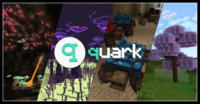
Quark Mod for Minecraft - Download & Install Minecraft Mod Screenshots
View images and verify quality before download
Image Gallery
Quark Mod for Minecraft - Download & Install Technical Information
Learn technical details, version, and supported platform
Technical Specifications

Your Own Minecraft Server! 🎮
Start your own server with friends on BisectHosting — insane performance, one-click mod installs, and 24/7 support. Use the discount code and start at the lowest price!
Download and Share
Download for free or share it with friends
Additional Files Required
This mod requires additional files to work properly
Get the advantage!
Subscribe for early access to exclusive mods and direct downloads without timers or ads.
Mod not opening in Minecraft? This applies to Bedrock edition only (mobile/console) — the issue is your file manager, not the mod. Use our app IQ OpenMC to open the file and it will give you the option to open it in Minecraft directly. (Java players don't need this step)