

One Hundred Days Later Mod for Minecraft Bedrock - Download & Install
Download One Hundred Days Later Mod for Minecraft Bedrock. Survive a zombie apocalypse, craft new armor and weapons, and face hordes of infected mobs. Get it free from IQMOD!
Everything About One Hundred Days Later Mod for Minecraft Bedrock - Download & Install
Read the full article about the mod
What is One Hundred Days Later?
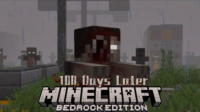
One Hundred Days Later is a reloaded and enhanced version of the popular Zombie Crisis mod for Minecraft Bedrock Edition, specifically designed by a dedicated team to deliver an intense zombie apocalypse survival experience. This addon immerses players in a post-cataclysmic world where they must survive relentless hordes of undead, utilizing new weapons, armor, and sophisticated survival mechanics. It is meticulously crafted for the Bedrock Edition, ensuring seamless integration and optimal performance.
This addon stands as a significant contribution to the Minecraft Bedrock modding community, introducing an entirely new dimension of gameplay that deviates from the traditional vanilla experience. While many survival games focus on resource scarcity or environmental challenges, One Hundred Days Later places a relentless emphasis on the constant threat of zombies, forcing players to strategize every move, from resource gathering to base construction and combat tactics. This category of addons has garnered immense popularity due to its ability to transform Minecraft into a more challenging and thrilling survival horror game, making it an ideal choice for players seeking an adrenaline-pumping adventure filled with suspense and dread.
Key Features and Highlights
- Advanced Zombie Ecosystem: Encounter over 15 distinct zombie types, each with unique abilities and behaviors. Players will face fast-moving runners, heavily armored brutes, explosive shamblers, and even mutated boss zombies with special attacks, ensuring no two encounters are the same and constantly demanding adaptive strategies.
- Expanded Arsenal of Weapons and Armor: The mod introduces a vast array of new weaponry, including firearms like pistols and rifles, enhanced melee weapons such as machetes and modified axes, and various explosives. Complementing these are new armor sets, ranging from scrap-metal defenses to military-grade protection, allowing players to customize their loadouts for different combat scenarios.
- Realistic Infection and Disease System: Players can contract the zombie virus through specific attacks, triggering a progressive infection system that imposes negative effects like reduced strength or slowed movement. Finding rare antidotes or crafting medical supplies becomes crucial for survival, adding a critical layer of urgency to resource management.
- Deep Survival Mechanics: Beyond just fighting the undead, the addon integrates complex survival elements such as a hunger and thirst system (requiring water collection), advanced resource management, and the necessity of constructing fortified, defensible bases to withstand nightly assaults. This adds a strategic depth that goes beyond simple combat.
- New Structures and Explorable Zones: The world is dotted with procedurally generated abandoned cities, ruined hospitals, derelict military bases, and scavenged gas stations. These areas are rich with valuable loot, dangerous enemies, and hidden lore, encouraging risky exploration for essential supplies.
- Dynamic Day-Night Cycle Impact: Nights in One Hundred Days Later are significantly more perilous. Zombie spawns increase dramatically, and their strength and aggression escalate after dark, making outdoor excursions at night extremely dangerous and emphasizing the importance of securing a safe haven before sunset.
- Enhanced Crafting System: The mod adds new crafting tables and innovative recipes for creating advanced weapons, specialized armor, medical supplies, and survival tools. Players must scavenge unique components from defeated zombies or environmental objects to unlock these crucial crafting options.
- Random Events and Challenges: Dynamic in-game events keep the experience fresh, such as massive zombie horde attacks on your base, discovery of abandoned convoys laden with supplies, or the emergence of powerful alpha zombies that require unique strategies to defeat. These events ensure continuous engagement.
- Integrated Data Packs: The addon leverages Minecraft's Data Pack functionality to implement complex modifications, including custom zombie behaviors, new crafting recipes, and fine-tuned damage/health values, showcasing the mod's versatility and robust design.
- Relentless and Immersive Gameplay: With all these features combined, the mod delivers an unceasingly challenging experience. Each day brings new threats, and every night escalates the danger, maintaining a high level of tension and anticipation throughout your survival journey.
- Revamped Audio and Atmosphere: The soundscape of Minecraft is overhauled to match the apocalyptic theme, featuring chilling zombie growls, realistic firearm effects, and a haunting background score that amplifies the sense of dread and urgency.
- Custom User Interface Elements: The mod may introduce custom UI elements to display vital information such as infection levels, thirst indicators, or even a proximity radar for nearby zombies, helping players manage their status and react to immediate threats more effectively.
- Diverse Loot System: Players can find valuable loot from defeated zombies or hidden chests scattered across the world, including ammunition, rare resources, weapon blueprints, or medical supplies, encouraging both combat and exploration.
- Performance Optimization: Despite its complexity, One Hundred Days Later is designed for optimal performance on Minecraft Bedrock, focusing on minimizing lag and providing as smooth a gameplay experience as possible across various devices.
How to Download and Install One Hundred Days Later
Installing the One Hundred Days Later addon is relatively straightforward for most players, especially since it comes in the convenient .mcaddon format. However, some PC users might encounter minor import issues. Here’s a step-by-step guide:
- Download the Addon File: Start by downloading the One Hundred Days Later
.mcaddonfile from the direct download link provided on IQMOD. Ensure you are downloading the latest version compatible with your Minecraft Bedrock Edition. - Automatic Import to Minecraft: Once the download is complete, simply double-click the
.mcaddonfile. Minecraft Bedrock will automatically launch and begin the import process for both the behavior and resource packs. You will see an "Import Started" message followed by "Import Successful" upon completion. - Activate the Addon in World Settings: Open Minecraft, then click "Play." Choose to create a new world (Create New World) or edit an existing one (Edit World). In the world settings panel on the left, navigate to the "Resource Packs" and "Behavior Packs" sections. Find "One Hundred Days Later" under "My Packs" and activate it in both sections. Ensure it appears under "Active Packs."
- Start Playing: After activating both packs, launch your new or edited world. You should immediately notice the changes in the game environment, with new zombies spawning and modified resources appearing.
- Troubleshooting for PC Users: If you experience issues with direct file import on PC and double-clicking doesn't work, try these steps: Extract the contents of the
.mcaddonfile (which is essentially a ZIP file) into a folder. You will find two folders: a behavior pack and a resource pack. Select both folders, then right-click and choose "Compress to ZIP file." Rename the new ZIP file back to.mcaddon(e.g.,NewMod.mcaddon) and try importing it again. If the problem persists, ensure your Minecraft is updated to the latest version.
For a complete guide, check out our Minecraft Mods Installation Guide.
System Requirements and Compatibility
- Minecraft Version: Compatible with the latest versions of Minecraft Bedrock Edition (v1.20+ is recommended for the best experience and full features).
- Mod Loader: No additional mod loader (like Forge or Fabric) is required as it is an Addon designed directly for Minecraft Bedrock.
- Platform: Bedrock Edition (available on Windows 10/11, Xbox, PlayStation, Nintendo Switch, Android, iOS).
- Dependencies: No other mods or addons are required for it to function correctly.
Pro Tips for Using One Hundred Days Later
To maximize your chances of survival and fully enjoy the One Hundred Days Later addon, implement these advanced tips into your gameplay:
- Prioritize Early Base Fortification: Before the first night falls, focus intensely on building a secure, zombie-proof shelter. Utilize sturdy materials like cobblestone or bricks, install iron doors, reinforced windows, and ensure ample lighting to prevent zombie spawns within your perimeter.
- Strategic Resource Scavenging: In the initial days, concentrate on gathering essential survival resources such as food, water (if a thirst system is present), and materials for crafting basic weapons and light armor. Avoid unnecessary risks when seeking rare resources too early in your playthrough.
- Understand Zombie Archetypes: Each zombie type possesses distinct strengths and weaknesses. Fast runners are best handled with ranged weapons, while armored zombies demand powerful melee attacks or explosives. Learning their attack patterns is key to avoiding unnecessary damage.
- Leverage the Night Cycle: Despite the increased danger, nights can be utilized for planning missions, organizing inventory, crafting items, or even setting up small farms within the safety of your base. Only venture outside during the night if absolutely necessary and with full preparations.
- Employ Traps and Defenses: When constructing your base's defenses, consider implementing traps such as deep trenches, cactus barriers, or even electrified fence gates (if the mod supports them) to slow down or eliminate zombies before they reach your walls.
- Team Up for Enhanced Survival: The zombie apocalypse experience is significantly more enjoyable and effective when played with friends. You can divide tasks, provide mutual defense, and tackle larger challenges together, drastically increasing your collective chances of survival.
Is One Hundred Days Later Safe and Free?
Yes, the One Hundred Days Later addon is completely safe and free to download. At IQMOD, we are committed to providing high-quality, thoroughly vetted content to ensure the safety and security of all our files. Every mod and addon undergoes rigorous scanning for viruses and malware before being made available for download. This addon is accessible to everyone at no cost, guaranteeing you a fun and secure gaming experience without worrying about fees or security threats. You can download it with complete confidence from IQMOD, your trusted source for Minecraft mods.
Why Download from IQMOD?
IQMOD is your premier destination for downloading Minecraft Bedrock mods and addons, and for One Hundred Days Later, we offer the best experience. We provide direct, fast download links, free from intrusive ads or time-wasting shortener links. All our addons and mods are regularly updated to ensure compatibility with the latest Minecraft versions, and we offer dedicated technical support to assist you with any issues you might encounter during installation or gameplay. Don't hesitate; download One Hundred Days Later now from IQMOD and immerse yourself in the ultimate zombie survival world!
One Hundred Days Later Mod for Minecraft Bedrock - Download & Install Minecraft Mod Screenshots
View images and verify quality before download
Image Gallery


One Hundred Days Later Mod for Minecraft Bedrock - Download & Install Technical Information
Learn technical details, version, and supported platform
Technical Specifications

Your Own Minecraft Server! 🎮
Start your own server with friends on BisectHosting — insane performance, one-click mod installs, and 24/7 support. Use the discount code and start at the lowest price!
Download and Share
Download for free or share it with friends
Get the advantage!
Subscribe for early access to exclusive mods and direct downloads without timers or ads.
Mod not opening in Minecraft? This applies to Bedrock edition only (mobile/console) — the issue is your file manager, not the mod. Use our app IQ OpenMC to open the file and it will give you the option to open it in Minecraft directly. (Java players don't need this step)