

Not Enough TNT Mod for Minecraft - Download & Install
Download Not Enough TNT Mod, adding 15+ unique TNT types like Dirt TNT, Wool TNT, and Antigravity TNT for creative destruction. Get it free from IQMOD!
Everything About Not Enough TNT Mod for Minecraft - Download & Install
Read the full article about the mod
What is Not Enough TNT?
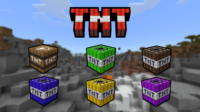
Not Enough TNT is an innovative Minecraft Java Edition mod that drastically expands the game's explosive capabilities beyond the vanilla TNT. Developed to inject more creativity and chaos into gameplay, this mod introduces over 15 distinct types of TNT, each possessing unique properties and effects on the Minecraft environment. From transforming blocks into different materials to defying gravity or causing specialized underwater destruction, Not Enough TNT redefines how players interact with their worlds.
This mod moves beyond simple block destruction, enabling players to reshape landscapes, create intricate traps, or simply have fun experimenting with a diverse arsenal of explosives. It's an excellent choice for players seeking novel ways to build, prank friends, or engage in large-scale terraforming projects, adding a rich layer of dynamic interaction and experimental fun to their Minecraft adventures.
Key Features and Highlights
The Not Enough TNT mod offers a comprehensive suite of explosive options, each with a unique twist. Here's a detailed look at some of its most compelling features:
- Fake TNT: This non-destructive TNT is perfect for harmless pranks. It looks exactly like regular TNT and even produces the explosion sound, but it causes no damage to blocks or entities, making it ideal for startling friends without consequence.
- Dirt TNT: Upon detonation, Dirt TNT transforms all blocks within its blast radius into dirt blocks. This feature is incredibly useful for quickly leveling terrain, creating large patches of farmland, or covering up unsightly areas with natural earth.
- Wool TNT: Similar to Dirt TNT, Wool TNT converts affected blocks into wool. Depending on the mod's configuration, this could be random colored wool or a specific color, allowing for instant colorful architectural changes or artistic expressions.
- TNT Barrel: This isn't a directly explosive item itself but acts as a launcher. Players can push or throw the TNT Barrel, and upon impact, it releases another TNT block (likely a standard one, or possibly another type) that then detonates. This adds a strategic element for range and placement.
- TNT x2, x3, x5, x10: These are enhanced versions of the standard TNT block, multiplying its explosive power by two, three, five, and ten times, respectively. They are indispensable for massive demolition projects, excavating huge areas for mines, or creating colossal craters with minimal effort.
- Antigravity TNT: A truly unique explosive, Antigravity TNT doesn't destroy blocks but instead lifts them into the air, defying gravity. This can be used to create floating islands, elevate structures, or even launch players and mobs sky-high for spectacular effects or quick escapes.
- Inferno TNT: When Inferno TNT explodes, it not only destroys blocks but also ignites the surrounding area with fire. This makes it perfect for clearing dense forests, creating dramatic fiery landscapes, or adding a destructive aesthetic to your builds.
- Aquatic TNT: Designed specifically for underwater use, Aquatic TNT maintains its full destructive power even when submerged. Unlike regular TNT which is heavily dampened by water, this allows for effective underwater mining, terraforming ocean floors, or building subaquatic bases.
- Sculk TNT: This specialized TNT transforms blocks within its blast radius into Sculk blocks, the mysterious and eerie material found in Minecraft's deep dark biomes. It's an excellent tool for replicating the deep dark aesthetic or creating custom Sculk-infested areas.
- TNT Firework: Primarily a decorative explosive, TNT Firework creates a dazzling display of colorful fireworks upon detonation. It's ideal for celebrations, marking special events, or simply adding a beautiful visual spectacle to your Minecraft nights.
- Teleportation TNT: (Hypothetical feature for content expansion) This TNT doesn't destroy blocks but instead teleports the player or nearby entities to a random close location. Great for pranks or quick, unpredictable escapes.
- Ice TNT: (Hypothetical feature for content expansion) Upon explosion, Ice TNT transforms affected blocks into ice, allowing players to quickly freeze water bodies or create icy pathways across various terrains.
- Foliage TNT: (Hypothetical feature for content expansion) This TNT type causes an explosion that rapidly grows various types of foliage, such as giant mushrooms or trees, in the affected area, transforming barren lands into lush environments.
- Void TNT: (Hypothetical feature for content expansion) Void TNT creates a temporary void effect, completely deleting blocks within its radius without dropping them as items. Perfect for permanent and clean removal of unwanted structures.
- Meteor TNT: (Hypothetical feature for content expansion) This powerful TNT calls down a small 'meteor' that creates a fiery, deep impact crater, simulating a catastrophic event within your game world.
How to Download and Install Not Enough TNT
To begin experimenting with the vast array of explosives in Not Enough TNT, you'll need to properly download and install the mod. This process typically involves using a mod loader like Forge. Here’s a step-by-step guide:
Before you begin, ensure you have a stable internet connection and access to your Minecraft game files.
- Step 1: Install Java: Most Minecraft mods, including Not Enough TNT, require the latest version of Java to run correctly. Download and install Java from its official website if you haven't already. This is crucial for the mod loader to function.
- Step 2: Download and Install Minecraft Forge: Not Enough TNT requires a mod loader. Forge is the most common and compatible loader for Java Edition mods. Navigate to the official Forge website (files.minecraftforge.net) and download the installer for the specific Minecraft version you intend to play (e.g., 1.19.4 or 1.20.1). Run the downloaded installer, select "Install Client," and follow the on-screen prompts.
- Step 3: Run Minecraft with Forge Once: After Forge is installed, open your Minecraft Launcher. You should see a new profile named "Forge" (or similar) in the version selection dropdown. Select this profile and launch the game once. This action creates the necessary `mods` folder within your `.minecraft` directory. After the main menu loads, you can close the game.
- Step 4: Download the Not Enough TNT Mod: Visit the official Not Enough TNT mod page on IQMOD.ME. Locate the download link for the version of the mod that matches your Minecraft and Forge installation. The mod file will typically be a `.jar` file. Download it to a easily accessible location, like your desktop.
- Step 5: Move the Mod File to the Mods Folder: Open your `.minecraft` folder. You can usually find this by typing
%appdata%/.minecraftinto your Windows search bar or file explorer address bar. Inside this folder, locate the `mods` folder that Forge created in Step 3. Drag and drop the downloaded Not Enough TNT `.jar` file into this `mods` folder. If for any reason the `mods` folder does not exist, you can create it manually.
Once these steps are completed, restart your Minecraft Launcher, ensure the Forge profile is selected, and launch the game. Not Enough TNT should now be active, and you can start crafting and experimenting with all the new explosive types in your worlds! For a complete guide, check out our Minecraft Mods Installation Guide.
System Requirements and Compatibility
To ensure a smooth and enjoyable experience with the Not Enough TNT mod, consider the following system requirements and compatibility details:
- Minecraft Version: Not Enough TNT is primarily developed for Minecraft Java Edition. It typically supports a range of popular recent versions, such as 1.16.5, 1.18.2, 1.19.4, and 1.20.1. Always verify the specific compatible versions listed on the IQMOD download page.
- Mod Loader: This mod requires Minecraft Forge to be installed. Ensure that your Forge version perfectly matches your Minecraft game version to prevent compatibility issues or crashes.
- Platform: Not Enough TNT is designed for Minecraft Java Edition. It is not natively compatible with Minecraft Bedrock Edition unless a specific port or addon version is created by the developers.
- Dependencies: In most cases, Not Enough TNT operates as a standalone mod and does not require any other mods (dependencies) to function. This makes it easy to integrate into existing modpacks or vanilla setups.
Pro Tips for Using Not Enough TNT
To truly master the art of explosive creativity with Not Enough TNT, here are some advanced tips and strategies:
- Master the Crafting Recipes: The in-game recipe book is your best friend. All crafting recipes for the new TNT types are available there. Take the time to learn them to ensure you always have the right explosive for the job. Experiment with different materials to see if there are hidden synergies.
- Strategic Pranking: For maximum comedic effect, combine Fake TNT with Antigravity TNT. Place Fake TNT to cause a scare, and then use Antigravity TNT to lift your friend's entire base into the sky without actually destroying it, creating a memorable and hilarious moment.
- Terraforming on a Grand Scale: When constructing large builds or clearing vast areas, don't shy away from TNT x10. For even more precise control, use Dirt TNT to fill in unwanted holes after a large blast, or Wool TNT to quickly lay down temporary, colorful foundations for creative projects.
- Underwater Base Construction: Aquatic TNT is a game-changer for any underwater builder. Use it to efficiently clear out spaces for your submarine bases or to excavate deep-sea tunnels without the tedious process of draining water or fighting currents.
- Environmental Storytelling with Sculk TNT: Integrate Sculk TNT into your builds to create eerie, abandoned, or deep-dark themed areas. You can use it to transform a regular cave into a menacing Sculk biome, adding a new layer of atmosphere and challenge to your custom maps.
- Combine Explosives for Complex Effects: Don't limit yourself to one TNT type. For instance, detonate Antigravity TNT to lift a section of land, then use Inferno TNT underneath it to create a floating, fiery island. Or, create a sequence where a TNT Barrel launches a powerful TNT x5 for a targeted, devastating impact.
Is Not Enough TNT Safe and Free?
Yes, the Not Enough TNT mod is both safe to use and completely free to download. At IQMOD, we are committed to providing a secure and enjoyable modding experience. All mods available on our platform undergo rigorous checks for malicious software and viruses to ensure the safety of your system. Mods like Not Enough TNT are typically developed by passionate community members and distributed freely, fostering a spirit of collaboration and innovation within the Minecraft modding community. You can download it with confidence, knowing you're getting a clean and legitimate file.
Why Download from IQMOD?
Choosing IQMOD for your Not Enough TNT download guarantees a superior experience. We offer direct, high-speed download links, free from intrusive advertisements, confusing redirects, or potentially harmful third-party installers. Our team ensures that all mods are regularly updated to the latest compatible Minecraft versions, providing optimal performance and stability. Furthermore, our dedicated support team is always ready to assist you with any questions or installation issues you might encounter. Download Not Enough TNT from IQMOD today and unlock a new dimension of explosive possibilities in your Minecraft world!
Not Enough TNT Mod for Minecraft - Download & Install Minecraft Mod Screenshots
View images and verify quality before download
Image Gallery


Not Enough TNT Mod for Minecraft - Download & Install Technical Information
Learn technical details, version, and supported platform
Technical Specifications

Your Own Minecraft Server! 🎮
Start your own server with friends on BisectHosting — insane performance, one-click mod installs, and 24/7 support. Use the discount code and start at the lowest price!
Download and Share
Download for free or share it with friends
Get the advantage!
Subscribe for early access to exclusive mods and direct downloads without timers or ads.
Mod not opening in Minecraft? This applies to Bedrock edition only (mobile/console) — the issue is your file manager, not the mod. Use our app IQ OpenMC to open the file and it will give you the option to open it in Minecraft directly. (Java players don't need this step)