

Nature's Compass Mod for Minecraft - Download & Install
Download Nature's Compass Mod for Minecraft to locate 60+ unique biomes and view their details. Easily find any biome. Get it free from IQMOD!
Everything About Nature's Compass Mod for Minecraft - Download & Install
Read the full article about the mod
What is Nature's Compass?
Nature's Compass is an essential utility mod for Minecraft that provides players with the ability to locate any specific biome within their world and view detailed information about it. It acts as an invaluable exploration tool, significantly streamlining the process of finding diverse biomes, whether they are vanilla game biomes or those added by other mods. The mod is compatible with modern Minecraft versions and is actively supported by the modding community.
Unlike standard Minecraft compasses that point to spawn or specific structures, Nature's Compass is solely dedicated to biome discovery. This mod revolutionizes the exploration experience by eliminating the tedious random searching for rare or resource-rich biomes, making it a critical addition for any player looking to maximize their journey through Minecraft's vast and complex worlds. It offers a focused and efficient approach to uncovering the hidden gems of your generated landscapes.
Key Features and Highlights
- Advanced Biome Search Functionality: Nature's Compass allows players to search for any available biome, including both vanilla biomes and those introduced by other mod packs. Simply type the biome's name into the dedicated search interface for quick and accurate results.
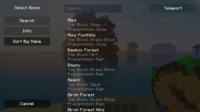
- Intuitive Graphical User Interface (GUI): Right-clicking with the compass in hand opens a sleek and user-friendly GUI. This interface displays a comprehensive list of all detectable biomes, complete with search and filtering options, making biome selection effortless and efficient.
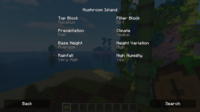
- Detailed Biome Information Display: Beyond just locating biomes, the compass provides crucial data such as temperature, rainfall levels, and common blocks found within that biome. This information is vital for planning bases, farming specific resources, or preparing for environmental challenges.
- Precise Location Pinpointing: Once a biome is selected, the compass accurately points towards the nearest instance of that biome in your world, indicating both direction and estimated distance. This significantly reduces the time and effort spent navigating vast distances.
- Effortless Compass Reset: Should you wish to search for a new biome or reset the compass's target, a simple Shift-right-click will clear the current selection. This feature is particularly useful for rapidly changing exploration objectives.
- Extensive Mod Compatibility: Nature's Compass is designed to seamlessly integrate with most other biome-adding mods. This means it can detect and display biomes from popular mods like Biomes O' Plenty or TerraForged, expanding its utility across diverse modded experiences.
- Optimized Performance: The mod is built to be lightweight, ensuring minimal impact on game performance. Players can enjoy smooth gameplay even in large worlds or when running numerous other mods concurrently, without noticeable lag.
- Simple Crafting Recipe: Obtaining Nature's Compass is straightforward. It typically involves a simple crafting recipe using basic Minecraft resources, such as a regular compass combined with some wood or stone, making it accessible early in your survival journey.
- Customization Options: The mod offers several configuration options, allowing players to fine-tune the compass's behavior, such as search range or which biome types to include in results. This provides a personalized exploration experience tailored to individual preferences.
- Aid in Base Planning: By precisely locating biomes rich in specific resources or featuring desirable terrain, the compass assists players in selecting optimal sites for building elaborate bases, farms, or architectural projects.
- Beginner-Friendly Experience: Despite its advanced capabilities, the mod's intuitive interface ensures ease of use for new players, requiring no prior technical knowledge of modding to get started.
- Continuous Updates and Support: Nature's Compass benefits from ongoing development and updates, guaranteeing compatibility with new Minecraft versions, addressing potential bugs, and introducing new features and improvements over time.
- Ideal for Server Play: This mod can be effectively utilized on Minecraft servers, enabling players to collaboratively explore the world and identify crucial biome locations for community projects or shared resource gathering.
How to Download and Install Nature's Compass
To install Nature's Compass, you'll first need to have the appropriate mod loader (either Forge or Fabric) installed for your desired Minecraft version. This process is straightforward and unlocks a world of amazing mods. Follow these steps carefully:
- Download a Mod Loader (Forge/Fabric): Visit the official website for either Forge or Fabric and download the installer for the Minecraft version you intend to play on. Ensure you select the correct version that is compatible with Nature's Compass. Once downloaded, run the installer and follow the on-screen prompts to complete the installation process.
- Run Minecraft Once: Open your Minecraft Launcher and select the newly installed Forge or Fabric profile. Launch the game once to allow all necessary folders and configurations to be created, then fully close Minecraft. This step is crucial for the modding environment to initialize correctly.
- Download Nature's Compass Mod: Head over to IQMOD's trusted platform and download the Nature's Compass mod file (a .jar file). It is paramount to ensure that the mod's version matches your Minecraft version and the mod loader you've installed. IQMOD always provides the latest and most stable versions available.
- Transfer the Mod File to the 'mods' Folder: Navigate to your Minecraft installation directory. You can quickly access it by typing
%appdata%in your Windows search bar and pressing Enter, then opening the.minecraftfolder. Inside this folder, locate themodsfolder. If it doesn't exist, simply create a new folder and name itmods. Drag and drop the downloaded Nature's Compass .jar file into thismodsfolder. - Launch Minecraft and Enjoy: Re-open your Minecraft Launcher, making sure that your Forge or Fabric profile is selected. Launch the game, and Nature's Compass should now be successfully installed and active. You can now enter your world and begin exploring biomes with your new powerful compass.
For a complete guide, check out our Minecraft Mods Installation Guide.
System Requirements and Compatibility
- Minecraft Version: Compatible with Minecraft 1.16.5, 1.18.2, 1.19.2, 1.20.1, and newer versions. Always check the mod's specific page for exact version compatibility.
- Mod Loader: Requires either Forge or Fabric. One of these loaders must be installed to run the mod.
- Platform: Java Edition.
- Dependencies: This mod does not require any other mods to function independently.
Pro Tips for Using Nature's Compass
To get the most out of Nature's Compass in your Minecraft adventures, here are some advanced tips that will enhance your gameplay experience:
- Strategic Early Game Use: In new survival worlds, utilize the compass early on to pinpoint crucial resource biomes, such as Dark Oak Forests for abundant wood or Mesa biomes for rare terracotta and gold. This can significantly accelerate your early game progression and resource acquisition.
- Combine with Minimap Mods: Integrate Nature's Compass with popular minimap mods like JourneyMap or Xaero's Minimap. After locating a desirable biome with the compass, use your minimap mod to set a waypoint (or 'teleport' if in creative/admin mode) directly to that location, making future navigation effortless.
- Efficient Farming Biome Selection: If you're planning specialized farms, such as a sugarcane farm (which thrives in desert or river biomes) or a giant mushroom farm (requiring a mushroom fields biome), use the compass to locate the optimal biome for maximum yield and efficiency.
- Exploring Rare Biomes: Leverage the compass to seek out unique and rare biomes like Mushroom Fields or Ice Spikes. These often contain exclusive resources, unique mobs, or provide interesting terrain for building projects that stand out.
- Understanding Search Limitations: While the compass searches the entire world, distances can be vast. If a target biome is exceptionally far, consider using a Nether Portal to drastically reduce travel time (1 block in the Nether equals 8 blocks in the Overworld), effectively 'teleporting' closer to your destination.
- Large-Scale Project Planning: Before embarking on a massive build that requires a specific environment (e.g., a mountain castle or an underwater city), use the compass to identify the perfect biome that meets your design requirements, ensuring your creation is seamlessly integrated into the landscape.
Is Nature's Compass Safe and Free?
Yes, Nature's Compass is completely safe to use and entirely free. All mods available on IQMOD are rigorously scanned and verified to ensure they are free from any malicious software or viruses. We are committed to providing high-quality content sourced from trusted developers within the modding community. You can download this mod and others with full confidence, knowing that we prioritize the security of your files and your gaming experience.
Why Download from IQMOD?
When you download Nature's Compass from IQMOD, you are guaranteed to receive the latest versions of the mod directly and securely. We offer fast, direct download links, free from intrusive ads and pop-ups that can compromise your device. Our team ensures that all mods are constantly updated to be compatible with the newest Minecraft versions, and we provide dedicated technical support to assist you with any issues you might encounter. Don't hesitate; download Nature's Compass now and embark on an unparalleled exploration adventure!
Nature's Compass Mod for Minecraft - Download & Install Minecraft Mod Screenshots
View images and verify quality before download
Image Gallery
Nature's Compass Mod for Minecraft - Download & Install Technical Information
Learn technical details, version, and supported platform
Technical Specifications

Your Own Minecraft Server! 🎮
Start your own server with friends on BisectHosting — insane performance, one-click mod installs, and 24/7 support. Use the discount code and start at the lowest price!
Download and Share
Download for free or share it with friends
Get the advantage!
Subscribe for early access to exclusive mods and direct downloads without timers or ads.
Mod not opening in Minecraft? This applies to Bedrock edition only (mobile/console) — the issue is your file manager, not the mod. Use our app IQ OpenMC to open the file and it will give you the option to open it in Minecraft directly. (Java players don't need this step)