

Natural Structures Redone Mod for Minecraft - Download & Install
Download Natural Structures Redone Mod for Minecraft! Adds hundreds of realistic natural structures and foliage across biomes. Enhances world generation without disruption. Get it free from IQMOD!
Everything About Natural Structures Redone Mod for Minecraft - Download & Install
Read the full article about the mod
What is Natural Structures Redone?
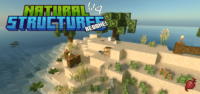
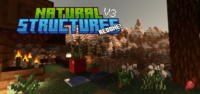
Natural Structures Redone is an addon for Minecraft Java Edition that significantly enhances the game's natural world generation by introducing a vast array of new foliage options and environmental details. Developed by biomesclimates, this mod meticulously adds elements like small trees, rocks, shrubs, and biome-specific plants without disrupting the core flow of vanilla Minecraft world generation. Currently stable at version V4.0.1, it aims to provide a richer, more immersive exploration experience for players.
In the expansive world of Minecraft modding, many projects aim to overhaul the game's visuals. However, Natural Structures Redone distinguishes itself by focusing on seamless integration, making the world feel more alive and realistic without deviating from Minecraft's iconic aesthetic. It doesn't introduce grand, game-altering structures but rather subtle, natural elements that blend perfectly, making each biome feel more unique and less repetitive. This attention to detail elevates the exploration aspect, encouraging players to discover new vistas and appreciate the nuanced beauty added to every corner of their Minecraft world.
Key Features and Highlights
- Seamless Vanilla Integration: Natural Structures Redone is meticulously designed to blend new elements into your Minecraft world without altering the core world generation mechanics. This ensures full compatibility with other world-gen mods and resource packs, providing an enriched experience that feels like a natural extension of the base game.
- General Biome Items (V1 Update): The initial release introduced a diverse set of fundamental natural elements applicable across various biomes. This includes common shrubs, scattered rocks, and fallen logs, which add a touch of natural clutter and realism to plains, forests, and other temperate zones, making them feel less empty.
- Utility Enhancements (V1.5 Update): This update focused on adding more subtle yet impactful environmental details. Players can find unique rock formations, varied patches of dirt or mud with distinct textures, and small plants growing in crevices, contributing to a more nuanced and visually appealing landscape.
- Arid Biome Expansion (V2 Update): Specifically targeting deserts and dry biomes, this update introduces a rich collection of new desert flora and elements. Expect to encounter multiple varieties of cacti, dry desert bushes, and even scattered sun-bleached animal bones, transforming arid regions into more engaging and explorable areas.
- Frigid Biome Additions (V3 Update): For colder climates, the Frigid Update brings unique ice formations, frosted vegetation that glistens under the sun, and distinct snow piles. These additions enhance the sense of coldness and make exploring snowy tundras and icy peaks a more visually rewarding experience.
- Beachside & River Update (V4 Update): This iteration focuses on improving aquatic and coastal areas. Players will discover realistic driftwood along beaches, diverse pebbles and stones on riverbanks, and specific coastal plants, all contributing to more picturesque and lively waterfronts.
- Comprehensive Overhaul (V4.5 Update): The latest major update provides significant general enhancements across all existing elements. This includes improved textures for all added structures, refined placement logic for better distribution, and an expanded pool of items, ensuring a cohesive and high-quality visual experience.
- Achievement Friendly: Unlike some modifications that might disable in-game achievements, Natural Structures Redone ensures that all your Minecraft achievements remain active. This allows you to fully enjoy the enhanced world without sacrificing your progress or collection goals.
- Stable Performance (V4.0.1): The current version, V4.0.1, indicates a highly stable and thoroughly tested build. This guarantees a smooth, bug-free gameplay experience, minimizing crashes or performance issues, even when integrated with other mods.
- Enhanced Biodiversity: The mod drastically increases the visual biodiversity of each biome, making every exploration journey unique. You'll constantly discover new combinations of plants and natural formations, keeping the world fresh and engaging for countless hours.
- Encourages Exploration: With the addition of so many intricate natural details, the act of exploring your Minecraft world becomes significantly more compelling. You'll find yourself pausing to admire breathtaking vistas or to investigate unique plant arrangements, making every journey an adventure.
- Lightweight Design: Despite the substantial amount of content it adds, Natural Structures Redone is optimized to be lightweight, having minimal impact on system resources. This means you can enjoy all its features without a significant drop in frames per second (FPS) or overall game performance, even on moderately specced machines.
- Community-Driven Development: The consistent updates (V1, V1.5, V2, V3, V4, V4.5) demonstrate the developer's ongoing commitment. The creator, biomesclimates, actively welcomes community suggestions for new nature-related items, fostering a mod that continuously evolves based on player feedback.
- Effortless Integration: The mod requires no complex configurations or manual adjustments to game files beyond standard installation. Once placed in your 'mods' folder, it automatically integrates, making it accessible even for new mod users.
- Overall Aesthetic Improvement: Ultimately, Natural Structures Redone excels at making the Minecraft world more beautiful and cohesive. It fills in visual gaps and adds a layer of depth that makes every build you undertake and every area you explore feel significantly more polished and immersive.
How to Download and Install Natural Structures Redone
To successfully install the Natural Structures Redone mod, you'll first need to ensure you have the Java Edition of Minecraft and a compatible mod loader, such as Forge or Fabric, already installed. These mod loaders are essential for running most Minecraft modifications. Follow the steps below carefully to ensure a smooth installation process:
- Step 1: Download and Install a Mod Loader (Forge/Fabric): Your first step is to download and install a suitable mod loader for your specific Minecraft version. Forge is generally the most common choice for content-adding mods like Natural Structures Redone. Visit the official Forge or Fabric website, select the installer compatible with your Minecraft version (e.g., 1.19.2 or 1.20.1), and run it to prepare your game client for mods.
- Step 2: Download the Natural Structures Redone Mod File: Once your mod loader is set up, proceed to download the Natural Structures Redone mod file itself. Locate the direct download link provided on the IQMOD page for this mod. It's crucial to download the version that matches both your Minecraft version and the mod loader you've installed. The file will typically be a ".jar" file.
- Step 3: Locate Your Minecraft 'mods' Folder: Navigate to your main Minecraft directory on your computer. You can typically access this by typing %appdata% into your Windows search bar and then opening the ".minecraft" folder. Inside this directory, you should find a folder named mods . If this folder does not exist, simply create it manually (ensure it is spelled exactly as mods in lowercase).
- Step 4: Place the Mod File into the 'mods' Folder: Now, copy the ".jar" file of Natural Structures Redone that you downloaded in Step 2, and paste it directly into the mods folder you located or created in the previous step. Do not extract the contents of the ".jar" file; it must remain in its original compressed format to function correctly.
- Step 5: Launch Minecraft and Verify Installation: Open your Minecraft Launcher. Before hitting "Play," make sure you select the correct profile associated with your installed Forge or Fabric instance (usually named "Forge" or "Fabric" followed by the Minecraft version). Start the game, and if the installation was successful, you should immediately begin to see the new natural structures and foliage integrated into your world. You can also check the in-game mods menu to confirm Natural Structures Redone is listed.
For a complete guide, check out our Minecraft Mods Installation Guide.
System Requirements and Compatibility
- Minecraft Version: Compatible with multiple Java Edition versions, commonly 1.16.5, 1.18.2, 1.19.2, and 1.20.1. (Always check specific download links for exact version compatibility).
- Mod Loader: Forge (Recommended for best compatibility and features) or Fabric (Ensure you download the Fabric version if using Fabric loader).
- Platform: Minecraft Java Edition (PC).
- Dependencies: None (This mod is standalone and does not require other mods to function).
Pro Tips for Using Natural Structures Redone
Installing Natural Structures Redone opens up a wealth of new possibilities for enjoying your Minecraft world. To maximize your experience, consider these pro tips:
- Combine with Shaders and Resource Packs: To truly elevate the visual experience, pair Natural Structures Redone with high-quality shaders (like BSL, Complementary, or SEUS) and realistic resource packs. This synergy will make the newly added foliage and structures look incredibly lifelike, enhancing the overall immersion significantly and creating stunning screenshots.
- Actively Explore Diverse Biomes: Don't just stick to your base! Make an effort to travel to different biomes, including deserts, tundras, beaches, and rivers. Each biome receives unique additions from this mod, and exploring them will reveal the full extent of its enhancements. Look for unique rock formations or rare plant clusters that create picturesque scenes.
- Optimize for Performance (If Needed): While the mod is lightweight, if you're running many other graphics-intensive mods or have an older system, monitor your FPS. Adjusting your Minecraft video settings, such as render distance or disabling fancy graphics for certain elements, can help maintain smooth gameplay without sacrificing too much visual quality.
- Utilize in Creative Builds: The new natural elements aren't just for exploration; they're fantastic for creative building projects. Use the scattered rocks to add detail to mountainous terrain, integrate the new desert flora into an oasis build, or use driftwood to enhance a coastal village. The possibilities for natural landscaping are greatly expanded.
- Seek Out Unique World Seeds: Some Minecraft seeds naturally generate stunning landscapes. Search for popular "beautiful seed" lists online and generate a new world with Natural Structures Redone. The mod will further enhance these already picturesque locations, creating truly breathtaking vistas perfect for screenshots and exploration.
- Stay Updated and Provide Feedback: Regularly check for new versions of Natural Structures Redone on IQMOD to benefit from performance improvements, bug fixes, and new content. The developer is receptive to feedback, so if you have ideas for nature-related items, consider sharing them on their social media or the mod's official page to contribute to its ongoing development.
Is Natural Structures Redone Safe and Free?
Yes, Natural Structures Redone is absolutely safe to download and completely free of charge. At IQMOD, user safety is our paramount concern. All mods featured on our portal undergo rigorous scanning and verification processes to ensure they are free from any malicious software, viruses, or unwanted programs. You can download this mod with full confidence, knowing your device and personal data are secure. We source our mods exclusively from trusted developers and reputable platforms within the Minecraft modding community, guaranteeing their integrity and safety.
Why Download from IQMOD?
Choosing to download Natural Structures Redone from IQMOD guarantees a superior and hassle-free experience. We offer direct, high-speed download links, completely free from intrusive advertisements, annoying pop-ups, or deceptive redirects. Our commitment ensures that all mods on our platform are consistently updated to be compatible with the latest Minecraft versions, providing you with access to the newest features and stability improvements. Furthermore, our dedicated support team is always ready to assist you with any questions or installation issues you might encounter. Don't hesitate—download Natural Structures Redone from IQMOD today and transform your Minecraft world into a masterpiece of natural beauty!
Natural Structures Redone Mod for Minecraft - Download & Install Minecraft Mod Screenshots
View images and verify quality before download
Image Gallery


Natural Structures Redone Mod for Minecraft - Download & Install Technical Information
Learn technical details, version, and supported platform
Technical Specifications

Your Own Minecraft Server! 🎮
Start your own server with friends on BisectHosting — insane performance, one-click mod installs, and 24/7 support. Use the discount code and start at the lowest price!
Download and Share
Download for free or share it with friends
Get the advantage!
Subscribe for early access to exclusive mods and direct downloads without timers or ads.
Mod not opening in Minecraft? This applies to Bedrock edition only (mobile/console) — the issue is your file manager, not the mod. Use our app IQ OpenMC to open the file and it will give you the option to open it in Minecraft directly. (Java players don't need this step)