

monoDeco Gen 7.3.7 - Furniture Addon Mod for Minecraft Bedrock - Download & Install
Download monoDeco Gen 7.3.7 - the ultimate furniture addon for Minecraft Bedrock. Get over 3000 unique blocks for interior & exterior design, from kitchens to bedrooms. Unleash your creativity! Free download from IQMOD.
Everything About monoDeco Gen 7.3.7 - Furniture Addon Mod for Minecraft Bedrock - Download & Install
Read the full article about the mod
What is monoDeco Gen 7.3.7 - Furniture Addon?
monoDeco Gen 7.3.7 - Furniture Addon is a comprehensive modification for Minecraft Bedrock Edition, offering players an astounding collection of over 3000 unique furniture and decorative blocks. This all-in-one addon allows users to transform their Minecraft worlds into meticulously designed homes and spaces, ranging from modern kitchens and luxurious bathrooms to cozy living rooms and elegant bedrooms, along with extensive exterior and garden decor. Developed by the monoDeco team, it aims to provide a complete and immersive design experience within Minecraft Bedrock.
For years, the lack of realistic furniture and decor has been a common challenge for Minecraft builders, often requiring ingenious yet complex workarounds using vanilla blocks. monoDeco Gen 7.3.7 addresses this fundamental need by providing an expansive and cohesive solution, eliminating the necessity for multiple, fragmented addons. With this mod, players can fully unleash their creativity, focusing purely on aesthetic design and functional layouts, thereby opening up entirely new dimensions for building and decorating within their personal Minecraft realms. It stands out as a pivotal addition to the Bedrock modding community, empowering builders like never before.
Key Features and Highlights
- Over 3000 Unique Furniture Blocks: This is the cornerstone feature of monoDeco Gen 7.3.7. The addon boasts an unparalleled library of more than 3000 distinct items, ensuring that every player can find exactly what they need for any design vision. From chairs and tables to storage units and lighting fixtures, the sheer variety in styles, colors, and functionalities is immense, making it an indispensable tool for serious Minecraft designers.
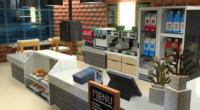
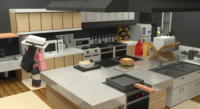
- Comprehensive Interior Design Solutions: The mod provides everything necessary to furnish and decorate any interior space. You can construct fully equipped kitchens with cabinets, ovens, refrigerators, and sinks; create lavish bathrooms with modern toilets, bathtubs, and showers; design comfortable living rooms with sofas, armchairs, coffee tables, and TVs; and furnish elegant bedrooms with beds, wardrobes, and nightstands.
- Extensive Exterior Decor Options: Beyond interiors, monoDeco Gen 7.3.7 offers a vast array of items for enhancing outdoor areas and gardens. This includes various benches, picnic tables, street lamps, fountains, planters, and even elements for swimming pool designs. This capability allows players to craft visually appealing and integrated outdoor environments that perfectly complement their architectural creations.
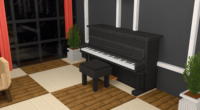
- Diverse Furniture Styles and Themes: Whether your preference leans towards contemporary modern, classic traditional, rustic, or industrial designs, this addon provides a multitude of options to cater to all aesthetic tastes. This stylistic diversity enables the creation of unique and personalized builds, freeing players from generic design constraints.
- Visually Realistic and Detailed Models: Each furniture piece in monoDeco Gen 7.3.7 has been meticulously crafted with high-quality models and textures. The attention to detail ensures that items look realistic and blend seamlessly with Minecraft's blocky aesthetic while adding a refined touch of elegance and sophistication.
- Easy Integration and Installation: Designed for user-friendliness, the addon is straightforward to install. It functions as a standard Resource and Behavior Pack for Minecraft Bedrock Edition, requiring no complex mod loaders like Forge or Fabric. This accessibility makes it suitable for all players, regardless of their technical expertise.
- Regular Updates and Community Support: The monoDeco development team is committed to continuous improvement, regularly releasing updates that introduce new furniture, enhance existing items, and fix any reported bugs. They also maintain an active community where players can seek support, share their creations, and exchange design ideas.
- Broad Minecraft Bedrock Version Compatibility: The addon is consistently updated to maintain compatibility with the latest versions of Minecraft Bedrock Edition. This ensures a stable and uninterrupted design experience, allowing players to enjoy the mod across various game updates without encountering significant issues.
- Functional and Decorative Elements: While primarily decorative, many pieces in monoDeco Gen 7.3.7 offer implied functionality or enhance role-playing scenarios. For example, you can place food items on tables, use storage units as part of your decor, or integrate electronic devices to create interactive-looking spaces, boosting realism.
- Office and Study Furniture: The addon also includes a selection of office furniture such as desks, comfortable office chairs, computers, and filing cabinets. This allows players to design functional and aesthetically pleasing workspaces or study areas within their virtual homes.
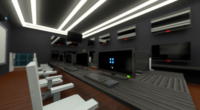
- Modern Electronics and Appliances: Beyond traditional furniture, monoDeco Gen 7.3.7 incorporates various modern electronic devices like flat-screen TVs, gaming consoles, and radios. These additions provide a contemporary touch, making interior designs feel more lived-in and up-to-date.
- Versatile Lighting Solutions: Lighting is crucial for setting the mood and highlighting design elements. The mod offers a wide array of lighting fixtures, including pendant lights, table lamps, floor lamps, and ceiling lights, giving you full control over the ambiance and illumination of your spaces.
- Accessible in Creative Inventory: In Creative Mode, all furniture blocks are conveniently accessible through the standard inventory menu. This streamlines the building and decorating process, allowing for rapid experimentation with different layouts and designs.
- Ideal for Large-Scale Projects: Whether you're building an entire city, a luxurious hotel, or simply your dream house, this addon provides the necessary tools and variety to furnish and decorate any construction project, regardless of its scale or complexity.
- Enhanced Multiplayer Experience: In multiplayer worlds, monoDeco Gen 7.3.7 adds a new dimension to collaboration and interaction. Players can work together to design and decorate shared spaces, or even organize in-game design competitions, enriching the social aspect of Minecraft.
How to Download and Install monoDeco Gen 7.3.7 - Furniture Addon
Installing monoDeco Gen 7.3.7 is a straightforward process, requiring just a few simple steps. Ensure you have an updated version of Minecraft Bedrock Edition on your device (phone, tablet, Windows 10, Xbox, etc.) before proceeding.
- Download the Addon File: First, download the monoDeco Gen 7.3.7 addon file from the IQMOD website. The file will typically be in
.mcpackor.mcaddonformat. Make sure to download the latest version compatible with your Minecraft game version. - Open the Addon File: Once the download is complete, locate the file in your device's downloads folder. Double-click or tap on the
.mcpackor.mcaddonfile. This action will automatically initiate the import process within your Minecraft game. - Wait for Import Completion: Minecraft will launch, and you will see a message indicating that the import has started. Wait until you receive a notification stating, "monoDeco Gen 7.3.7 has been successfully imported."
- Activate Resource and Behavior Packs: After successful import, open Minecraft and navigate to the "Play" option. Choose an existing world or create a new one. Before entering the world, go to the World Settings. Scroll down to the "Resource Packs" and "Behavior Packs" sections. Activate the monoDeco Gen 7.3.7 pack in both sections (they should be linked).
- Start Playing and Enjoy: With the packs activated, load into your world. All the new furniture blocks will be available in your Creative Inventory. You can now begin decorating and building your world with unparalleled freedom.
For a complete guide, check out our Minecraft Mods Installation Guide.
System Requirements and Compatibility
- Minecraft Version: Compatible with modern Minecraft Bedrock Edition versions (recommended 1.18+ for optimal compatibility).
- Mod Loader: None (This is an Addon and does not require any additional mod loader like Forge or Fabric).
- Platform: Minecraft Bedrock Edition (Windows 10, Xbox, Android, iOS, Nintendo Switch, PS4).
- Dependencies: None (This Addon operates independently).
Pro Tips for Using monoDeco Gen 7.3.7 - Furniture Addon
To maximize your creative potential with monoDeco Gen 7.3.7 and transform your worlds into masterpieces, consider these advanced tips:
- Plan Your Layouts in Advance: Before placing any furniture, sketch out your room or area on paper, or use temporary blocks in-game to define walls, windows, and doors. Visualize furniture placement to ensure a cohesive and functional design, avoiding cluttered or awkward spaces.
- Master Color Palettes and Materials: The addon offers furniture in various colors and textures. Strive to select pieces that complement the overall color scheme and material palette of your build. For instance, use lighter wooden furniture in bright, open spaces, and darker, richer tones for a more luxurious or cozy atmosphere.
- Create Defined Functional Zones: Avoid random furniture placement. Instead, establish clear functional zones within your rooms. In a living room, designate a seating area, an entertainment zone, and perhaps a reading nook. In a kitchen, arrange appliances and cabinets logically to mimic a real-world workflow.
- Combine with Vanilla Minecraft Blocks: Don't hesitate to integrate monoDeco furniture with standard Minecraft blocks. Pressure plates can serve as small shelves, stairs can act as additional seating, and trapdoors can become cabinet fronts. This blend creates unique, detailed, and authentic-looking designs.
- Leverage Lighting for Atmosphere: Lighting is paramount for setting the mood. Utilize monoDeco's diverse lighting fixtures to create ambient, task, and accent lighting. A well-placed floor lamp or chandelier can dramatically alter a room's feel. Experiment with different light levels and colors to highlight specific furniture pieces.
- Explore Community Creations and Inspiration: Join online monoDeco or general Minecraft building communities. You'll find endless inspiration from other players' designs, learn new building techniques, and can even share your own creations to receive feedback and engage with fellow builders.
Is monoDeco Gen 7.3.7 - Furniture Addon Safe and Free?
Yes, monoDeco Gen 7.3.7 - Furniture Addon is completely safe and free to download and use. At IQMOD, we are committed to providing secure and verified content to all our users. All files available on our portal are regularly scanned for any malicious software or viruses. You can download this addon with full confidence, enjoying its rich content without any concerns about the security of your device or data. The mod is entirely free, making it an excellent choice for all Minecraft Bedrock players looking to elevate their building and design capabilities without any cost.
Why Download from IQMOD?
IQMOD is your premier destination for downloading monoDeco Gen 7.3.7 and other top-tier Minecraft Bedrock addons. We guarantee a reliable and seamless download experience for several key reasons. Firstly, we provide direct, high-speed download links, meaning you won't encounter intrusive ads or complex redirects often found on other sites. Secondly, we ensure that all mods and addons are regularly updated to maintain compatibility with the latest Minecraft versions, always providing you with the best possible gameplay experience. Furthermore, all files are thoroughly vetted to ensure they are free from any malicious software. Lastly, the IQMOD support team is always ready to assist with any queries or guidance you might need. Download monoDeco Gen 7.3.7 from IQMOD today and start designing your dream world in Minecraft Bedrock safely and effortlessly!
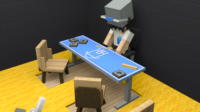
monoDeco Gen 7.3.7 - Furniture Addon Mod for Minecraft Bedrock - Download & Install Minecraft Mod Screenshots
View images and verify quality before download
Image Gallery





monoDeco Gen 7.3.7 - Furniture Addon Mod for Minecraft Bedrock - Download & Install Technical Information
Learn technical details, version, and supported platform
Technical Specifications

Your Own Minecraft Server! 🎮
Start your own server with friends on BisectHosting — insane performance, one-click mod installs, and 24/7 support. Use the discount code and start at the lowest price!
Download and Share
Download for free or share it with friends
Get the advantage!
Subscribe for early access to exclusive mods and direct downloads without timers or ads.
Mod not opening in Minecraft? This applies to Bedrock edition only (mobile/console) — the issue is your file manager, not the mod. Use our app IQ OpenMC to open the file and it will give you the option to open it in Minecraft directly. (Java players don't need this step)