

Euforia's Items Mod for Minecraft - Download & Install
Download Euforia's Items Mod for Minecraft, adding 15+ unique items with invulnerability, speed, and fire resistance for PvP and exploration. Enhance your game now!
Everything About Euforia's Items Mod for Minecraft - Download & Install
Read the full article about the mod
What is Euforia's Items?
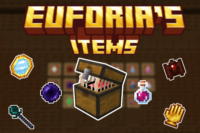
Euforia's Items is a unique Minecraft mod that introduces a collection of powerful, specialized items, granting players distinct abilities such as time control, temporary invulnerability, and immunity to negative effects. Designed to significantly enhance both PvP and exploration gameplay, this mod adds a strategic layer to vanilla Minecraft.
Typically compatible with recent Minecraft versions like 1.20.1 or 1.19.2, Euforia's Items is a valuable addition to any modded survival or competitive server. It moves beyond simple utility by introducing high-impact items that can turn the tide of battle or provide crucial advantages in dangerous environments. The mod emphasizes tactical decision-making, offering players new ways to outsmart opponents and overcome challenges, making it a favorite for those seeking an extra edge in their Minecraft adventures.
Key Features and Highlights
- Golden Clock: This extraordinary clock grants you the power to manipulate the day-night cycle. When used, it instantly turns night into day, and day into night. This feature is incredibly strategic in PvP scenarios, allowing you to surprise opponents by plunging them into darkness and spawning hostile mobs, or conversely, banishing night to avoid dangerous encounters. The rare Golden Clock can be discovered within the chests of Monster Spawners found in caves and dungeons.
- Milk Potion: Unlike regular milk, this potent potion instantly removes all negative status effects, including Poison, Wither, Slowness, and more. It's an invaluable survival tool in intense combat situations or when exploring hazardous areas teeming with mobs that inflict debuffs. Seek out this life-saving potion in the chests found within Igloos, typically located in snowy taiga biomes.
- Green Apple: Consuming this special apple grants you the Resistance effect for a duration of 10 seconds. This significantly reduces all incoming damage, making you much more resilient in direct confrontations. It's perfect for tanking hits during fierce battles or making a desperate escape with minimal damage. Green Apples are commonly found in the chests of abandoned Mineshafts.
- Hellish Hot Pepper: This fiery pepper bestows both Speed for 5 seconds and Fire Resistance for 15 seconds. It's exceptionally useful in the Nether, where fire resistance protects you from lava and fiery attacks, while the speed boost allows for rapid traversal of challenging terrain or pursuit/evasion of enemies. You'll find Hellish Hot Peppers hidden within the chests of Nether Fortresses.
- Sculk Potion: Drinking this mysterious potion renders you completely invulnerable to all attacks for 10 seconds, making you temporarily indestructible. However, it comes with a significant drawback: you gain the Blindness effect for the same duration. This is a high-risk, high-reward item, ideal for critical moments like escaping a fatal blow, pushing through heavily guarded areas, or baiting opponents. It can be imagined to be found in Ancient Cities or Sculk-infested caves.
- Ender Pearl of Return: Unlike standard Ender Pearls, this unique variant doesn't teleport you to where it lands. Instead, it instantly warps you back to your last safe bed or designated spawn point. It's an unparalleled escape tool in PvP scenarios or when facing imminent death during deep exploration. These can be acquired from End City chests or as a rare drop from Endermen.
- Potion of True Sight: This potion grants you the ability to see invisible entities, including players and mobs, for a duration of 30 seconds. In PvP combat, this potion is a game-changer against stealth-focused opponents. It's a crucial strategic item for detecting ambushes or tracking hidden foes. It could be crafted by combining a Fermented Spider Eye with rare new ingredients.
- Feather of Levitation: Upon use, this feather grants you a short burst of Levitation (e.g., 5-7 seconds), allowing you to reach tactical high ground or bypass ground-based obstacles. It can be used for surprise attacks in combat or for quick traversal over difficult terrain. This might drop from Phantoms or be found in End City chests.
- Shield of Reflection: This specialized shield not only blocks incoming attacks but also reflects a small percentage (e.g., 15-20%) of projectile damage (arrows, fireballs) back to the attacker. It's perfect for countering archers and ranged weaponry, adding both defensive and offensive capabilities simultaneously. It could be found in Stronghold chests or as a rare drop from Wither Skeletons.
- Orb of Mending: When activated, this orb repairs a small amount of durability on all tools, weapons, and armor held in your inventory or equipped. It extends the lifespan of your gear and saves trips back to base for repairs, making it ideal for long adventures and sustained combat. It might be obtained from Endermen or End City loot.
- Glowstone Dust of Illumination: When thrown, this dust explodes to create a temporary, powerful light source in a small radius, revealing hidden enemies or illuminating dark caves. Extremely useful for night exploration or in dark caves to effectively combat mobs. It could be dropped from Blazes or found in Nether Fortress chests.
- Wither Skull Fragment: This rare fragment, when used on an enemy, applies the Wither effect for a short duration, slowly draining their health. It's a potent offensive tool in PvP against heavily armored opponents. It is a rare drop from Wither Skeletons in the Nether.
- Aegis of Absorption: This powerful item grants you temporary absorption hearts, increasing your maximum health for a brief period, providing a crucial buffer in critical engagements. It could be found in Stronghold chests or as a rare drop from Elder Guardians.
- Gleaming Berry: Upon consumption, this berry outlines nearby players and mobs through walls for a short duration. It's an excellent reconnaissance tool for planning attacks or avoiding ambushes in PvP zones. It could be found in Dark Oak Forests or Woodland Mansion chests.
- Echo Stone: When used, this stone emits a sonic pulse that reveals the locations of nearby entities (similar to a Sculk Sensor's ability) on your mini-map or HUD for a short period. Ideal for players who prefer to plan ahead and pinpoint enemy positions before engaging. It can be found in Ancient Cities or deep Sculk caves.
How to Download and Install Euforia's Items
To experience all these unique items, you'll need to properly install the Euforia's Items mod into your game. The process is straightforward if you follow the correct steps. First, ensure you have a compatible Minecraft version (e.g., 1.20.1 or 1.19.2) and the appropriate mod loader (Forge or Fabric) installed.
- Download a Mod Loader: If you don't already have one, download and install either Forge or Fabric for your specific Minecraft version. You can find official download links on their respective websites. Once downloaded, run the installer and follow the on-screen instructions.
- Download the Euforia's Items Mod File: Navigate to the mod's download page on IQMOD and locate the latest version compatible with your Minecraft version and chosen mod loader. Click the secure direct download button. Ensure the file you download is a .jar file.
- Locate Your Minecraft 'mods' Folder: After installing Forge or Fabric and running Minecraft at least once with the new profile, a folder named "mods" will be created inside your main Minecraft directory. You can typically access this by typing %appdata% in your search bar and navigating to .minecraft.
- Transfer the Mod File: Drag and drop the downloaded Euforia's Items .jar file directly into the "mods" folder. Do not extract the file; simply place it as is.
- Launch Minecraft: Open your Minecraft Launcher, and make sure you select the Forge or Fabric profile you installed. Click "Play." The mod should now be active, and you can begin exploring the new items.
For a complete guide and troubleshooting tips for any issues you might encounter, check out our comprehensive Minecraft Mods Installation Guide. It provides detailed instructions for every step of the process.
System Requirements and Compatibility
- Minecraft Version: Compatible with 1.19.2, 1.20.1, 1.20.4 (or the latest available mod version).
- Mod Loader: Forge or Fabric (depends on the version you choose).
- Platform: Java Edition.
- Dependencies: No additional mods are required; only the base mod loader.
Pro Tips for Using Euforia's Items
To get the most out of Euforia's Items in your adventures and battles, here are some advanced tips:
- Strategic Golden Clock Usage: In PvP, use the Golden Clock to suddenly switch day to night, disorienting opponents and forcing them to contend with hostile mobs. Conversely, change night to day to avoid dangerous monster encounters during exploration or while building.
- Timing the Sculk Potion: The Sculk Potion grants temporary invulnerability but blinds you. Use it at critical moments, such as anticipating a fatal blow or rushing through an explosive-laden area. Remember that blindness can be a hindrance, so plan your movements beforehand or use it in open areas.
- Combine Hot Pepper and Green Apple: For a dual advantage in combat, consume the Hellish Hot Pepper for Speed and Fire Resistance, then the Green Apple for Resistance. This combination makes you fast, fireproof, and significantly more capable of absorbing damage.
- Milk Potion as a Lifesaver: Always keep a Milk Potion in your hotbar. It's a literal lifesaver against Poison, Wither, or Slowness effects that can be fatal in critical situations, especially in the Nether or when fighting powerful mini-bosses.
- Leverage the Ender Pearl of Return: If you're planning dangerous expeditions or long-range PvP engagements, ensure you've set a safe spawn point (bed) nearby. The Ender Pearl of Return will be your ultimate escape option from certain death back to safety.
- Locate Item Spawns: Since many items are found in specific structures, dedicate time to exploring Igloos, Mineshafts, Nether Fortresses, and Ancient Cities. Knowing where to find these items will give you a significant advantage in collecting and stockpiling them. Consider creating a "loot map" to track known spawn locations.
Is Euforia's Items Safe and Free?
Yes, Euforia's Items is completely safe to use and free to download. At IQMOD, we are committed to providing reliable and thoroughly vetted content to ensure a risk-free gaming experience. All mods, including Euforia's Items, are regularly scanned for any malware or security threats. We guarantee that the files available for download are the original, clean versions from the developers. You can download this mod and others from IQMOD with complete confidence, knowing you are getting high-quality, entirely safe content at no cost.
Why Download from IQMOD?
IQMOD stands as the premier source for Minecraft mods in both Arabic and English, offering an unparalleled download experience. When you download Euforia's Items from our site, you benefit from fast, direct download links, free from intrusive ads and pop-ups that hinder your experience. We ensure all mods are consistently updated to be compatible with the latest Minecraft versions, guaranteeing you access to the newest features and bug fixes. Furthermore, we provide dedicated technical support to assist you with any issues you might encounter during installation or usage. Choose IQMOD for Euforia's Items and other mods to enjoy an enhanced and secure Minecraft experience. Download now and embark on your adventure!
Euforia's Items Mod for Minecraft - Download & Install Minecraft Mod Screenshots
View images and verify quality before download
Image Gallery


Euforia's Items Mod for Minecraft - Download & Install Technical Information
Learn technical details, version, and supported platform
Technical Specifications

Your Own Minecraft Server! 🎮
Start your own server with friends on BisectHosting — insane performance, one-click mod installs, and 24/7 support. Use the discount code and start at the lowest price!
Download and Share
Download for free or share it with friends
Get the advantage!
Subscribe for early access to exclusive mods and direct downloads without timers or ads.
Mod not opening in Minecraft? This applies to Bedrock edition only (mobile/console) — the issue is your file manager, not the mod. Use our app IQ OpenMC to open the file and it will give you the option to open it in Minecraft directly. (Java players don't need this step)