

Enchantment Descriptions Mod for Minecraft - Download & Install
Download Enchantment Descriptions Mod - clarifies 150+ enchantments (vanilla & modded) by adding detailed tooltips. Supports Forge, Fabric, Quilt. Get it free from IQMOD!
Everything About Enchantment Descriptions Mod for Minecraft - Download & Install
Read the full article about the mod
What is Enchantment Descriptions?
Enchantment Descriptions is an essential Minecraft mod designed to clarify enchantments by adding detailed descriptions of their effects directly to enchanted item tooltips. This highly compatible mod supports a wide range of Minecraft versions, typically from 1.16.5 up to 1.20.4 and beyond, and seamlessly integrates with all major mod loaders including Forge, NeoForge, Fabric, and Quilt. Developed with the player in mind, it aims to provide immediate, context-rich information, eliminating the need for external research and enhancing the overall gameplay experience for both new and veteran players.
In the expansive and often complex world of Minecraft, understanding the myriad of enchantments and their nuanced effects can be a daunting task, especially when delving into modded gameplay that introduces hundreds of new enchantments. Enchantment Descriptions addresses this challenge elegantly by presenting clear, concise summaries of each enchantment as soon as you hover over an enchanted item. It significantly improves the quality of life, reduces the time spent consulting wikis or memorizing effects, and ensures that players can make informed decisions about their gear, making it an indispensable addition to any Minecraft modpack.
Key Features and Highlights
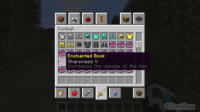
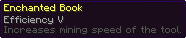
- Detailed Vanilla Enchantment Explanations: The mod provides accurate and comprehensive descriptions for all standard Minecraft enchantments, such as Sharpness, Protection, and Efficiency. Instead of just seeing "Sharpness V," you'll get a clear explanation like "Increases melee damage by 2.5 hearts per level." This clarity empowers players to understand the exact benefits of each enchantment and make optimal choices for their tools and weapons.
- Extensive Modded Enchantment Support: A standout feature of Enchantment Descriptions is its robust support for enchantments added by other mods. Whether you're running a light modpack or a massive compilation with numerous custom enchantments, this mod strives to provide descriptions for them all. This ensures a consistent and understandable experience across your entire modded setup, eliminating guesswork for unfamiliar enchantments.
- Multi-Language Compatibility: Available in over 15 languages, including Spanish, Chinese, Russian, French, and Arabic, the mod caters to a global audience. This extensive language support ensures that players worldwide can understand enchantment effects in their native tongue, significantly enhancing accessibility and making the mod a truly international utility.
- Broad Mod Loader Compatibility: Enchantment Descriptions is designed to work flawlessly with all popular mod loaders: Forge, NeoForge, Fabric, and Quilt. This broad compatibility means you can integrate the mod into virtually any existing Minecraft setup without worrying about conflicts or specific loader requirements, offering maximum flexibility to players.
- Dynamic and Contextual Descriptions: The descriptions provided by the mod are not static. They dynamically adapt to reflect the enchantment level and any other relevant variables, offering precise and up-to-date information for each specific enchanted item. This ensures that the information is always relevant to the item you're examining, providing a deeper understanding of varying enchantment strengths.
- Significant Quality of Life Improvement (QoL): This mod drastically cuts down on the time players spend researching enchantment effects outside the game. By embedding crucial information directly into the game's UI, it streamlines decision-making, reduces frustration, and allows players to focus more on gameplay, exploration, and building.
- Intuitive User Interface Integration: Enchantment Descriptions integrates seamlessly with Minecraft's native UI, requiring no complex configurations. Once installed, the enchantment descriptions appear automatically, making it incredibly user-friendly even for those new to modding.
- Lightweight and Performance-Optimized: Engineered for minimal impact on game performance, the mod is lightweight and won't cause lag or reduce your frame rates. You can enjoy all its benefits without compromising your game's stability or speed, ensuring a smooth experience.
- Educational Tool for New Players: For players new to Minecraft or its modding scene, this mod serves as an excellent in-game tutorial for the complex enchantment system. It demystifies enchantment effects, helping them quickly grasp the mechanics and make informed choices to improve their gameplay.
- Simple Dependency Management: The mod requires the popular Bookshelf library, a common and trusted dependency used by many other Minecraft mods. This simplifies installation, as many players may already have Bookshelf installed, making the process even smoother.
- Enhanced Strategic Planning: With clear descriptions at their fingertips, players can better plan their enchanting strategies. Whether crafting invincible armor, devastating weapons, or ultra-efficient mining tools, a full understanding of enchantment effects unlocks new possibilities for tactical gameplay and resource management.
- Reduced In-Game Errors: By providing accurate and immediate information, the mod minimizes the chance of players applying undesirable or ineffective enchantments, saving valuable resources and effort spent on gathering enchanting materials.
- Seamless ToolTipFix Integration: For users playing on Fabric or Quilt, installing the ToolTipFix mod is highly recommended. This companion mod works in conjunction with Enchantment Descriptions to further enhance the overall tooltip display, ensuring a clean and bug-free visual experience, especially with lengthy descriptions.
- Community Contribution: By simplifying enchantment understanding, this mod contributes to a more accessible and enjoyable modding community. It encourages players to explore new mods with confidence, knowing they'll have the information they need to succeed.
- Configurable Display Options: While largely automatic, the mod often provides configuration options (usually in a config file) to customize how descriptions are displayed. Players can toggle visibility, adjust detail levels, or set keybinds for showing extended information, tailoring the experience to their personal preferences.
How to Download and Install Enchantment Descriptions
Installing the Enchantment Descriptions mod involves a few straightforward steps. Before you begin, ensure you have the correct mod loader (Forge, Fabric, or Quilt) installed for your desired Minecraft version. Remember, this mod requires the Bookshelf library to function correctly.
- Download the Mod Files: First, download the Enchantment Descriptions mod file and the Bookshelf library file from a trusted source like IQMOD.me. Make sure to select the versions that are compatible with your specific Minecraft version and the mod loader you are using. Both files will typically be in `.jar` format.
- Install Your Chosen Mod Loader (if not already installed): If you haven't already, install your preferred mod loader (Forge, Fabric, or Quilt) for the Minecraft version you intend to play. You can usually run the loader installer as a standard `.jar` file and follow the prompts to install it into your Minecraft directory.
- Locate Your Minecraft 'mods' Folder: After installing the mod loader, navigate to your Minecraft installation directory. On Windows, you can typically find this by typing
%appdata%\.minecraftinto your file explorer's address bar. Inside the.minecraftfolder, you should find a folder namedmods. If this folder does not exist, simply create a new one. - Place Mod Files into the 'mods' Folder: Drag and drop both the
Enchantment Descriptions.jarandBookshelf.jarfiles that you downloaded in Step 1 into themodsfolder you located or created in Step 3. Ensure no other incompatible versions of these mods are present. - Launch Minecraft with the Mod Loader Profile: Open your Minecraft Launcher. From the dropdown menu where you select your game version or profile, choose the profile associated with your installed mod loader (e.g., 'Forge 1.19.2' or 'Fabric Loader 1.20.1'). Click the 'Play' button. Once the game loads, enter a world, enchant an item, and hover over it. The detailed enchantment descriptions should now be visible in the item's tooltip, confirming a successful installation.
For a complete guide, check out our Minecraft Mods Installation Guide.
System Requirements and Compatibility
- Minecraft Version: Broad compatibility across multiple versions, including 1.16.5, 1.17.1, 1.18.2, 1.19.2, 1.19.4, 1.20.1, 1.20.2, and 1.20.4. Always check the mod's official page for the most up-to-date supported versions.
- Mod Loader: Requires either Forge, NeoForge, Fabric, or Quilt. One of these must be installed and configured correctly.
- Platform: Minecraft Java Edition.
- Dependencies: Requires the Bookshelf library. For Fabric/Quilt users, installing the ToolTipFix mod is highly recommended for optimal tooltip display.
Pro Tips for Using Enchantment Descriptions
To maximize your experience with the Enchantment Descriptions mod, consider these advanced tips:
- Pair with ToolTipFix (Fabric/Quilt Users): If you're running Minecraft with Fabric or Quilt, installing the ToolTipFix mod is almost essential. It resolves common display issues with lengthy tooltips, ensuring that the detailed enchantment descriptions are always presented neatly and legibly, preventing text overlap or cut-offs, especially when items have many enchantments.
- Customize Through Configuration Files: Delve into the mod's configuration files (typically found in the
configfolder within your.minecraftdirectory). The mod often provides options to fine-tune its behavior, such as toggling descriptions on/off, adjusting the level of detail displayed, or even setting a keybind (like Shift) to show extended information. Experiment to find what works best for your playstyle. - Report Missing Modded Enchantments: Should you encounter a mod that adds new enchantments whose descriptions are not displayed by Enchantment Descriptions, consider reporting this to the mod developer. Developers are often keen to add support for other popular mods' enchantments, enhancing the utility of Enchantment Descriptions for the entire community.
- Combine with Other QoL Mods: Enchantment Descriptions shines when integrated with other quality-of-life mods. For instance, combining it with improved inventory management mods or item search mods can create an incredibly efficient and informative interface, allowing you to quickly identify and manage your enchanted gear.
- Verify Language Settings: Given the mod's extensive multi-language support, ensure your Minecraft language settings are correctly configured to display descriptions in your preferred language. Regular updates to the mod often include improved or expanded translations, so keeping the mod updated will ensure you have the most accurate linguistic support.
- Explore Hidden Enchantments: Some mods introduce unique or 'hidden' enchantments that are not immediately obvious in their function. With Enchantment Descriptions, you'll instantly understand what these rare enchantments do, granting you a strategic advantage without needing to resort to trial and error or external guides.
Is Enchantment Descriptions Safe and Free?
Yes, the Enchantment Descriptions mod is completely safe to use and entirely free. It has been thoroughly vetted by the modding community for any malicious software or viruses. At IQMOD, we are committed to providing safe and reliable mods, and we meticulously scan all files before making them available for download. This mod does not introduce any unwanted content, ads, or hidden features; its sole purpose is to enhance your gameplay experience by providing clear enchantment information. You can download and enjoy its benefits with complete confidence in the security of your device and data.
Why Download from IQMOD?
IQMOD is your premier destination for downloading Minecraft mods in both Arabic and English, and we guarantee the best download experience for the Enchantment Descriptions mod. We offer direct, high-speed download links, free from intrusive advertisements and annoying pop-ups that hinder your download process. All mods on our site are regularly updated to ensure compatibility with the latest Minecraft versions, guaranteeing you access to the most stable and feature-rich releases. Furthermore, the IQMOD support team is always ready to assist you with any questions or issues you might encounter during installation or usage. Download the Enchantment Descriptions mod now from IQMOD and revolutionize your understanding of Minecraft enchantments!
Enchantment Descriptions Mod for Minecraft - Download & Install Minecraft Mod Screenshots
View images and verify quality before download
Image Gallery
Enchantment Descriptions Mod for Minecraft - Download & Install Technical Information
Learn technical details, version, and supported platform
Technical Specifications

Your Own Minecraft Server! 🎮
Start your own server with friends on BisectHosting — insane performance, one-click mod installs, and 24/7 support. Use the discount code and start at the lowest price!
Download and Share
Download for free or share it with friends
Additional Files Required
This mod requires additional files to work properly
Get the advantage!
Subscribe for early access to exclusive mods and direct downloads without timers or ads.
Mod not opening in Minecraft? This applies to Bedrock edition only (mobile/console) — the issue is your file manager, not the mod. Use our app IQ OpenMC to open the file and it will give you the option to open it in Minecraft directly. (Java players don't need this step)