

Disenchanter Table Addon Mod for Minecraft - Download & Install
Download Disenchanter Table Addon for Minecraft - introduces a new block to safely remove enchantments from items and books. Preserves item durability, extracts 100% of enchantments, features mobile-friendly UI. Get it free from IQMOD!
Everything About Disenchanter Table Addon Mod for Minecraft - Download & Install
Read the full article about the mod
What is Disenchanter Table Addon?
The Disenchanter Table Addon is a unique Minecraft Bedrock Edition mod (compatible with version 1.20.x and above) that introduces a brand-new functional block: the Disenchanter Table. This innovative block provides players with a balanced and efficient mechanism to safely remove enchantments from their enchanted tools, weapons, armor, or books, allowing for item reusability and the recovery of valuable enchantments. It was developed by a team of dedicated modders to enhance gameplay and add a strategic layer to enchantment management within the Minecraft universe.
Historically, disenchanting options in Minecraft were severely limited and often destructive, typically involving the Grindstone which only removes enchantments without returning them, or requiring the complete destruction of the enchanted item. This addon addresses these significant limitations by offering a controlled and non-destructive method to extract enchantments onto regular books, providing a much-needed quality-of-life improvement. It seamlessly integrates into the vanilla Minecraft experience, offering a practical solution to a long-standing challenge faced by both novice and veteran players, making enchantment management far more flexible and rewarding. This mod empowers players to maximize the utility of every enchantment they encounter, reducing the waste of otherwise useful enchanted items.
Key Features and Highlights
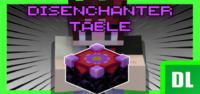
- Dedicated Disenchanter Table Block: This addon introduces a completely new, craftable block known as the Disenchanter Table. It features a unique visual model and a custom interactive user interface, making it a distinct and engaging addition to your Minecraft world. This central hub for enchantment management simplifies the process significantly.
- Balanced Disenchanting Mechanic: The disenchanting process is carefully balanced to prevent it from being overpowered. It requires placing an enchanted item, several regular books (one for each enchantment you wish to extract), and a single amethyst shard into the table's interface. This ensures the process has a reasonable cost, making the recovery of enchantments a worthwhile strategic decision.
- Enchantment Extraction to Books: A core feature is the ability to extract individual or multiple enchantments from an item or enchanted book and transfer them onto blank books. These then become enchanted books, ready for future use on other items or for trading, providing immense value and reducing resource waste.
- Complete Item Preservation: Unlike the vanilla Grindstone, which damages items or simply removes enchantments without recovery, the Disenchanter Table removes enchantments while leaving the original item completely intact. Its durability is preserved, allowing it to be re-enchanted or used for other purposes, ensuring you never lose your favorite gear due to an unwanted enchantment.
- Mobile and PC UI Adaptation: The addon boasts a thoughtfully designed user interface that automatically adjusts for both mobile (Pocket UI Profile) and PC (Classic UI Profile) players. This ensures a consistent, intuitive, and user-friendly experience across all Minecraft Bedrock platforms, making the table accessible to everyone.
- Support for Multiple Enchantments: If an item possesses several enchantments, the Disenchanter Table can efficiently extract them all. Players have the flexibility to extract them simultaneously (provided enough books are supplied) or selectively, granting full control over which enchantments they wish to salvage.
- High Efficiency Disenchantment: Enchantments are extracted with 100% fidelity. For example, a Sharpness V enchantment on a sword will yield a Sharpness V enchanted book, without any level degradation. This ensures the full value of the enchantment is retained, making your efforts truly rewarding.
- Intuitive Crafting Recipe: The Disenchanter Table itself is crafted using reasonably obtainable in-game resources. This makes it an accessible early-to-mid-game item that players can acquire without excessive grinding, integrating smoothly into the game's progression.
- Seamless Vanilla Integration: The addon is meticulously designed to feel like a natural extension of Minecraft's existing enchantment system. It utilizes familiar materials like books and amethyst shards, and introduces mechanics that complement, rather than disrupt, the core gameplay experience.
- Engaging Visual and Audio Feedback: The disenchanting process is accompanied by subtle yet satisfying visual effects and sound cues. These provide clear confirmation of successful operations and enhance the overall immersive experience when interacting with the Disenchanter Table.
- Strategic Resource Management: By enabling players to recover and reuse enchantments, the addon encourages more strategic thinking regarding item usage, optimal enchantment combinations, and efficient resource allocation, adding a deeper layer of tactical gameplay.
- Combatting Undesirable Enchantments: Easily remove problematic enchantments such as "Curse of Vanishing" or "Curse of Binding" from acquired loot. This transforms otherwise unusable or inconvenient items into valuable resources, improving your overall inventory utility.
- Facilitates Advanced Enchanting Strategies: Players can now experiment more freely with different enchantment combinations. If an item doesn't yield the desired results, they can simply disenchant it and re-enchant using recovered books to perfect their ultimate gear sets.
- Broad Compatibility: As a Bedrock addon, the Disenchanter Table Addon generally boasts high compatibility with other behavior packs and resource packs. This ensures it integrates well into most custom game setups without causing conflicts or performance issues.
- Enhanced Gameplay Loop: The ability to disenchant adds a valuable and sustainable loop to the game. It transforms previously 'dead' or redundant enchanted items into sources of useful enchanting books, thereby significantly reducing waste and increasing overall player efficiency and enjoyment.
How to Download and Install Disenchanter Table Addon
Installing the Disenchanter Table Addon for Minecraft Bedrock Edition is a straightforward process that doesn't require complex mod loaders like Forge or Fabric. Ensure you have the latest stable version of Minecraft Bedrock installed on your device to ensure optimal compatibility and performance.
- Download the Addon File: Navigate to IQMOD.me and locate the dedicated page for the Disenchanter Table Addon. Download the specific file named "Disenchanter_Table_Addon.mcaddon" directly to your device. Always ensure you are downloading from a trusted source like IQMOD to guarantee file integrity and safety.
- Open the .mcaddon File: Once the download is complete, simply tap or double-click the downloaded ".mcaddon" file. Your device should automatically recognize the file type and launch Minecraft, initiating the import process for the addon into your game directory.
- Confirm Successful Import: As Minecraft launches, you will see in-game notifications. First, a message stating "Import Started" will appear, followed by "Successfully Imported Disenchanter Table Addon" once the process is complete. This confirms that the addon's files have been correctly integrated into your game.
- Activate in Your World Settings: Open Minecraft and either create a new world or edit an existing one. In the world settings menu, scroll down to the "Resource Packs" and "Behavior Packs" sections. Locate and activate "Disenchanter Table Addon" in both categories to ensure all features and functionalities of the mod are fully enabled.
- Launch Your World and Enjoy: After activating the addon in your world settings, simply launch your world. You can now craft the Disenchanter Table using its in-game recipe and begin utilizing its unique disenchanting mechanics to manage your enchantments more effectively and enhance your overall Minecraft experience.
For a complete guide, check out our Minecraft Mods Installation Guide.
System Requirements and Compatibility
- Minecraft Version: 1.20.x or higher (Bedrock Edition)
- Mod Loader: None (Designed as a native Bedrock Addon)
- Platform: Bedrock
- Dependencies: None (Functions as a standalone addon)
Pro Tips for Using Disenchanter Table Addon
To maximize your efficiency and strategic advantage with the Disenchanter Table Addon, consider these advanced tips:
- Strategic Salvaging Prioritization: Always evaluate any enchanted items you acquire, whether from mob drops, dungeon chests, or discarded tools. Even items with low durability can yield extremely valuable enchantments when run through the Disenchanter Table, turning potential junk into precious resources.
- Establish a Book Farm: A consistent supply of blank books is paramount. Invest time in creating an efficient sugarcane farm for paper and a reliable leather source (e.g., cow farm) to ensure you always have enough books to receive extracted enchantments, as each enchantment requires one book.
- Amethyst Shard Management: Amethyst shards are a key, consumable component for the disenchanting process. Actively seek out amethyst geodes in your world, or consider establishing a small, automated amethyst farm to maintain a steady and reliable supply for continuous disenchanting operations.
- Optimize Your Ultimate Gear: Use the Disenchanter Table to perfect your endgame armor and tools. If an enchantment roll gives you a desirable main enchantment alongside an undesirable one, simply remove the unwanted enchantment and re-enchant with specific, recovered books to achieve the ultimate combination.
- Synergize with Villager Trading: Purchase enchanted books from Librarian villagers, then use the Disenchanter Table to separate individual enchantments from them. This allows you to combine specific enchantments onto your preferred items more precisely, potentially saving emeralds and time compared to relying solely on enchantment tables.
- Inventory De-cluttering and Value Creation: Instead of simply discarding randomly enchanted items that clutter your inventory, disenchant them. This process transforms otherwise useless items into valuable enchanted books, making your storage more efficient and increasing the overall value of your collected loot.
Is Disenchanter Table Addon Safe and Free?
Yes, the Disenchanter Table Addon is absolutely safe to use and completely free of charge. All mods and addons available for download on IQMOD are rigorously scanned and meticulously verified by our team to ensure they are entirely free from any malicious software, viruses, or unwanted content that could harm your device or compromise your data. We at IQMOD are deeply committed to providing a secure and trustworthy platform for the global Minecraft community, adhering to the highest standards of safety and quality. You can confidently download and install this addon, knowing that your device and personal information are protected while you enjoy all its exciting new features without any concerns about security or hidden costs.
Why Download from IQMOD?
IQMOD offers an unparalleled downloading experience for the Disenchanter Table Addon, establishing itself as your premier destination for this and other exceptional Minecraft additions. On our platform, you will find direct and instant download links, completely free from intrusive advertisements, annoying pop-ups, or unwanted redirects that waste your valuable time. We pride ourselves on consistently updating all mods and addons to ensure they are fully compatible with the latest Minecraft versions, guaranteeing optimal performance and seamless integration into your game. Furthermore, our dedicated support team is always ready and available to assist you with any questions or issues you might encounter during the download, installation, or even gameplay process. Join the thousands of satisfied players who trust IQMOD and download the Disenchanter Table Addon today from IQMOD for a significantly enhanced and enjoyable Minecraft experience, coupled with the complete peace of mind that you are receiving the best service and product!
Disenchanter Table Addon Mod for Minecraft - Download & Install Minecraft Mod Screenshots
View images and verify quality before download
Image Gallery


Disenchanter Table Addon Mod for Minecraft - Download & Install Technical Information
Learn technical details, version, and supported platform
Technical Specifications

Your Own Minecraft Server! 🎮
Start your own server with friends on BisectHosting — insane performance, one-click mod installs, and 24/7 support. Use the discount code and start at the lowest price!
Download and Share
Download for free or share it with friends
Get the advantage!
Subscribe for early access to exclusive mods and direct downloads without timers or ads.
Mod not opening in Minecraft? This applies to Bedrock edition only (mobile/console) — the issue is your file manager, not the mod. Use our app IQ OpenMC to open the file and it will give you the option to open it in Minecraft directly. (Java players don't need this step)