

Connected Glasses Mod for Minecraft - Download & Install
Download Connected Glasses Mod for Minecraft to enhance your world's visuals. This mod adds 5 key enhancements, providing seamless, realistic connected glass while preserving the vanilla aesthetic. Compatible with the latest game versions. Free download from IQMOD!
Everything About Connected Glasses Mod for Minecraft - Download & Install
Read the full article about the mod
What is Connected Glasses?
Connected Glasses is a distinctive visual enhancement mod for Minecraft, specifically designed to improve the aesthetic appearance of glass in your world without altering its core vanilla identity. This mod automatically connects adjacent glass blocks, effectively removing the unsightly borders between them to create a seamless, realistic glass surface. The mod supports the latest game versions, including 1.19.2, 1.20.1, 1.20.4, and even 1.21, and has been developed by the dedicated team at ModCrafters to deliver a superior visual experience.
For a long time, Minecraft's glass blocks, despite their utility, suffered from noticeable dividing lines that diminished the beauty of large architectural designs. The Connected Glasses mod provides a radical yet simple and effective solution, making windows and glass walls appear far more elegant and modern. It is an indispensable addition for players who prioritize visual details and wish to elevate their constructions to a new level of realism and appeal, thereby enriching the overall visual gameplay experience and making every glass structure feel like a cohesive work of art. It offers a subtle but profound visual upgrade that blends perfectly with the game's aesthetic.
Key Features and Highlights
- Seamless Glass Textures: This is the mod's core functionality. Connected Glasses automatically detects and visually merges the textures of adjacent glass blocks. This eliminates the distinct borders (often black or white lines) that typically separate individual glass blocks, resulting in a single, continuous glass surface that appears perfectly smooth and unified. This feature is crucial for large-scale architectural projects, such as expansive windows, glass domes, or observation decks, transforming them from a collection of individual panes into a grand, cohesive glass facade.
- Vanilla Aesthetic Preservation: Unlike some mods that replace vanilla glass textures, Connected Glasses operates as an additive enhancement. This means you don't lose access to the original game's glass. Instead, you can simply place any vanilla glass block on a crafting table to convert it into its connected version. This gives players the flexibility to choose between both types of glass in their builds, maintaining Minecraft's iconic visual style while offering a significantly upgraded aesthetic option.
- Universal Glass Type Support: The mod is not limited to standard clear glass. It extends its seamless connection capabilities to all types of stained glass and the tinted glass introduced in recent Minecraft updates. This feature dramatically expands design possibilities, allowing you to create vibrant, connected stained-glass windows or sleek, opaque tinted glass walls with seamless transitions, opening new avenues for creative architectural expression within your worlds.
- Effortless Crafting Integration: Obtaining connected glass is remarkably simple. All you need to do is place a regular vanilla glass block (or any supported glass type) into any slot on a crafting table, and you will receive its connected counterpart. There are no complex recipes or additional resources required, making the mod incredibly accessible and user-friendly for all players, regardless of their modding experience. This simple conversion process ensures a smooth workflow for builders.
- Optimized Performance: Connected Glasses has been designed with performance in mind. Despite the significant visual improvements it delivers, the mod maintains a lightweight footprint on system resources. This ensures that it does not negatively impact game performance or frame rates significantly, providing a smooth and enjoyable gameplay experience even on mid-range hardware, which is vital for preserving game stability.
- Resource Pack Compatibility: The mod works seamlessly with most resource packs that maintain the original glass textures. This means you can continue using your favorite resource pack while enjoying the benefits of connected glass. Certain resource packs specifically designed for connected textures can further enhance the experience, offering unique and customized visual styles that blend perfectly with the mod's functionality.
- Future Panel Support: The developers have indicated that support for glass panes is a planned feature for future updates. This upcoming addition will be highly significant, as glass panes are widely used for intricate detailing and smaller window designs. This commitment to ongoing updates demonstrates the developers' dedication to continuously improving and expanding the mod's capabilities and user experience.
- Enhanced Aesthetic Appeal: The aesthetic impact of connected glass cannot be overstated. It transforms buildings from mere functional structures into works of art. Large glass windows in modern mansions, intricate greenhouses, or even expansive storefronts look far more realistic and appealing with this feature, significantly elevating the visual detail and sophistication of your in-game world.
- More Immersive Gameplay: When your environment appears more realistic and detailed, the level of immersion in the game naturally increases. Connected Glasses contributes to building a more convincing world, where structures feel more cohesive and professionally designed, thereby enhancing your sense of presence and engagement within your carefully crafted Minecraft world.
- Ideal for Architectural Projects: Whether you're constructing a modern skyscraper, a grand glass cathedral, or even an underwater base with transparent walls, connected glass is the perfect tool to realize your vision. It provides the professional finish that makes your architectural projects stand out and impress, giving the impression that every aspect of the build has been meticulously planned and executed.
- Realistic Visual Upgrades: The mod doesn't just add a cosmetic touch; it provides a visual upgrade that makes glass appear closer to real-world counterparts. This realistic effect, especially when combined with appropriate shaders, can transform how you perceive Minecraft's landscapes and structures, adding unprecedented depth and beauty to your game.
- Easy Integration: As the mod functions as an 'addon' and does not drastically alter core game files, it integrates easily with existing Minecraft setups. This minimizes the chances of conflicts with other mods, making it a safe and reliable addition to your mod collection, ensuring a stable and enjoyable modded experience.
- Community-Driven Development: The mod benefits from active support from its developers and community. This means that any reported issues or bugs are typically addressed in subsequent updates, ensuring the mod's stability and compatibility with new game versions. This community interaction also provides a platform for future suggestions and improvements, fostering continuous evolution.
- Lightweight and Efficient: Despite the significant enhancements it offers, the mod's file size is relatively small, and it doesn't consume excessive memory or processing power. This makes it an excellent choice for players who desire visual improvements without the need for large, heavy mods that might impact their system's performance.
- Boosts Creativity: By providing a simple yet powerful tool for glass enhancement, the mod encourages players to experiment with new and innovative designs. Glass is no longer just a transparent barrier; it becomes a key design element that can be used to create stunning visual effects, unlocking new levels of player creativity in building and decorating.
How to Download and Install Connected Glasses
To download and install the Connected Glasses mod for Minecraft, you'll need to ensure you have the appropriate mod loader, such as Forge, already installed on your system. Follow these detailed steps to ensure a successful installation and a smooth gameplay experience. It's important to read each step carefully to avoid any potential issues during the process. The entire procedure is straightforward and typically takes only a few minutes.
- Download and Install Forge (or Fabric): First and foremost, you must have a mod loader installed. For most modern Minecraft mods, Forge or Fabric are the go-to choices. Visit the official Forge website (files.minecraftforge.net) or Fabric website (fabricmc.net) and download the installer for the specific Minecraft version you intend to play Connected Glasses on (e.g., 1.20.1 or 1.20.4). Run the downloaded installer file (.jar), select 'Install Client,' and click 'OK.' Confirm that the installation process completes successfully.
- Download Connected Glasses Mod: Navigate to the Connected Glasses mod's download page on IQMOD (iqmod.me). Locate the direct download link for the mod, ensuring you select the version compatible with your installed Minecraft version and Forge profile. Click the link to begin the download. The mod file will typically be in .jar format. Save this file to an easily accessible location on your computer.
- Locate Your Minecraft 'mods' Folder: After installing Forge, you'll need to find your Minecraft 'mods' folder. You can usually access this by opening your computer's run dialog (Windows Key + R), typing `%appdata%`, and pressing Enter. This will open the Roaming folder. Inside, locate and open the `.minecraft` folder. Within this `.minecraft` directory, you should find a folder named `mods`. If it doesn't exist, simply create a new folder and name it `mods` (all lowercase).
- Transfer the Mod File to the 'mods' Folder: Now, copy the Connected Glasses mod file (the .jar file) you downloaded and paste it directly into the `mods` folder you located or created in the previous step. It's crucial not to unzip or extract the .jar file; it must remain in its original compressed format. This is where Forge searches for all installed mods to load them with the game.
- Launch Minecraft: Open your Minecraft Launcher. In the bottom-left corner of the launcher, you will see a dropdown menu for selecting your game version. Choose the Forge (or Fabric) profile that you installed (for example, 'forge-1.20.1' or 'Fabric Loader 1.20.1'). Click the 'Play' button. Once the game loads, you can create a new world or enter an existing one. You will find that the Connected Glasses mod has been successfully activated, allowing you to begin crafting and utilizing seamless connected glass in your builds.
For a complete guide, check out our Minecraft Mods Installation Guide.
System Requirements and Compatibility
- Minecraft Version: Compatible with versions 1.19.2, 1.20.1, 1.20.4, and 1.21. It is always recommended to check the official mod page for the most up-to-date list of supported versions.
- Mod Loader: Requires Forge or Fabric. The mod relies on one of these mod loaders to function correctly. Ensure you have the correct version of the loader installed that matches your specific Minecraft version.
- Platform: Java Edition. This mod is developed specifically for the Java Edition of Minecraft and is not compatible with the Bedrock Edition.
- Dependencies: No additional mods are strictly required to run Connected Glasses on its own. However, you might consider installing OptiFine for enhanced performance or to enable additional advanced graphical options that can integrate well with this mod, though it is not a prerequisite.
Pro Tips for Using Connected Glasses
To get the most out of the Connected Glasses mod and truly enhance your Minecraft experience, here are some advanced tips:
- Combine with Realistic Resource Packs: For the best visual results, pair Connected Glasses with high-resolution, realism-focused resource packs. Resource packs that feature detailed glass textures can dramatically amplify the effect of the connected glass, making it appear incredibly lifelike and truly immersive.
- Utilize in Large-Scale Builds: The full impact of Connected Glasses is most evident in expansive architectural projects such as modern skyscrapers, grand greenhouses, or panoramic observation decks. The larger the glass surface, the more striking and beautiful the seamless effect becomes, transforming simple structures into architectural marvels.
- Experiment with Stained Glass: Don't limit yourself to clear glass. Try using connected stained glass to create breathtaking artistic effects in cathedrals, ancient castles, or even modern interior decor. The connected colored panes can create beautiful light patterns when sunlight passes through, adding a unique aesthetic dimension.
- Integrate with Shaders: To completely transform your gameplay experience, install a realistic shader pack. Shaders add advanced lighting, reflections, and shadow effects, making the connected glass appear to reflect and interact with light in stunning ways, pushing the level of realism to its absolute maximum.
- Check for Regular Updates: The developers are committed to updating the mod to support new Minecraft versions and introduce new features (like glass panes). Make sure to regularly visit the mod's page on IQMOD to download the latest versions and benefit from any improvements or bug fixes.
- Creative Design Exploration: Don't be afraid to experiment. Use connected glass in unconventional designs like transparent floors, glass ceilings, or even in furniture and interior decorations. It can add a sleek, contemporary, and luxurious touch to any design, opening up new avenues for your creativity in building and decorating.
Is Connected Glasses Safe and Free?
Yes, the Connected Glasses mod is completely safe to use and is available for free download. At IQMOD, we are committed to providing thoroughly vetted mods that are free from any malicious software or viruses. All files available on our portal are scanned using the latest antivirus software to ensure the safety of your device and data. The mod is sourced directly from trusted developer channels, guaranteeing that you receive the original, untampered version. You can download this mod with full confidence, knowing that you are not exposing your computer to any risks, and you are enjoying completely free enhancements for your Minecraft game.
Why Download from IQMOD?
IQMOD is your premier gateway for downloading Minecraft mods in both Arabic and English, and we pride ourselves on offering an unparalleled download experience. When you download the Connected Glasses mod from IQMOD, you benefit from direct, instant download links, completely free from intrusive ads and pop-ups that often clutter other websites. We guarantee that all our mods are constantly updated to be compatible with the latest Minecraft versions, and we provide swift technical support to assist you with any issues you might encounter. Join our growing community and download the Connected Glasses mod now for free from IQMOD to maximize your Minecraft experience!
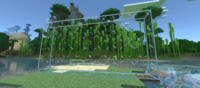
Connected Glasses Mod for Minecraft - Download & Install Minecraft Mod Screenshots
View images and verify quality before download
Image Gallery


Connected Glasses Mod for Minecraft - Download & Install Technical Information
Learn technical details, version, and supported platform
Technical Specifications

Your Own Minecraft Server! 🎮
Start your own server with friends on BisectHosting — insane performance, one-click mod installs, and 24/7 support. Use the discount code and start at the lowest price!
Download and Share
Download for free or share it with friends
Additional Files Required
This mod requires additional files to work properly
Get the advantage!
Subscribe for early access to exclusive mods and direct downloads without timers or ads.
Mod not opening in Minecraft? This applies to Bedrock edition only (mobile/console) — the issue is your file manager, not the mod. Use our app IQ OpenMC to open the file and it will give you the option to open it in Minecraft directly. (Java players don't need this step)