

Biome Compass Mod for Minecraft - Download & Install
Download Biome Compass Mod for Minecraft, an essential tool to easily locate rare biomes. Adds a simplistic search system for diverse environments. Compatible with latest versions. Get it free from IQMOD!
Everything About Biome Compass Mod for Minecraft - Download & Install
Read the full article about the mod
What is Biome Compass?
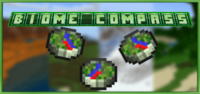
Biome Compass is a highly functional addon for Minecraft Bedrock Edition, primarily inspired by the incredibly popular "Natures Compass" mod for the Java Edition. This addon empowers players with an invaluable tool to efficiently locate any specific biome within their game world. It streamlines the often tedious process of exploration by allowing users to input a desired biome name, subsequently providing precise directional guidance to the nearest instance of that biome. It's an indispensable utility for anyone looking to optimize their time spent building, planning, or simply enjoying the diverse landscapes of Minecraft.
For years, searching for particular biomes in Minecraft's expansive, procedurally generated worlds has been a time-consuming and frequently frustrating endeavor. As new updates introduce more varied and complex biomes, finding a specific one – be it a rare Mushroom Fields island or a sprawling Mesa plateau – can feel like searching for a needle in a haystack. The Biome Compass mod fundamentally addresses this challenge, transforming random wandering into purposeful exploration. While Natures Compass revolutionized biome hunting for Java players, Biome Compass brings a similar quality-of-life improvement to the Bedrock community, making it an essential addition for those who want to establish bases in unique environments, gather specific resources, or simply experience the full spectrum of Minecraft's biomes without the usual grind.
Key Features and Highlights
- Precise Biome Location: The core functionality of Biome Compass allows players to input the name of any biome they wish to find. The compass then updates its pointing direction in real-time, guiding you directly to the closest instance of that specified biome, saving countless hours of aimless wandering.
- Intuitive Search Interface: Designed with user-friendliness in mind, the mod features a straightforward interface where you can easily type in biome names and receive clear directional cues. This makes it accessible for all players, from seasoned mod users to newcomers.
- Distance Tracking: Beyond just pointing the way, the Biome Compass also displays an approximate distance (in blocks) to your target biome. This crucial detail aids in planning your journey, helping you decide whether to walk, ride, or even fly if the distance is significant.
- Bedrock Edition Compatibility: This addon is specifically developed for Minecraft Bedrock Edition, ensuring seamless integration and stable performance across various platforms, including Windows 10, Xbox, PlayStation, Nintendo Switch, Android, and iOS.
- Natures Compass Inspiration: Drawing heavily from the design and functionality of the beloved Natures Compass mod for Java Edition, Biome Compass offers a familiar and reliable experience to Bedrock players, bringing a highly requested feature to this edition.
- Data Pack Integration: While simplistic, the underlying structure of the mod allows for potential future expansion through data packs. This means the community or other developers could potentially add custom biomes or further refine search capabilities.
- Enhanced Exploration Utility: It transforms the often-random act of exploration into a guided, purposeful expedition. This is particularly beneficial when hunting for specific structures, rare resources, or unique building materials tied to certain biomes.
- Significant Time and Effort Savings: Imagine needing a specific biome for a grand build, like a Dark Forest for dark oak wood or a Desert for sand. Without this mod, it could take hours or days. Biome Compass drastically cuts down this time, making gameplay more efficient.
- Lightweight Performance: The mod is designed to be simple and efficient, ensuring it has minimal impact on game performance or frame rates (FPS). This guarantees a smooth and enjoyable gameplay experience without unnecessary lag.
- Multiplayer Friendly: The Biome Compass can be effectively used in multiplayer worlds, allowing players to coordinate biome searches, divide tasks for resource gathering from different regions, or locate shared build sites more efficiently.
- Easy Crafting Recipe: (Assuming a simple crafting recipe for the compass item itself), the item required to use the mod is easily obtainable early in the game, integrating seamlessly into survival gameplay.
- Resource Management Aid: By quickly locating biomes rich in specific resources (e.g., jungle wood, mesa clay, specific ores), the mod empowers players to manage their resource gathering more strategically and effectively.
- No External Mod Loader Required: As a native Bedrock addon, Biome Compass does not require the installation of complex mod loaders like Forge or Fabric, simplifying the installation process significantly for all users.
- Supports Diverse Biome Types: From common forests and deserts to exotic biomes like Badlands, Warped Forests, or Deep Dark, the compass is designed to help you find a vast array of biome types present in Minecraft Bedrock.
- Promotes Strategic Gameplay: Instead of relying on pure luck, players can strategically plan their expeditions, making informed decisions about where to build, explore, and gather based on the biome information provided.
How to Download and Install Biome Compass
Installing the Biome Compass addon in Minecraft Bedrock Edition is a straightforward process that doesn't require any complex third-party software. All you need is the mod file (typically in .mcaddon or .mcpack format) and a copy of Minecraft Bedrock installed on your device. Follow these steps to get the mod up and running and start your biome exploration:
- Download the Mod File: First, download the Biome Compass mod file from the direct and secure link provided on IQMOD. Ensure the file extension is either .mcaddon or .mcpack. Once downloaded, it will typically be found in your device's 'Downloads' folder.
- Initiate the Import Process: After the download is complete, navigate to your 'Downloads' folder and double-click the mod file you just acquired. Minecraft Bedrock will automatically launch and begin the import process for both the behavior pack and resource pack components of the mod. You'll see notifications like "Import Started" and then "Import Successful" once it's done.
- Activate the Mod in World Settings: Open Minecraft and go to the "Play" menu. Select the world you wish to add the mod to (or create a new one). Click on the edit button (the pencil icon) next to your world's name. In the sidebar menu, you'll find sections for "Resource Packs" and "Behavior Packs."
- Add the Mod Packs: Within the "Resource Packs" section, navigate to "My Packs" and locate "Biome Compass." Click on it, then click "Activate" to move it to the "Active" section. Repeat this exact process for the "Behavior Packs" section. It's crucial to activate the mod in both sections for it to function correctly.
- Enable Experimental Gameplay Features (If Required): Some addons might require certain experimental gameplay features to be enabled to work fully. Before entering your world, while still in the world settings, scroll down to the "Game" section. Ensure that any relevant experimental toggles, such as "Holiday Creator Features" or "Molang Features," are turned ON if the mod's description or troubleshooting guides indicate it.
Once these steps are completed, you can enter your world and begin utilizing the Biome Compass. For a comprehensive guide on troubleshooting common issues or advanced installation tips, check out our Minecraft Mods Installation Guide on IQMOD.
System Requirements and Compatibility
- Minecraft Version: Biome Compass is compatible with the latest versions of Minecraft Bedrock Edition. It is highly recommended to use Minecraft Bedrock 1.20.x or newer for optimal performance and compatibility.
- Mod Loader: This addon does not require any external mod loader (such as Forge or Fabric) as it functions as a native addon for Minecraft Bedrock Edition.
- Platform: Minecraft Bedrock Edition (compatible with Windows 10, Xbox One/Series X|S, PlayStation 4/5, Nintendo Switch, Android, and iOS devices).
- Dependencies: No other external mods are required to run Biome Compass. While the mod itself works independently, some potential future expansions or specific data packs might introduce their own dependencies. Players may need to enable certain experimental gameplay features within their world settings for full functionality.
Pro Tips for Using Biome Compass
To maximize your efficiency and enjoyment with the Biome Compass mod, consider these advanced tips and strategies that will elevate your Minecraft exploration:
- Combine with Maps and Coordinates: While the compass points the way, always carry a map and keep your coordinates visible. Mark your starting point and the direction the compass points. This allows for more precise navigation, especially when crossing vast distances or navigating complex terrain, ensuring you don't get lost.
- Prioritize Rare Biomes for Unique Resources: Don't just use the compass for common biomes. Focus its power on finding truly rare biomes like Mushroom Fields (for unique mushroom cows and giant mushrooms), Badlands (for terracotta and gold), or Ice Spikes (for packed ice). These biomes contain resources that are incredibly difficult to acquire otherwise.
- Strategic Resource Gathering Paths: If you need resources from multiple different biomes, use the compass to locate the nearest instance of each. Then, plan a circular or efficient path that allows you to visit all required biomes in a single expedition, minimizing travel time and maximizing resource collection.
- Utilize in Multiplayer for Team Efficiency: In a multiplayer server, the Biome Compass can be a game-changer. Players can coordinate by each searching for a different biome simultaneously, allowing for rapid resource acquisition or the discovery of ideal base locations for a collective project.
- Understand Biome Generation Quirks: While the compass points to the *nearest* biome, remember Minecraft's world generation can be unpredictable. You might need to cross oceans, climb mountains, or tunnel through caves to reach your destination. Be prepared for the journey, not just the destination.
- Backup Your World Regularly: Although Biome Compass is a safe and tested mod, it's always a good practice to back up your Minecraft worlds before adding any new addons. This ensures that you can revert to a previous state if any unforeseen compatibility issues arise, protecting your valuable progress.
Is Biome Compass Safe and Free?
Yes, the Biome Compass mod is completely safe to use and free to download. At IQMOD, we are committed to providing high-quality, thoroughly vetted content to ensure it is free from any malicious software or viruses. All mods and addons, including Biome Compass, undergo rigorous scanning and checks before being made available for download, guaranteeing a secure and reliable gaming experience for our users. You can download it with absolute confidence, enjoying its features without any concerns about the safety of your device or Minecraft account. It is offered entirely free of charge, making it an excellent addition without any extra cost.
Why Download from IQMOD?
When you choose to download the Biome Compass mod from IQMOD, you are ensuring the best possible experience. We provide direct, secure download links, free from the intrusive ads and pop-ups that plague many other sites. Our mods are consistently updated to ensure compatibility with the latest Minecraft Bedrock Edition versions, offering you stability and optimal performance. Furthermore, we offer dedicated support to assist you with any issues you might encounter during download or installation. Don't waste your time sifting through unreliable sources. Download the Biome Compass mod now from IQMOD and unlock an unparalleled Minecraft exploration experience!
Biome Compass Mod for Minecraft - Download & Install Minecraft Mod Screenshots
View images and verify quality before download
Image Gallery
Biome Compass Mod for Minecraft - Download & Install Technical Information
Learn technical details, version, and supported platform
Technical Specifications

Your Own Minecraft Server! 🎮
Start your own server with friends on BisectHosting — insane performance, one-click mod installs, and 24/7 support. Use the discount code and start at the lowest price!
Download and Share
Download for free or share it with friends
Additional Files Required
This mod requires additional files to work properly
Get the advantage!
Subscribe for early access to exclusive mods and direct downloads without timers or ads.
Mod not opening in Minecraft? This applies to Bedrock edition only (mobile/console) — the issue is your file manager, not the mod. Use our app IQ OpenMC to open the file and it will give you the option to open it in Minecraft directly. (Java players don't need this step)