

GLOBAL MILITARY ARMOUR (GMA) Mod for Minecraft - Download & Install
Download the GLOBAL MILITARY ARMOUR (GMA) Mod for Minecraft. Adds over 60 realistic military armors, tools, and weapons for intense survival gameplay. Compatible with latest versions. Get it free from IQMOD!
Everything About GLOBAL MILITARY ARMOUR (GMA) Mod for Minecraft - Download & Install
Read the full article about the mod
What is GLOBAL MILITARY ARMOUR (GMA)?
The GLOBAL MILITARY ARMOUR (GMA) Mod is an advanced addon for Minecraft, specifically designed to enrich the survival and combat experience by introducing a comprehensive array of realistic military armors and tactical gear. This mod adds over 60 new items, including various types of helmets, body armors, and accessories, and is fully compatible with the latest versions of Minecraft (version 1.0.5 being the most recent update). It's engineered to work seamlessly with any other addon you desire, including popular gun mods and vehicle addons, making it an ideal choice for players seeking a complete military-themed gameplay experience.
This addon represents a significant leap in the Minecraft modding community, offering an unparalleled level of detail and realism in military equipment design. Beyond simply adding new items, the GMA Mod aims to transform gameplay into a more tactical and challenging endeavor, opening new avenues for players to construct military bases, engage in intense battles, or even participate in military role-playing scenarios with friends. It's a game-changer for anyone looking to move beyond conventional in-game armor towards a deeper, more diverse combat experience that feels truly authentic.
Key Features and Highlights
- Extensive Military Armor Collection: The GMA Mod introduces over 60 diverse military items, ranging from full body armor sets to various helmets, caps, and their accessories. This includes iconic Mich helmets, tactical Fast helmets, and traditional military caps, providing players with limitless options to customize their appearance and protection.
- Highly Detailed and Realistic Design: All items within this mod boast high-quality designs that astonishingly mimic real-world military gear. From the intricate details on the helmets to the textures of the armor plates, each piece is meticulously crafted to deliver an immersive visual experience that significantly enhances the game's realism.
- Advanced Tactical Accessories: The mod isn't limited to basic armor; it also adds crucial accessories like helmet-mounted goggles and tactical headsets. These additions not only contribute to the aesthetic but can serve functional purposes in future updates or when combined with other mods.
- Broad Compatibility with Other Mods: A standout feature of GMA is its ability to operate smoothly with virtually any other Minecraft addon, including popular firearm and military vehicle mods. This allows players to construct fully integrated war-torn worlds without compatibility issues, vastly expanding gameplay possibilities.
- Continuous Enhancements (Version 1.0.5): The mod is in a constant state of evolution, with the latest 1.0.5 update bringing numerous new additions and improvements. This ensures that players consistently receive fresh content and an enhanced experience with each update, keeping the gameplay dynamic and engaging.
- Enhanced Survival and Combat Experience: Thanks to the diverse and robust armor sets, the mod provides players with superior protection against hostile mobs and adversaries. This elevates the challenge and excitement in survival and combat scenarios, making every encounter more realistic and thrilling.
- Ideal for Role-Playing and Multiplayer: The GMA Mod unlocks new dimensions for military role-playing and tactical multiplayer gameplay. Players can form squads, assign roles, and devise complex combat scenarios with their friends, significantly boosting the fun factor in collaborative play.
- User-Friendly Installation and Integration: The mod is designed for easy download and installation, requiring no complex loaders. Once installed, the new military items naturally appear in the game, allowing players to immediately begin utilizing them without hassle.
- Versatile Application: Whether you prefer building elaborate military bases, exploring dangerous territories, or engaging in fierce battles, the GMA Mod provides the necessary tools to achieve your objectives with a unique military flair.
- Support for Latest Minecraft Versions: Developers ensure that the mod remains compatible with the most recent Minecraft Bedrock Edition updates, meaning you won't have to sacrifice new game features to enjoy the military content.
- Unique Tactical Depth: The mod allows you to create specific armor loadouts tailored to your combat strategy, whether you prioritize speed and agility or maximum protection, adding a layer of tactical depth to your gameplay.
- New Crafting Opportunities: Crafting some of these advanced armors may require new resources or unique crafting recipes, adding an engaging challenge to resource gathering and exploration within your Minecraft world.
How to Download and Install GLOBAL MILITARY ARMOUR (GMA)
To install the GLOBAL MILITARY ARMOUR (GMA) Mod in Minecraft, follow these steps. This process is straightforward and doesn't require complex loaders, as it's designed as a direct addon for the Bedrock Edition.
- Download the Mod File: First, download the GMA Mod file in (.mcaddon or .mcpack) format from the direct and secure download link available on IQMOD. Ensure you download the latest version compatible with your Minecraft edition.
- Open the Mod File: Once the download is complete, simply double-click on the mod file you've downloaded. Your device's operating system (whether Windows, Android, iOS, or any system supporting Minecraft Bedrock) will automatically launch Minecraft and begin the mod import process.
- Confirm Import Success: A message will appear in Minecraft confirming the successful import of both the behavior pack and resource pack components of the mod. Ensure these messages appear before proceeding.
- Activate the Mod in a New or Existing World:
- For a New World: When creating a new world, navigate to the world settings, then to the "Resource Packs" and "Behavior Packs" sections. Locate "GLOBAL MILITARY ARMOUR" and activate it in both categories.
- For an Existing World: If you wish to add the mod to an existing world, open the world settings from the "Play" menu, then repeat the previous step to activate the mod in both Resource and Behavior Packs.
- Enable Experimental Gameplay Features (If Required): Sometimes, addons require certain experimental gameplay features to be enabled to function correctly. Ensure that all experimental options related to addons, such as "Holiday Creator Features" and "Additional Modding Capabilities," are toggled on in your world settings.
- Launch the Game: After activating the mod and any necessary experimental features, launch your world. You will find the new military items available in the Creative Inventory or obtainable through crafting in Survival mode.
For a complete guide, check out our Minecraft Mods Installation Guide.
System Requirements and Compatibility
To ensure a smooth experience with the GLOBAL MILITARY ARMOUR (GMA) Mod, here are the essential requirements for compatibility and operation:
- Minecraft Version: The mod requires the latest version of Minecraft Bedrock Edition (version 1.20 and above, including the recent 1.0.5 update). It is always recommended to keep your game updated for optimal performance and compatibility.
- Mod Loader: This mod does not require any additional mod loaders like Forge or Fabric, as it is designed as a direct addon for Minecraft Bedrock. It integrates directly into the game upon installation.
- Platform: The mod is specifically developed for the Minecraft Bedrock Edition platform. This means it functions across PCs (Windows 10/11), mobile devices (Android/iOS), and consoles (Xbox, PlayStation, Nintendo Switch).
- Dependencies: The GMA Mod does not require any other mods to function. It can be run independently, but it is designed to work harmoniously with any other addon, especially gun and vehicle mods, to enhance the overall gameplay experience.
Pro Tips for Using GLOBAL MILITARY ARMOUR (GMA)
To maximize your enjoyment and deepen your military experience with the GLOBAL MILITARY ARMOUR (GMA) Mod in Minecraft, consider these advanced tips:
- Integrate with Gun and Vehicle Mods: The GMA Mod is designed to synergize perfectly with firearm and vehicle mods. Install a realistic gun mod (like Actual Guns 3D) and a vehicle mod (such as War Vehicles) to create a fully immersive battlefield. Imagine donning your full GMA armor, driving a tank, and firing an automatic rifle!
- Establish Comprehensive Military Bases: Utilize the variety of armor and gear to equip different squads within your base. Construct barracks, armories, and training grounds. You can designate specific areas for light reconnaissance armor and others for heavy assault gear, fostering a true military command center.
- Tactical Multiplayer Gameplay: With friends, you can assign roles and implement real-world military tactics. One team might wear light armor for scouting, while another dons heavy armor for breaching. Use helmets with accessories (like goggles) to coordinate night attacks or navigate challenging environments, adding a layer of strategic depth.
- Explore Diverse Armor Styles: Don't stick to just one type of armor. Experiment with different helmets and caps like Mich Helmets and Fast Helmets. Some might offer superior protection, while others might provide a tactical look suited for a specific mission, adding character depth to your gameplay.
- Advanced Survival Scenarios: Implement the GMA Mod in hardcore survival worlds. When facing large hordes of zombies or formidable monsters, military armor will provide unparalleled protection, allowing you to survive in environments that were previously impossible. Use the armor to secure new territories or defend your fortified positions.
- Customize Appearance and Functionality: Don't just settle for the default armor. Explore crafting possibilities or seek out armor pieces with special properties (if available in future updates or when combined with other mods). You can even use resource packs to further alter the appearance of the armor to match your aesthetic preferences, creating a truly unique soldier persona.
Is GLOBAL MILITARY ARMOUR (GMA) Safe and Free?
Yes, the GLOBAL MILITARY ARMOUR (GMA) Mod is completely safe to download and use, and it is available free of charge for all Minecraft players. At IQMOD, we prioritize the safety and security of our users. Therefore, all mods and addons available on our portal are regularly scanned to ensure they are free from any malicious software or viruses. You can download this mod with full confidence that you are receiving a clean and reliable file.
In addition to being safe, the GMA Mod is provided entirely for free. There are no hidden fees or subscriptions required. We believe that exceptional content should be accessible to everyone to enhance their gaming experience. So, you can enjoy all the advanced military armor and gear without any cost, directly from IQMOD.
Why Download from IQMOD?
IQMOD is the ultimate destination for downloading the GLOBAL MILITARY ARMOUR (GMA) Mod for several compelling reasons that guarantee you the best possible experience:
- Direct and Secure Download Links: We provide you with direct download links for the GMA Mod, completely free from intrusive ads or misleading shorteners that waste your time. All you need to do is click and download directly.
- Constantly Updated Mods: At IQMOD, we ensure that the latest versions of mods and addons are always available, including the most recent 1.0.5 update for the GMA Mod. This guarantees you always have access to the newest features and bug fixes.
- Dedicated Technical Support: Should you encounter any issues during download or installation, our technical support team is available to assist you and provide the necessary guidance to ensure a smooth experience.
- Trusted Community: IQMOD is a community for gamers, by gamers. We are committed to delivering high-quality, reliable content that is thoroughly vetted for your safety and enjoyment.
Don't miss the opportunity to transform your Minecraft experience into an exciting military battlefield. Download the GLOBAL MILITARY ARMOUR (GMA) Mod now for free from IQMOD and get ready to dominate your world with advanced tactical gear!
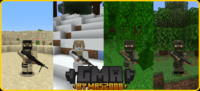
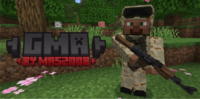
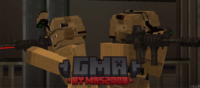
GLOBAL MILITARY ARMOUR (GMA) Mod for Minecraft - Download & Install Minecraft Mod Screenshots
View images and verify quality before download
Image Gallery


GLOBAL MILITARY ARMOUR (GMA) Mod for Minecraft - Download & Install Technical Information
Learn technical details, version, and supported platform
Technical Specifications

Your Own Minecraft Server! 🎮
Start your own server with friends on BisectHosting — insane performance, one-click mod installs, and 24/7 support. Use the discount code and start at the lowest price!
Download and Share
Download for free or share it with friends
Get the advantage!
Subscribe for early access to exclusive mods and direct downloads without timers or ads.
Mod not opening in Minecraft? This applies to Bedrock edition only (mobile/console) — the issue is your file manager, not the mod. Use our app IQ OpenMC to open the file and it will give you the option to open it in Minecraft directly. (Java players don't need this step)