

Simple Voice Chat
A working voice chat in Minecraft!
Everything About Simple Voice Chat
Read the full article about the mod
Simple Voice Chat is a powerful in-game voice chat mod enabling proximity-based communication with nearby players. It significantly enhances multiplayer immersion by supporting Minecraft 1.20.1 on the Forge platform.
Compatibility & Support
Minecraft: Java Edition
Version 1.20.1
Forge mod loader
Also supports other platforms (Fabric, NeoForge, etc.), though our focus here is on Forge.
Key Features
Push-to-Talk to prevent continuous audio streaming.
Voice Activation activates audio only when speaking.
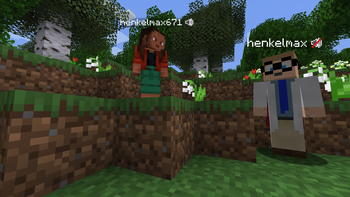
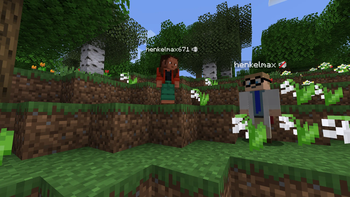
Proximity Voice Chat lets you hear only nearby players.
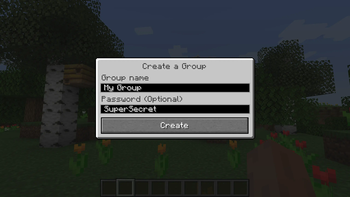
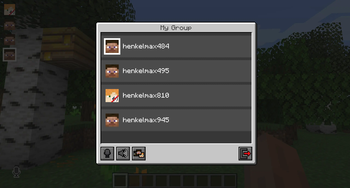
Password-protected group chats for private conversations.
Opus codec & RNNoise noise suppression for clean voice.
OpenAL audio support
Cross-platform compatibility, including Forge, Fabric, NeoForge, Bukkit, Paper, and more.
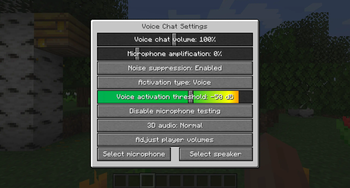
Audio customization: push-to-talk key, mic test, voice distance, 3D sound, AES encryption, multi-track recording.
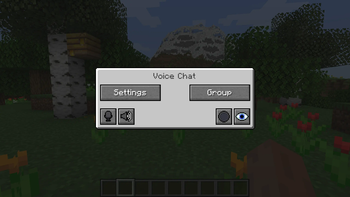
In-game UI accessed via the V key, offering settings, group chat, recording control, mute, and more.
Installation Guide – 1.20.1 / Forge
Step 1: Prepare
Ensure you're using Minecraft 1.20.1 Java Edition
Install the corresponding Forge loader
Step 2: Mods Folder
Run the game once with Forge to auto-create the mods folder if it's not already present.
Step 3: Add the Mod
Place the Simple Voice Chat .jar file for 1.20.1 Forge into the mods folder.
Step 4: Launch the Game
Start Minecraft using Forge.
Press V in-game to open the voice chat interface—if the UI appears, the installation was successful.
Step 5: Configure Settings
Set your preferred push-to-talk key
Use the mic test feature to adjust sensitivity
Modify voice distance to suit your server’s scale
Enable 3D sound or recording features as desired
Step 6: Server Setup (if applicable)
Configure the voice port (UDP) in the server's config.
Ensure the port is opened in your server's firewall or hosting control panel.
Community Notes & Troubleshooting
Some users reported errors like “voice chat not available.” These were resolved by adjusting or clearing the voice port setting.
Others fixed the issue by setting the port value to -1.
Conclusion
Simple Voice Chat brings rich, proximity-based voice communication to Minecraft 1.20.1 on Forge. Whether you're playing solo or managing a server, it offers full control over audio chatting—push-to-talk, group chats, security, 3D sound, and recording—making interactions more dynamic, immersive, and connected
Simple Voice Chat Minecraft Mod Screenshots
View images and verify quality before download
Image Gallery
Simple Voice Chat Technical Information
Learn technical details, version, and supported platform
Technical Specifications

Your Own Minecraft Server! 🎮
Start your own server with friends on BisectHosting — insane performance, one-click mod installs, and 24/7 support. Use the discount code and start at the lowest price!
Download and Share
Download for free or share it with friends
Get the advantage!
Subscribe for early access to exclusive mods and direct downloads without timers or ads.
Mod not opening in Minecraft? This applies to Bedrock edition only (mobile/console) — the issue is your file manager, not the mod. Use our app IQ OpenMC to open the file and it will give you the option to open it in Minecraft directly. (Java players don't need this step)