

Glowing Armor Trims Texture Pack for Minecraft - Download
Download Glowing Armor Trims Texture Pack for Minecraft to make your armor dazzle with unique glow effects. Supports multiple materials. Get it free from IQMOD!
Everything About Glowing Armor Trims Texture Pack for Minecraft - Download
Read the full article about the mod
What is Glowing Armor Trims?
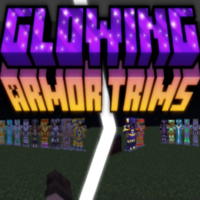
Glowing Armor Trims is an innovative resource pack for Minecraft that dramatically enhances the visual appeal of armor trims. It introduces a subtle yet distinct glowing effect to all types of armor trims, regardless of the material used, making them pop with a unique luminosity. This resource pack is designed for Minecraft Java Edition and functions without requiring any external mod loaders, offering a straightforward and performance-friendly visual upgrade to your in-game armor.
For many players, while armor trims introduced an exciting layer of customization, their visual impact in-game often felt understated, especially in dimly lit environments. Glowing Armor Trims addresses this by giving each trim piece a gentle glow that corresponds to its crafting material, be it gold, diamond, netherite, or amethyst. This not only makes your personalized armor stand out more vividly but also adds a new dimension of immersion to your character's appearance. It's a simple yet highly effective way to showcase your unique style and make your armor truly shine, transforming dull trims into dazzling displays.
Key Features and Highlights
- Dynamic Glow Effects: The core feature of this resource pack is its ability to make armor trims emit a soft, dynamic glow. This effect significantly enhances the visibility and aesthetic appeal of your armor, ensuring your chosen trim designs are always noticeable.
- Material-Specific Luminosity: The glow effect isn't uniform; it intelligently adapts to the material of the trim. For instance, a netherite trim might emit a subtle fiery gleam, while a diamond trim could radiate a cool blue light, adding a layer of realism and depth to each unique material.
- Resource Pack, Not Shader: Crucially, Glowing Armor Trims operates as a lightweight resource pack, not a demanding shader. This means you get stunning visual enhancements without the significant performance overhead typically associated with shaders, making it accessible to a wider range of hardware configurations.
- Effortless Installation: Installing this resource pack is incredibly simple. It involves a quick download, dragging the .zip file into your Minecraft resource pack folder, and activating it from the in-game settings. No complex configurations or third-party launchers are needed.
- Boosts Customization Visibility: If you've spent time crafting unique armor trim combinations, this pack ensures your efforts are well-rewarded. The glowing effect highlights the intricate patterns and material choices, making your custom armor truly unique and eye-catching.
- Broad Compatibility: Glowing Armor Trims is designed to be highly compatible with most other resource packs and mods. This allows players to seamlessly integrate it into their existing modded setups without encountering visual glitches or conflicts.
- Supports x128 and x64 Resolutions: The pack offers flexibility with supported resolutions like x64 and x128. This caters to different player preferences and system capabilities, ensuring a balance between visual fidelity and optimal game performance.
- Excludes Leather Armor Trims: As per the original description, leather armor trims do not glow due to specific material rendering limitations within Minecraft. This is a minor exception that does not detract from the overall effectiveness on other armor types.
- Enhanced Visual Depth: Beyond just a glow, the pack adds a sense of visual depth to your armor. The interplay of light and shadow around the glowing trims makes your character appear more three-dimensional and integrated into the game world.
- Ideal for Content Creation: For streamers, YouTubers, or screenshot enthusiasts, this resource pack is a game-changer. It makes your armor look professionally polished, perfect for showcasing builds, character designs, or epic in-game moments.
- Subtle yet Impactful Aesthetics: The glow is designed to be noticeable and appealing without being overpowering or distracting. It's a balanced enhancement that complements Minecraft's art style rather than clashing with it.
- Consistent Updates: The developers are committed to keeping the resource pack updated, ensuring compatibility with new Minecraft versions and addressing any potential issues. This guarantees a reliable and up-to-date experience for users.
- Minimal System Impact: Thanks to its nature as a resource pack, it demands very little from your system's resources, allowing even players with modest PCs to enjoy the enhanced visuals without a significant drop in frames per second.
- Completely Free to Use: Glowing Armor Trims is available for free download, making this fantastic visual upgrade accessible to every Minecraft player who wants to add a touch of brilliance to their character's appearance.
How to Download and Install Glowing Armor Trims
Installing the Glowing Armor Trims resource pack is a straightforward process that doesn't require any special software beyond Minecraft Java Edition. Follow these simple steps to get your armor trims glowing in no time:
- Download the Resource Pack: First, download the Glowing Armor Trims resource pack file (which will typically be a .zip file) from the secure, direct link provided on IQMOD. Ensure you select the version compatible with your current Minecraft Java Edition.
- Open Minecraft: Launch your Minecraft Java Edition game. From the main menu, navigate to 'Options' and then 'Resource Packs'.
- Access the Resource Pack Folder: On the Resource Packs screen, you'll find a button labeled 'Open Pack Folder'. Click this button, and a new window will open showing the 'resourcepacks' directory on your computer.
- Place the Resource Pack File: Drag the downloaded .zip file of the Glowing Armor Trims resource pack directly into the 'resourcepacks' folder that you just opened. Do not extract the contents of the .zip file; leave it as is.
- Activate the Resource Pack: Go back to the Minecraft Resource Packs screen. You should now see 'Glowing Armor Trims' listed under 'Available Resource Packs' on the left side. Click the arrow icon next to its thumbnail to move it to the 'Selected Resource Packs' list on the right. Finally, click 'Done' at the bottom of the screen. Minecraft will reload its resources, and your armor trims will now glow!
For a complete guide, check out our Minecraft Mods Installation Guide.
System Requirements and Compatibility
- Minecraft Version: Compatible with recent and latest versions of Minecraft Java Edition (e.g., 1.20.x, 1.21). Always check the specific download page for the most accurate compatibility information.
- Mod Loader: None required. Glowing Armor Trims is a resource pack and works directly with the vanilla Minecraft client without the need for Forge, Fabric, or any other mod loader.
- Platform: Java Edition. This resource pack is designed exclusively for the Java Edition of Minecraft and is not compatible with Bedrock Edition.
- Dependencies: None. This resource pack is standalone and does not require any other mods or packs to function correctly.
Pro Tips for Using Glowing Armor Trims
To fully maximize your experience with the Glowing Armor Trims resource pack, consider these advanced tips:
- Experiment with Different Trim Materials: Don't stick to just one. Try creating armor trims from various materials like gold, diamond, netherite, emerald, or amethyst. Each material often produces a distinct color and intensity of glow, offering unique aesthetic possibilities for your gear.
- Combine with Subtle Shaders (Cautiously): While this is a resource pack, pairing it with very lightweight shaders that focus on general lighting improvements can further enhance the visual spectacle. Choose shaders known for minimal performance impact to ensure a smooth experience alongside your glowing trims.
- Showcase Armor in Custom Builds: Integrate glowing armor stands into your base, castle, or any custom build. The glowing trims can serve as decorative elements or focal points, drawing attention to specific areas or displaying your prized armor collections in a visually striking way.
- Stand Out in Multiplayer Servers: In crowded multiplayer environments, glowing armor trims can make your character instantly recognizable. It adds a unique personal flair that helps you stand out from other players and makes your presence more noticeable.
- Adjust In-Game Brightness Settings: Sometimes, slightly tweaking your in-game brightness (Gamma) settings can make the glow effect even more pronounced. A slightly lower brightness in dark areas can cause the trims to illuminate more dramatically, enhancing the visual impact.
- Capture Dynamic Screenshots and Videos: Leverage the visual appeal of glowing armor trims for content creation. Capture stunning screenshots or record engaging videos of your character exploring, fighting, or simply posing, highlighting the unique glow for your audience.
Is Glowing Armor Trims Safe and Free?
Absolutely! The Glowing Armor Trims resource pack is completely safe to use and is available for free. At IQMOD, we meticulously scan all resource packs, mods, and content for any malicious software or viruses to ensure a secure downloading experience for our users. We are committed to providing reliable, high-quality, and free content from trusted sources, allowing you to enhance your Minecraft game with complete peace of mind. You can download and install this resource pack with full confidence in its safety and integrity.
Why Download from IQMOD?
IQMOD is a premier destination for Minecraft mods and resource packs, serving both Arabic and English-speaking communities with a superior downloading experience. When you choose to download Glowing Armor Trims from IQMOD, you benefit from:
- Direct and Secure Download Links: Enjoy hassle-free downloads without intrusive ads, annoying pop-ups, or multiple redirection pages.
- Always Updated Content: We ensure that our files are consistently updated to the latest versions, maintaining compatibility with Minecraft's newest releases.
- Dedicated Support: Our team is readily available to assist you with any questions or installation challenges you might encounter.
- Trusted and Free Resources: All content on IQMOD is thoroughly vetted for safety and offered completely free of charge.
Don't let your unique armor trims go unnoticed. Download Glowing Armor Trims today from IQMOD and make your Minecraft character truly shine!
Glowing Armor Trims Texture Pack for Minecraft - Download Minecraft Mod Screenshots
View images and verify quality before download
Image Gallery
Glowing Armor Trims Texture Pack for Minecraft - Download Technical Information
Learn technical details, version, and supported platform
Technical Specifications

Your Own Minecraft Server! 🎮
Start your own server with friends on BisectHosting — insane performance, one-click mod installs, and 24/7 support. Use the discount code and start at the lowest price!
Download and Share
Download for free or share it with friends
Get the advantage!
Subscribe for early access to exclusive mods and direct downloads without timers or ads.
Mod not opening in Minecraft? This applies to Bedrock edition only (mobile/console) — the issue is your file manager, not the mod. Use our app IQ OpenMC to open the file and it will give you the option to open it in Minecraft directly. (Java players don't need this step)