

FullBright Pro Texture Pack for Minecraft - Download & Install
Download FullBright Pro Texture Pack for Minecraft Bedrock. Enjoy clear night vision and fog removal without cheats, keeping achievements enabled. Works on Realms & servers. Get it free from IQMOD!
Everything About FullBright Pro Texture Pack for Minecraft - Download & Install
Read the full article about the mod
What is FullBright Pro?
FullBright Pro is a meticulously crafted resource pack designed specifically for Minecraft Bedrock Edition, aimed at dramatically enhancing in-game visibility without the need to activate cheats or compromise your precious achievements. Developed by the talented Leo Termado, this texture pack effectively eliminates heavy fog and significantly boosts clarity, making dark nights, intense storms, and murky biomes like caves and swamps much easier to navigate and explore. It fundamentally transforms your visual experience, ensuring you can see every detail around you with perfect clarity.
In the expansive world of Minecraft, clear visibility is a cornerstone of survival and exploration. Players often struggle with navigating treacherous landscapes at night or through dense fog, which can detract from the gameplay experience and increase dangers. FullBright Pro expertly addresses these challenges, providing an optimized visual environment that allows players to perceive their surroundings with unparalleled clarity. Whether you're embarking on a survival adventure, building intricate structures in your own world, or playing on Realms and servers with friends, FullBright Pro is an invaluable addition for anyone seeking to improve their gameplay quality without altering the core integrity of the game.
Key Features and Highlights
- Superior Night Vision: FullBright Pro transforms Minecraft's pitch-black nights into naturally lit environments, allowing you to clearly see mobs, resources, and landscapes without relying on torches or night vision potions. This feature is crucial for safe and efficient nighttime exploration.
- Eliminates Heavy Fog: Dense fog in certain biomes or during storms can severely restrict vision. This texture pack completely removes such fog, providing a much wider horizontal line of sight and making navigation in foggy areas, like deep oceans or mountainous regions, significantly easier and more enjoyable.
- Achievements Safe: Unlike many modifications that require enabling "cheats" and thus prevent achievement progress, FullBright Pro is a pure resource pack. It does not affect your ability to earn achievements in Minecraft, making it ideal for players who value their in-game accomplishments.
- Realms and Server Compatible: FullBright Pro can be seamlessly used on Minecraft Realms and any other servers that permit the use of resource packs. This means you can enjoy enhanced visibility with your friends in multiplayer worlds without encountering compatibility issues.
- Enhanced Underwater Clarity: Oceans and rivers become remarkably clearer. The pack removes the underwater murkiness, allowing you to explore submerged caves, gather aquatic resources, and discover sunken ruins with much greater ease and less strain.
- Clear Cave and Mine Visibility: Dark caves are no longer an annoyance. The texture pack provides sufficient ambient light, enabling you to spot hostile mobs and valuable resources even in the deepest, darkest tunnels, significantly reducing the need to place numerous torches.
- No Cheats Required: This resource pack is straightforward and does not require any complex commands or modifications. It functions as a standard resource pack, ensuring a clean and secure gameplay experience without altering core game mechanics or files.
- Lightweight and Performance Friendly: FullBright Pro is designed to be very lightweight on system resources. This means it will not negatively impact your game's frame rate (FPS) or cause any lag, even on devices with moderate specifications, ensuring smooth gameplay.
- Compatible with Other Resource Packs: FullBright Pro can be used in conjunction with other resource packs. Simply adjust the pack order in your settings to ensure FullBright Pro functions correctly alongside your other favorite packs, typically by placing it higher in the active packs list.
- Improved Storm Visibility: Rain and thunder storms can severely reduce visibility. FullBright Pro mitigates this effect, allowing you to continue exploring, building, or fighting even in the worst weather conditions, maintaining situational awareness.
- Optimized for Survival Gameplay: By providing clear vision at all times, the texture pack enhances the overall survival experience. You can easily locate resources, avoid surprise enemy encounters, and navigate challenging terrains with increased confidence and safety.
- Perfect for Builders and Designers: The pack allows you to see the intricate details of your builds and projects clearly at any time of day. This significantly streamlines the design and construction process, eliminating the need to wait for daylight or place temporary lighting.
- Pure Resource Pack Implementation: FullBright Pro is implemented solely as a resource pack. It modifies visual assets and lighting properties without introducing new blocks, items, or game logic, ensuring maximum stability and compatibility.
- Authoritative Creator: Developed by Leo Termado, a recognized creator in the Minecraft Bedrock community, ensuring a well-made and reliable product that has been tested for functionality and performance.
- Completely Free to Download: This exceptional texture pack is available for free, making it accessible to all Minecraft Bedrock players who wish to enhance their visual experience without any financial commitment.
How to Download and Install FullBright Pro
Installing the FullBright Pro texture pack is an incredibly simple and straightforward process, especially since it's designed specifically for Minecraft Bedrock Edition. It doesn't require any additional software like mod loaders or complex tools. All you need is the texture pack file itself and Minecraft Bedrock Edition installed on your device.
- Step 1: Download the Texture Pack File: Begin by downloading the FullBright Pro texture pack file from the trusted IQMOD website. The file will typically be in the ".mcpack" format. Make sure to save the file to an easily accessible location on your device, such as your Downloads folder.
- Step 2: Launch the .mcpack File: Once the download is complete, simply double-click on the ".mcpack" file you've downloaded. This action will automatically launch your Minecraft Bedrock game and initiate the texture pack import process. You will see messages like "Import Started" and then "Successfully Imported" appear in the game.
- Step 3: Activate the Texture Pack in Settings: After the import, open Minecraft and navigate to "Settings" from the main menu. From there, select "Global Resources" or "Resource Packs," depending on your game version. These sections manage all your installed texture and resource packs.
- Step 4: Enable FullBright Pro: In the resource pack menu, you'll find a section labeled "My Packs" or "Available Packs." Locate "FullBright Pro" within this list and click on it, then press the "Activate" button. The texture pack will then move to the "Active Packs" list, indicating it's ready to be used.
- Step 5: Start Playing: With the texture pack activated, you can now return to the main menu and load into your world, or join a Realm or server. You should immediately notice the significant changes in lighting and visibility. If you're using other resource packs, ensure FullBright Pro is in an appropriate order (often placed higher in the active list to ensure its effects are applied).
For a complete guide, check out our Minecraft Mods Installation Guide.
System Requirements and Compatibility
- Minecraft Version: Compatible with all modern versions of Minecraft Bedrock Edition, including 1.18, 1.19, 1.20, and newer releases.
- Mod Loader: No additional mod loader (Forge/Fabric/None) is required as it is a direct resource pack.
- Platform: Minecraft Bedrock Edition (Windows 10/11, Xbox, PlayStation, Nintendo Switch, Android, iOS).
- Dependencies: Does not require any other mods or add-ons to function. It operates independently as a standalone resource pack.
Pro Tips for Using FullBright Pro
To maximize your experience with the FullBright Pro texture pack, here are some advanced tips that will further enhance your Minecraft gameplay:
- Efficient Cave and Mine Exploration: With the clear visibility provided by FullBright Pro, you no longer need to carry dozens of torches. Focus on finding diamonds and rare resources in the deepest caves without worrying about sudden darkness or hidden corners where enemies might lurk. Utilize this feature to significantly increase your mining efficiency and resource gathering.
- Fearless Nighttime Adventures: Embark on your nocturnal expeditions with complete confidence. You can easily spot hostile mobs from a distance, allowing you to either avoid them or prepare for combat. This fundamentally changes the dynamic of nighttime gameplay, making it more enjoyable and far safer.
- Discovering Structures and Villages: When visibility is consistently clear, locating naturally generated structures like abandoned villages, temples, or shipwrecks becomes much easier, even from a distance. This saves you a tremendous amount of time during exploration and allows for quicker discovery of valuable loot or build sites.
- Gaining an Edge in PvP (Player vs. Player): On certain servers that allow resource packs, FullBright Pro can give you a competitive advantage. You can spot other players hiding in shadows or lurking in dark corners, providing you with the upper hand in engagements and ambushes.
- Combine with Aesthetic Resource Packs: While FullBright Pro focuses on functionality, it can be seamlessly combined with other aesthetic resource packs to improve the overall look of your game without sacrificing visibility. For example, you can use a pack that enhances block textures or adds animations while maintaining FullBright Pro's clarity. Just ensure FullBright Pro is placed higher in your active resource pack list to ensure its effects are applied correctly.
- Capturing and Sharing Moments: If you enjoy taking screenshots or recording videos of your Minecraft gameplay, FullBright Pro ensures your captures are always clear and bright, even in dark conditions. This provides a professional polish to your content, making your shared adventures more visually appealing.
Is FullBright Pro Safe and Free?
Yes, the FullBright Pro texture pack is absolutely safe to use and entirely free to download. This texture pack has been carefully scanned and verified by the IQMOD team to ensure it is free from any malicious software or suspicious files. As a simple resource pack, it does not modify core game files deeply; instead, it only alters how lighting and fog are rendered. This makes it a reliable choice for players who want to enhance their experience without concerns about security or compatibility. You can confidently download it from IQMOD, a platform committed to providing high-quality, thoroughly vetted Minecraft content.
Why Download from IQMOD?
IQMOD is your premier gateway for downloading the best Minecraft add-ons, and the FullBright Pro texture pack is no exception. When you choose to download from IQMOD, you are guaranteed to receive an authentic, safe, and up-to-date version of the texture pack. We provide direct and fast download links, free from intrusive ads or time-wasting shortener links. Our team ensures that all files are regularly updated to be compatible with the latest Minecraft Bedrock Edition releases, and we offer technical support to assist you with any questions or issues you might encounter. Don't waste your time searching unreliable sources; download FullBright Pro now from IQMOD and enjoy a bright, clear Minecraft experience!
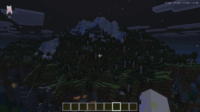
FullBright Pro Texture Pack for Minecraft - Download & Install Minecraft Mod Screenshots
View images and verify quality before download
Image Gallery
FullBright Pro Texture Pack for Minecraft - Download & Install Technical Information
Learn technical details, version, and supported platform
Technical Specifications

Your Own Minecraft Server! 🎮
Start your own server with friends on BisectHosting — insane performance, one-click mod installs, and 24/7 support. Use the discount code and start at the lowest price!
Download and Share
Download for free or share it with friends
Get the advantage!
Subscribe for early access to exclusive mods and direct downloads without timers or ads.
Mod not opening in Minecraft? This applies to Bedrock edition only (mobile/console) — the issue is your file manager, not the mod. Use our app IQ OpenMC to open the file and it will give you the option to open it in Minecraft directly. (Java players don't need this step)