

تحميل مود صياد الشر المخيف لماين كرافت لماين كرافت بيدروك
حمّل مود صياد الشر المرعب لماين كرافت بيدروك. واجه وحوشًا جديدة خطيرة, جهّز دروعًا وأسلحة قوية, وعِش تجربة بقاء مليئة بالخوف. متوفر مجانًا على IQMOD!
كل شيء عن تحميل مود صياد الشر المخيف لماين كرافت لماين كرافت بيدروك
اقرأ المقالة الكاملة عن المود
ما هو مود صياد الشر المخيف؟
مود صياد الشر المخيف (Evil Hunter - Bedrock Edition [Horror]) هو إضافة رعب فريدة لماين كرافت بيدروك, تم تطويره بعناية بواسطة PnTMC كنسخة رسمية لمنصة بيدروك, مستوحاة من المود الأصلي الشهير للعبة جافا الذي ابتكره DregIr. يهدف هذا المود إلى غمر اللاعبين في تجربة بقاء مكثفة ومليئة بالرعب, حيث يواجهون أعداءً جددًا مخيفين وتحديات مصممة خصيصًا لإثارة الخوف. يضيف المود وحوشًا خطيرة, عناصر دروع وأسلحة جديدة, ويقدم قصة مشوقة تدعم جميع اللغات, مما يجعله تجربة غامرة للجميع.
يُعد هذا المود إضافة قيمة لمجتمع ماين كرافت بيدروك, خاصة لعشاق ألعاب الرعب والذين يبحثون عن تحديات جديدة تتجاوز حدود اللعب التقليدي. بفضل جهود PnTMC والفنان vviabushka والمساهم Danila_Podpivas, إلى جانب المالك الأصلي لمود جافا Dregir, تمكن اللاعبون من تجربة هذا العالم المرعب على أجهزتهم المحمولة والكونسول. تم تكليف هذا المود في الأصل من قبل اليوتيوبر Vivilly, مما يضمن مستوى عالٍ من الجودة والاهتمام بالتفاصيل لتقديم تجربة تليق بسمعة النسخة الأصلية وتلبي تطلعات مجتمع الرعب في ماين كرافت.
مميزات مود صياد الشر بالتفصيل
- وحوش جديدة مرعبة: يضيف المود مجموعة واسعة من الوحوش المخيفة والفريدة, كل منها بتصميم بصري مروع وسلوكيات قتالية مميزة. هذه الوحوش ليست مجرد كائنات عادية, بل هي صيادون ماهرون يتربصون باللاعبين, مما يرفع مستوى التوتر والخوف في كل زاوية.
- نظام بقاء مكثف: لم يعد البقاء مجرد جمع موارد وبناء مأوى. مع وحوش صياد الشر, يجب على اللاعبين التخطيط بعناية, وإدارة مواردهم بحكمة, واتخاذ قرارات سريعة تحت الضغط لتجنب الموت المحقق.
- دروع وأسلحة فريدة: يقدم المود مجموعة جديدة من الدروع والأسلحة المصممة خصيصًا لمواجهة التهديدات الجديدة. تتطلب هذه الأدوات مواد خاصة وقد تكون لها قدرات فريدة تساعد في التعامل مع الوحوش أو توفير الحماية ضد هجماتها المميتة.
- قصة غامرة: يتميز المود بقصة خلفية عميقة وغامضة تكتشفها أثناء اللعب. هذه القصة ليست مجرد إضافة سطحية, بل هي جزء لا يتجزأ من التجربة, مما يضيف طبقة من العمق ويجعل كل مواجهة ذات مغزى أكبر.
- دعم كامل للغات: تم تصميم المود ليدعم جميع اللغات, مما يسمح للاعبين من مختلف الخلفيات الثقافية بفهم القصة والتعليمات والاستمتاع بالتجربة بشكل كامل دون حواجز لغوية.
- أجواء رعب متقنة: يعتمد المود على مؤثرات صوتية وبصرية مصممة بدقة لخلق أجواء رعب حقيقية. من الأصوات المخيفة في الظلام إلى الموسيقى التصويرية الموترة, كل عنصر يعمل على تعزيز شعور الخوف والترقب.
- تحديات متزايدة: مع تقدم اللاعب في اللعبة, تزداد صعوبة الوحوش وتصبح المواجهات أكثر تحديًا. هذا يضمن أن يظل المود ممتعًا ومليئًا بالإثارة حتى بعد ساعات طويلة من اللعب.
- نظام مكافآت مجزٍ: عند هزيمة الوحوش القوية أو إكمال أهداف معينة, يحصل اللاعبون على مكافآت قيمة قد تكون ضرورية لتقدمهم في القصة أو لصناعة عناصر قوية جديدة.
- تخصيص عالم اللعب: يمكن للاعبين تفعيل المود في عوالمهم الحالية أو بدء عوالم جديدة مخصصة لتجربة الرعب. هذا يوفر مرونة كبيرة ويسمح بتعديل التجربة حسب الرغبة.
- رسومات محسّنة: على الرغم من كونه مود, إلا أن الرسومات الخاصة بالوحوش والعناصر الجديدة قد تم تصميمها بجودة عالية لتتناسب مع جماليات ماين كرافت وتضيف لمسة فريدة من نوعها.
- تفاعلات بيئية: قد تتفاعل بعض الوحوش مع البيئة بطرق غير متوقعة, مما يجبر اللاعبين على استخدام ذكائهم وبيئتهم لصالحهم في المعارك.
- قابلية إعادة اللعب: بفضل التحديات المتنوعة والقصة الغنية, يوفر المود قابلية عالية لإعادة اللعب, حيث يمكن للاعبين استكشاف طرق مختلفة للبقاء أو تجربة صعوبات أعلى.
- تأثيرات حالة فريدة: قد تسبب بعض هجمات الوحوش تأثيرات حالة سلبية على اللاعب, مما يزيد من صعوبة البقاء ويجعل المعارك أكثر إثارة.
- أبنية وهياكل جديدة: قد يضيف المود أيضًا هياكل أو مناطق جديدة إلى العالم, والتي قد تكون موطنًا للوحوش أو تحتوي على أسرار مرتبطة بالقصة.
- توازن دقيق: على الرغم من صعوبته, تم تصميم المود بعناية ليكون متوازنًا, بحيث لا يكون مستحيلًا ولكن في نفس الوقت يقدم تحديًا حقيقيًا ومجزيًا للاعبين.
كيفية تحميل وتثبيت مود صياد الشر؟
يعد تثبيت مود صياد الشر (Evil Hunter - Bedrock Edition) أمرًا بسيطًا نسبيًا لأنه يأتي في صيغة إضافة (Addon) لماين كرافت بيدروك. لا يتطلب هذا النوع من المودات أي لودر خاص مثل Forge أو Fabric, بل يتم تثبيته مباشرة من خلال اللعبة. تأكد من أن لديك أحدث إصدار من ماين كرافت بيدروك لتجنب أي مشاكل توافق.
- تحميل ملف المود: أولاً, قم بتنزيل ملف مود صياد الشر, والذي عادةً ما يكون بصيغة
.mcaddonأو.mcpack, من رابط التحميل المباشر والآمن المتوفر على IQMOD. تأكد من أنك تقوم بالتحميل من مصدر موثوق لتجنب الملفات الضارة. - فتح ملف المود: بمجرد اكتمال التنزيل, انتقل إلى مجلد التنزيلات الخاص بك. انقر نقرًا مزدوجًا على ملف
.mcaddonالذي قمت بتنزيله. ستقوم ماين كرافت بيدروك تلقائيًا بفتحه وبدء عملية استيراد المود. ستظهر رسالة "بدء الاستيراد" ثم "تم استيراد Evil Hunter بنجاح" داخل اللعبة. - إنشاء عالم جديد أو تعديل عالم موجود: بعد الاستيراد الناجح, قم بفتح لعبة ماين كرافت. يمكنك إما إنشاء عالم جديد أو تعديل عالم موجود لتفعيل المود. إذا كنت تنشئ عالمًا جديدًا, انقر على "إنشاء عالم جديد". إذا كنت تعدل عالمًا موجودًا, حدد العالم ثم انقر على "أيقونة القلم" للتعديل.
- تفعيل حزم الموارد والسلوك: في شاشة إعدادات العالم, مرر للأسفل إلى قسم "حزم الموارد" (Resource Packs) و "حزم السلوك" (Behavior Packs). ضمن كل قسم, انتقل إلى "حزمي" (My Packs) وابحث عن "Evil Hunter". انقر على أيقونة المود ثم على "تنشيط" (Activate). تأكد من تفعيل المود في كلتا حزمتي الموارد والسلوك ليعمل بشكل كامل.
- تفعيل ميزات اللعب التجريبية: لضمان عمل المود بشكل صحيح, خاصة المودات التي تضيف عناصر أو ميكانيكيات جديدة, قد تحتاج إلى تفعيل بعض "ميزات اللعب التجريبية" (Experimental Gameplay Features). عادةً ما تكون هذه الخيارات موجودة في قسم إعدادات اللعبة العامة للعالم. قم بتفعيل الخيارات مثل "إنشاء محتوى إضافي" (Holiday Creator Features) و "ميزات إضافية قادمة" (Upcoming Creator Features) أو أي خيارات أخرى يوصي بها المود.
بعد إكمال هذه الخطوات, يمكنك بدء اللعب في عالمك الجديد أو المعدل والاستمتاع بتجربة الرعب التي يقدمها مود صياد الشر. لمزيد من التفاصيل, راجع دليل تثبيت المودات الشامل على IQMOD.
متطلبات التشغيل والتوافق
- اصدار ماين كرافت: متوافق مع ماين كرافت بيدروك الإصدار 1.20 فما فوق (ويُنصح دائمًا بأحدث إصدار).
- اللودر المطلوب: لا يوجد (مودات بيدروك لا تتطلب لودر).
- المنصة: ماين كرافت بيدروك (متوفرة على Windows 10/11, Xbox, PlayStation, Nintendo Switch, Android, iOS).
- المودات المطلوبة: لا يوجد (يعمل بشكل مستقل).
نصائح متقدمة للاستخدام
لتحقيق أقصى استفادة من مود صياد الشر والبقاء على قيد الحياة في عالمه المرعب, إليك بعض النصائح المتقدمة:
- الاستعداد قبل الليل: الأعداء في مود صياد الشر يصبحون أكثر عدوانية وخطورة في الليل. استغل ساعات النهار لجمع الموارد, بناء دفاعات قوية, وصناعة الأسلحة والدروع اللازمة. لا تجازف بالخروج بعد حلول الظلام إلا إذا كنت مستعدًا تمامًا لمواجهة ما يتربص بك.
- دراسة سلوك الأعداء: كل وحش جديد في المود له نمط هجوم ونقاط ضعف مختلفة. خصص وقتًا لمراقبة سلوكهم من مسافة آمنة لفهم كيفية التعامل معهم بفعالية. بعض الوحوش قد تكون أبطأ ولكنها قوية جدًا, بينما قد تكون أخرى سريعة ولكنها ضعيفة نسبيًا.
- استغلال البيئة: لا تقلل من شأن البيئة المحيطة بك. يمكن استخدام التضاريس العالية, الكهوف, أو حتى الأشجار الكثيفة للاختباء, أو الكمين, أو حتى كحواجز طبيعية لإبطاء تقدم الأعداء أثناء الهروب.
- التعاون في اللعب المتعدد: إذا كنت تلعب مع الأصدقاء, فالتنسيق هو مفتاح النجاة. خصصوا الأدوار (مثل, جامع موارد, مقاتل, مدافع), وتواصلوا باستمرار حول مواقع الأعداء والخطط. قوة الفريق تكمن في توزيع المهام والدعم المتبادل.
- التركيز على الصوتيات: تصميم الصوت في هذا المود حاسم. استمع جيدًا للأصوات المحيطة بك؛ صرخات الوحوش, خطواتهم, وحتى الهمسات الخفيفة قد تكون مؤشرًا لوجود خطر قريب. استخدام سماعات الرأس يمكن أن يعزز هذه التجربة بشكل كبير ويمنحك ميزة استباقية.
- بناء قواعد دفاعية: لا تكتفِ بمأوى بسيط. قم ببناء قاعدة محصنة جيدًا بجدران سميكة, أبواب حديدية, وحتى فخاخ دفاعية حول محيطها. يمكن أن تكون هذه القواعد ملاذًا آمنًا لك في أوقات الخطر الشديد وتمنحك فرصة لإعادة التجمع والتخطيط.
هل مود صياد الشر آمن ومجاني؟
نعم, مود صياد الشر (Evil Hunter - Bedrock Edition [Horror]) آمن تمامًا ومجاني للتحميل والاستخدام. تم فحص جميع المودات المتوفرة على IQMOD بعناية للتأكد من خلوها من أي برمجيات ضارة أو فيروسات. نحن نلتزم بتوفير محتوى عالي الجودة من مصادر موثوقة وموثوق بها, مما يضمن تجربة لعب آمنة وممتعة لجميع مستخدمينا. لا توجد أي تكاليف خفية أو اشتراكات مطلوبة لتنزيل هذا المود أو استخدامه, مما يجعله متاحًا لجميع عشاق ماين كرافت بيدروك الذين يبحثون عن مغامرة رعب جديدة.
لماذا تحمّل هذا مود من IQMOD؟
يُعد IQMOD الوجهة الأولى لتحميل مودات ماين كرافت بيدروك الموثوقة والآمنة, وتحميل مود صياد الشر من منصتنا يوفر لك العديد من المزايا. نحن نقدم روابط تحميل مباشرة وسريعة, خالية تمامًا من الإعلانات المزعجة والنوافذ المنبثقة التي قد تعرقل تجربتك. يتم تحديث جميع المودات لدينا بانتظام لضمان التوافق مع أحدث إصدارات ماين كرافت بيدروك, مما يضمن لك الحصول على أحدث الميزات والإصلاحات. بالإضافة إلى ذلك, يتوفر فريق دعم فني متخصص لمساعدتك في أي استفسارات أو مشاكل قد تواجهها أثناء التحميل أو التثبيت. لا تتردد, حمّل مود صياد الشر الآن مجانًا من IQMOD وابدأ مغامرة الرعب الأكثر إثارة في ماين كرافت!
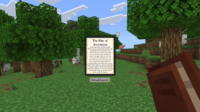
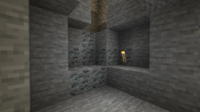
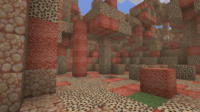
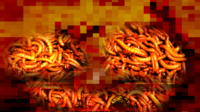
صور مود صياد الشر المخيف لماين كرافت لماين كرافت بيدروك لماين كرافت
شاهد الصور وتأكد من الجودة قبل التحميل
معرض الصور

معلومات مود صياد الشر المخيف لماين كرافت لماين كرافت بيدروك التقنية
تعرف على التفاصيل التقنية والإصدار والمنصة المدعومة
المواصفات التقنية

سيرفر ماين كرافت خاص بيك! 🎮
ابدأ سيرفرك الخاص مع أصحابك على BisectHosting — أداء خرافي، تثبيت مودات بضغطة زر، ودعم فني 24/7. استخدم كود الخصم وابدأ بأقل سعر!
التحميل والمشاركة
حمّل المحتوى مجاناً أو شاركه مع أصدقائك
احصل على الأفضلية!
اشترك للوصول المبكر للمودات الحصرية وتحميل مباشر بدون عداد وبدون إعلانات.
المود ما يفتح في ماين كرافت؟ هذي المشكلة تخص نسخة Bedrock فقط (الجوال/الكونسول) وسببها مدير الملفات مش المود نفسه. استخدم تطبيقنا IQ OpenMC لفتح الملف وبيظهر لك خيار فتحه في ماين كرافت مباشرة. (لاعبين Java ما يحتاجون هالخطوة)