

Essential Mod
Enhance your Minecraft with one simple mod. Host worlds for free, chat with friends, and so much more!
Everything About Essential Mod
Read the full article about the mod
Essential is a comprehensive and lightweight mod that significantly upgrades the multiplayer experience in Minecraft by offering features such as fast world hosting, in-game social tools, cosmetics, and much more—all without leaving the game interface.
Compatibility & Support
Designed for Minecraft: Java Edition.
Fully compatible with version 1.20.1 under the Forge mod loader.
Also supports other loaders like Fabric and NeoForge, but our focus here is on Forge.
Runs entirely client-side—no server-side components needed.
Key Features
Instant World Hosting
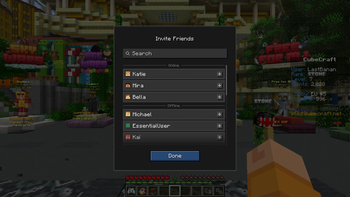
Launch your world and invite friends with minimal effort, no external server needed.
Integrated Social Tools
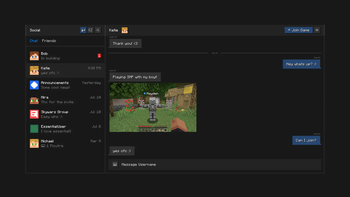
Enjoy in-game chat, group creation, invites, and media sharing seamlessly, all within your Minecraft session.
Extensive Cosmetic Customization
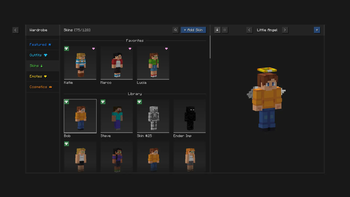
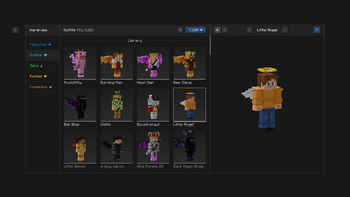
Access in-game wardrobes to change skins, emotes, wings, and more—giving your character a unique style effortlessly.
User-Friendly Experience
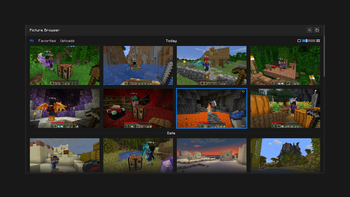
Easily capture, browse, edit, and share screenshots directly via the mod’s interface. Skin switching is simple and instantaneous.
Peer-to-Peer (P2P) Hosting
Uses your PC’s hardware to host the world itself; friends connect directly—fast, straightforward, and free.
Wide Mod Compatibility
Works well when installed alongside other mods. Just ensure all players have the same setup for smooth multiplayer experiences.
Security & Privacy First
Does not store your account data and leverages robust connection technologies for safe and efficient peer-to-peer linking.
Installation Guide – 1.20.1 / Forge
Step 1: Prepare the Environment
Make sure you have Minecraft Java Edition 1.20.1 installed.
Install the corresponding Forge loader for that version.
Step 2: Mods Folder Creation
Launch Minecraft once via Forge if you don't yet have a mods folder—it will be created automatically.
Step 3: Add the Essential Mod
Place the correct Essential .jar file—built for 1.20.1 on Forge—into the mods folder.
Step 4: Launch & Verify
Start Minecraft using the Forge profile.
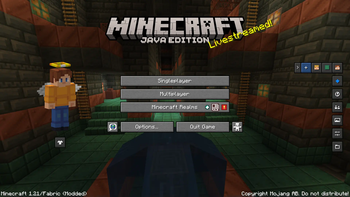
In-game, you should now see Essential’s interface—wardrobe, social features, etc.—indicating successful installation.
Step 5: Ensure Modpack Consistency
Make sure all players use the same modpack to avoid loading issues or crashes during multiplayer gameplay.
Community Insights
Players love how easy it is to host multiplayer without third-party servers—many consider it a game-changer.
A few users reported issues when combining Essential with large modpacks, especially when file naming or version mismatches occur. Always verify the filename and version compatibility to avoid errors.
Conclusion
Essential is the go-to mod for making Minecraft multiplayer more social, customizable, and convenient. With a seamless blend of hosting, communication, and cosmetic features, it enhances gameplay without hassle. Whether playing solo or hosting friends, Essential delivers a unified and secure experience
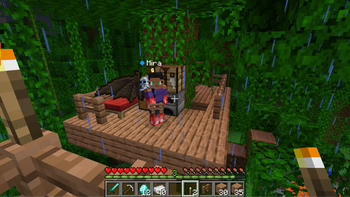
Essential Mod Minecraft Mod Screenshots
View images and verify quality before download
Image Gallery
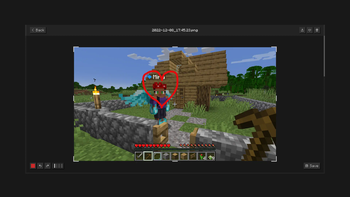
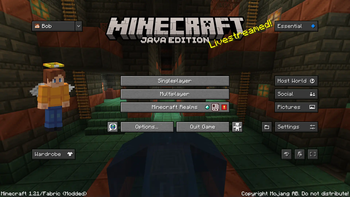

Essential Mod Technical Information
Learn technical details, version, and supported platform
Technical Specifications

Your Own Minecraft Server! 🎮
Start your own server with friends on BisectHosting — insane performance, one-click mod installs, and 24/7 support. Use the discount code and start at the lowest price!
Download and Share
Download for free or share it with friends
Get the advantage!
Subscribe for early access to exclusive mods and direct downloads without timers or ads.
Mod not opening in Minecraft? This applies to Bedrock edition only (mobile/console) — the issue is your file manager, not the mod. Use our app IQ OpenMC to open the file and it will give you the option to open it in Minecraft directly. (Java players don't need this step)