

Better Grass Texture Pack for Minecraft - Download & Install
Download Better Grass Texture Pack for Minecraft Bedrock! Enhance your world with realistic, beautiful grass and improved visuals. Features x16 resolution and broad compatibility. Get it free from IQMOD today!
Everything About Better Grass Texture Pack for Minecraft - Download & Install
Read the full article about the mod
What is Better Grass?
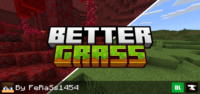
The Better Grass Texture Pack is a highly sought-after resource pack specifically designed for Minecraft Bedrock Edition. Its primary function is to visually enhance the appearance of grass blocks by extending the grass texture to cover the sides of these blocks, eliminating the default dirt texture. This simple yet impactful change creates a more natural, seamless, and aesthetically pleasing landscape, directly inspired by the popular "Better Grass" feature found in Optifine for Minecraft Java Edition. This pack doesn't introduce new mechanics or items; instead, it refines an existing visual element to bring a higher level of environmental realism and cohesion to your Minecraft world.
For years, Minecraft Java players have enjoyed the visual fidelity offered by mods like Optifine, particularly its ability to make grass look more realistic and continuous. Bedrock players, however, often felt limited by the default grass block appearance, which leaves unsightly dirt sides exposed, breaking the illusion of a lush, interconnected environment. The Better Grass Texture Pack bridges this gap, bringing a long-desired aesthetic improvement to the Bedrock platform. It transforms mundane dirt-sided grass into lush, continuous greenery, significantly boosting the overall visual immersion and allowing builders and explorers alike to experience their worlds with a renewed sense of natural beauty and cohesion. This pack represents a community-driven effort to elevate the Bedrock experience to match the best visual enhancements available in Java, demonstrating the power of resource packs to subtly yet profoundly transform gameplay aesthetics without impacting performance or requiring complex modifications.
Key Features and Highlights
- Seamless Grass Integration: This texture pack fundamentally alters how grass blocks are rendered, extending the verdant texture to seamlessly cover the vertical sides of each block, rather than leaving them exposed as plain dirt. This creates a visually unbroken expanse of greenery, especially noticeable on slopes, cliffs, and elevated terrain, making your Minecraft world appear significantly more dense, organic, and visually appealing from every angle.
- Bedrock Edition Compatibility: Unlike many visual enhancements that are exclusive to Java Edition, the Better Grass Texture Pack is meticulously crafted for Minecraft Bedrock Edition. This ensures that millions of Bedrock players across various platforms—including PC (Windows 10/11), consoles (Xbox, PlayStation, Nintendo Switch), and mobile devices (Android, iOS)—can easily integrate and enjoy this visual upgrade without compatibility issues.
- Optifine-Inspired Visuals: For those familiar with Minecraft Java Edition, the "Better Grass" feature from Optifine is a staple for visual fidelity, offering a more natural and continuous look to the terrain. This resource pack directly emulates that beloved aesthetic, bringing a similar level of grass realism and continuity to the Bedrock platform, satisfying a long-standing desire within the Bedrock community for parity.
- Enhanced World Aesthetics: By eliminating the stark contrast of dirt sides on grass blocks, the entire landscape of your Minecraft world receives a significant aesthetic boost. Forests appear denser, plains look more expansive, and mountainous regions gain a more rugged, natural allure, making every biome a more captivating place to explore and build within, ultimately enriching your gameplay experience.
- X16 Resolution: Despite its profound visual impact, the Better Grass Texture Pack maintains the standard x16 resolution. This crucial design choice ensures that the pack remains lightweight and performs efficiently, causing virtually no noticeable impact on your game's frame rate (FPS) or overall performance, even on less powerful devices. It's an upgrade without the performance cost.
- Texture Pack Friendly: One of the key advantages of Better Grass is its excellent compatibility with other resource and texture packs. It's designed to layer seamlessly with your existing visual modifications. To ensure optimal functionality, simply activate Better Grass at a higher priority in your resource pack settings, allowing it to apply its grass-side textures over any base pack you might be using.
- Simple Installation: Getting Better Grass up and running is incredibly straightforward. The pack comes in the user-friendly .mcpack format. A simple double-click on the downloaded file is usually all it takes for Minecraft Bedrock to automatically import and recognize the resource pack, making it accessible even for novice mod users who are new to modifying their game.
- Performance Friendly: As mentioned, maintaining the x16 resolution is key to its performance. This pack avoids high-resolution textures or complex rendering techniques that could strain your system. It's an optimization that delivers significant visual improvement without demanding extra processing power, ensuring a smooth and enjoyable gameplay experience across a wide range of devices.
- Regular Updates: Dedicated developers often provide consistent updates for popular resource packs like Better Grass. This commitment ensures that the pack remains fully compatible with the latest versions of Minecraft Bedrock Edition, allowing players to enjoy its benefits through every game update without worrying about breakage or outdated visuals.
- Immersive Environments: The subtle yet powerful change of covering dirt sides with grass textures dramatically increases the immersion factor. Your world feels more cohesive, less blocky, and more like a living, breathing environment. This enhanced realism can make exploring, building, and surviving feel more engaging and rewarding, pulling you deeper into the Minecraft universe.
- Reduces Visual Gaps: The default Minecraft grass block creates noticeable visual "gaps" where dirt is exposed, particularly when viewing terrain from a distance or at an angle, disrupting the flow of natural landscapes. Better Grass cleverly fills these gaps, creating a continuous green surface that makes terrain look smoother, more polished, and significantly less artificial.
- Natural Terrain Blending: When different biomes meet or when terrain transitions from one elevation to another, Better Grass helps to blend these areas more naturally. The consistent grass texture across all visible surfaces reduces harsh lines and makes the world feel more interconnected and organically formed, enhancing the overall aesthetic of diverse landscapes.
- No Mod Loader Required: A significant advantage for Bedrock players is that Better Grass functions purely as a resource pack. It does not require any external mod loaders like Forge or Fabric, simplifying the installation process and reducing the potential for conflicts with other game modifications, making it a hassle-free addition to your game.
- Perfect for Builders: For players who dedicate time to crafting intricate structures, landscapes, or terraforming projects, Better Grass is an indispensable tool. It allows custom builds to blend more effectively with the surrounding natural environment, giving them a more professional, integrated, and visually appealing appearance that stands out.
- Community Driven: This pack is a direct response to the strong demand from the Minecraft Bedrock community for a feature long enjoyed by Java players. Its development reflects the collaborative spirit of the modding community, aiming to enhance the gameplay experience for everyone and democratize visual improvements across different Minecraft editions.
How to Download and Install Better Grass
Downloading and installing the Better Grass Texture Pack for Minecraft Bedrock is a straightforward process that requires no prior modding experience. All you need is a device running Minecraft Bedrock Edition and the .mcpack file, which you can easily find on IQMOD. Follow these simple steps to bring enhanced, realistic grass to your Minecraft world:
- Download the Texture Pack File: First, navigate to the dedicated Better Grass page on IQMOD and locate the direct download link. Click to download the .mcpack file. Ensure you are downloading the latest version to guarantee optimal compatibility and performance with your current Minecraft Bedrock installation. The file size is typically very small, so the download should be quick.
- Open the .mcpack File: Once the download is complete, locate the Better Grass.mcpack file in your downloads folder or wherever you saved it. Simply double-click the file. Minecraft will automatically launch (if it's not already running) and begin the import process for the resource pack. You should see an in-game notification confirming that the pack has been successfully imported.
- Activate the Resource Pack In-Game: After the pack has been imported, you need to activate it within Minecraft. From the main menu, go to "Settings." In the left-hand menu, select "Global Resources." You will find Better Grass listed under "My Packs." Click on it, then press the "Activate" button to move it to your "Active Packs" list.
- Ensure Correct Pack Order: If you are using other resource packs, it's crucial to ensure Better Grass is placed at the top of your "Active Packs" list. This prioritization ensures that its grass-side textures are applied correctly and override any conflicting textures from other packs. You can drag and drop packs within the "Active Packs" list to adjust their order as needed.
- Restart Your World or Game: To fully apply the changes, you may need to restart the world you are currently playing in, or in some cases, restart Minecraft entirely. Once you load back into your world, you should immediately notice the significant improvement in how your grass blocks appear, enjoying a more beautiful and realistic landscape.
For a complete and detailed guide on installing various types of Minecraft modifications, including resource packs, refer to our comprehensive Minecraft Mods Installation Guide on IQMOD, which covers common troubleshooting and advanced tips.
System Requirements and Compatibility
The Better Grass Texture Pack is designed to be highly accessible, boasting broad compatibility and minimal system requirements. This ensures that a wide range of Minecraft Bedrock players can enjoy its visual enhancements without performance concerns. Here's a breakdown of what you need to know:
- Minecraft Version: Better Grass is designed to be compatible with the latest versions of Minecraft Bedrock Edition. It is always recommended to download the most recent iteration of the texture pack from IQMOD to ensure seamless integration with the game's current updates and features, as developers frequently update their packs.
- Mod Loader: This texture pack does not require any external mod loader. It functions as a standard resource pack within Minecraft Bedrock's native system. This means you won't need to install additional software like Forge or Fabric, simplifying the installation process and reducing potential conflicts with other game files.
- Platform: Better Grass is exclusively developed for Minecraft Bedrock Edition. This encompasses all platforms where Bedrock is available, including Windows 10/11 PCs, Android and iOS mobile devices, Xbox consoles (Xbox One, Xbox Series X/S), PlayStation consoles (PS4, PS5), and Nintendo Switch.
- Dependencies: Better Grass is a completely standalone resource pack and does not require any other mods or add-ons to function. You can enjoy its benefits independently or combine it with your favorite existing mods and resource packs without worrying about complex dependencies.
Pro Tips for Using Better Grass
To maximize your enjoyment and leverage the full potential of the Better Grass Texture Pack, consider these professional tips for an even more immersive and visually stunning Minecraft experience:
- Prioritize the Pack Correctly: Always ensure Better Grass is at the very top of your active resource pack list in the game's settings. This guarantees that its grass-side textures are applied over any default or conflicting textures from other packs, preventing visual glitches and ensuring consistent, beautiful grass throughout your world.
- Combine with Subtle Shaders: While Better Grass isn't a shader itself, it pairs exquisitely with lightweight shaders that enhance lighting, water, or sky without drastically altering block textures. Experiment with shaders that complement its natural aesthetic to create breathtaking landscapes and an even more immersive atmosphere.
- Explore New Terrain: After installing, take time to explore new chunks or previously unvisited areas of your world. You'll be amazed at how forests, plains, and mountains are transformed by the continuous grass textures, giving a fresh perspective to familiar biomes and encouraging further exploration.
- Utilize for Building & Landscaping: For dedicated builders, Better Grass is an invaluable tool. It allows you to create more realistic and integrated structures, gardens, and terraformed landscapes. Slopes, hills, and elevated paths will blend seamlessly, giving your creations a polished and professional look that truly stands out.
- Stay Updated with IQMOD: Regularly check IQMOD for updates to the Better Grass Texture Pack. Developers often release updates to ensure compatibility with new Minecraft versions and sometimes include additional refinements or optimizations, ensuring you always have the best possible version of the pack.
- Adjust Graphics Settings: Although lightweight, experimenting with certain in-game graphics settings, such as increasing your "Render Distance" or enabling "Fancy Graphics," can further enhance the visual impact of Better Grass. These settings can make the improved grass more prominent and contribute to an overall sharper and more detailed environment.
Is Better Grass Safe and Free?
Yes, the Better Grass Texture Pack is absolutely safe to use and completely free to download. At IQMOD, we are deeply committed to providing reliable and thoroughly vetted content to ensure the integrity and security of your gaming experience. All resource packs, mods, and add-ons available on our platform undergo rigorous checks to confirm they are free from any malicious software, viruses, or unwanted programs that could potentially harm your device or corrupt your game files. You can download Better Grass with complete confidence, knowing that you are acquiring a clean, legitimate, and safe version.
Beyond safety, Better Grass is offered entirely free of charge. You will not encounter any hidden fees, subscriptions, or paywalls to access this fantastic visual enhancement. We firmly believe that enhancing the Minecraft experience should be accessible to everyone, without financial barriers. Therefore, feel empowered to download and enjoy the beautifully improved grass in your world at no cost whatsoever. Choose IQMOD as your trusted and free source for all Minecraft mods and add-ons, and immerse yourself in a secure, enjoyable, and visually enriched gaming journey.
Why Download from IQMOD?
Choosing to download the Better Grass Texture Pack from IQMOD means opting for a superior experience built on quality, reliability, and dedicated support. As a leading portal for Minecraft mods, we strive to offer unique advantages that set us apart and enhance your journey:
- Direct and Fast Download Links: We provide you with direct download links for Better Grass, ensuring swift downloads free from annoying pop-up ads, deceptive redirects, or cumbersome captchas. We value your time and offer a smooth, hassle-free downloading experience from start to finish.
- Safe and Verified Content: Every file on IQMOD, including Better Grass, is meticulously scanned and verified for viruses, malware, and any potentially harmful software. Your device's safety and your game's integrity are our paramount concerns, allowing you to download with absolute peace of mind.
- Consistently Updated: We are committed to keeping the Better Grass Texture Pack updated regularly to ensure its compatibility with the latest versions of Minecraft Bedrock Edition. You will always receive the most current and functional version, preventing compatibility issues and ensuring a seamless visual enhancement.
- Exceptional Technical Support: Should you encounter any issues during the download, installation, or use of Better Grass, our dedicated technical support team is readily available to assist you. You can reach out to us for guidance and troubleshooting, ensuring a smooth and trouble-free gaming experience.
- Vast and Trusted Community: IQMOD is more than just a download site; it's a thriving community for Minecraft players. Join our Discord server to connect with fellow gamers, share your experiences, and get additional tips and tricks about Better Grass and countless other mods and add-ons.
Don't miss the opportunity to significantly enhance your Minecraft world. Download the Better Grass Texture Pack from IQMOD today and immerse yourself in an unparalleled visual experience that makes every corner of your world look more beautiful, natural, and realistic. Click the download link now and begin exploring your stunningly transformed Minecraft landscape!
Better Grass Texture Pack for Minecraft - Download & Install Minecraft Mod Screenshots
View images and verify quality before download
Image Gallery


Better Grass Texture Pack for Minecraft - Download & Install Technical Information
Learn technical details, version, and supported platform
Technical Specifications

Your Own Minecraft Server! 🎮
Start your own server with friends on BisectHosting — insane performance, one-click mod installs, and 24/7 support. Use the discount code and start at the lowest price!
Download and Share
Download for free or share it with friends
Get the advantage!
Subscribe for early access to exclusive mods and direct downloads without timers or ads.
Mod not opening in Minecraft? This applies to Bedrock edition only (mobile/console) — the issue is your file manager, not the mod. Use our app IQ OpenMC to open the file and it will give you the option to open it in Minecraft directly. (Java players don't need this step)