

NIGHT VISION (RESOURCE PACK) Mod for Minecraft - Download
Download the NIGHT VISION (RESOURCE PACK) Mod for Minecraft. Get a permanent, automatic 100% bright night vision effect. Essential for builders, explorers, and survivalists. Free from IQMOD!
Everything About NIGHT VISION (RESOURCE PACK) Mod for Minecraft - Download
Read the full article about the mod
What is NIGHT VISION (RESOURCE PACK)?
The NIGHT VISION (RESOURCE PACK) is a simple yet incredibly effective addon for Minecraft, created by BUDGETGAMER1503. This resource pack provides a permanent, automatic night vision effect to all players, illuminating dark environments by 100% without the need for potions or torches. It functions purely as a resource pack, meaning it requires no complex patches or mod loaders like Forge or Fabric, making it compatible with most vanilla Minecraft versions.
This addon directly addresses one of Minecraft's most persistent challenges: poor visibility in darkness. Whether you're spelunking through deep caves, building intricate structures at night, or simply trying to survive a mob onslaught in a dimly lit area, clear vision makes a monumental difference. Unlike temporary solutions such as Night Vision potions, this pack offers a consistent, hassle-free solution, allowing players to focus on their objectives without constantly refreshing an effect. It has become a go-to utility for countless players seeking a smoother, more visually accessible gameplay experience at all times.
Key Features and Highlights
- Permanent and Automatic Night Vision: Once enabled, this resource pack provides a continuous night vision effect, eliminating the need for manual activation or frequent potion consumption. Enjoy uninterrupted clarity in all dark areas.
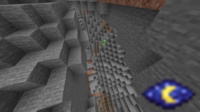
- 100% Brightness Enhancement: Unlike some resource packs that offer partial brightness, this addon ensures a full 100% illumination of dark environments. Caves, underground structures, and night-time landscapes become as bright as day.
- No Mod Loaders Required: As a pure resource pack, it does not necessitate any mod loaders like Forge or Fabric. Simply place it in your resource pack folder and activate it directly from the game settings.
- Vanilla Minecraft Compatibility: Designed to work seamlessly with most vanilla Minecraft Java Edition versions (e.g., 1.16, 1.17, 1.18, 1.19, 1.20, and newer), making it accessible to a wide range of players without complex setups.
- Ideal for Builders: Allows builders to work on their projects at any time, day or night, and in any dark interior, without placing temporary torches or relying on weak lighting, enhancing build efficiency and aesthetic planning.
- Facilitates Exploration: Makes exploring vast cave systems, deep mineshafts, and other dimensions like the Nether significantly easier and safer, as you can clearly see all terrain features and potential hazards.
- Enhanced Survival: Reduces the risk of unexpected mob encounters in the dark. Spot creepers, zombies, and spiders from a distance, giving you ample time to react, prepare for combat, or flee.
- Reduces Eye Strain: Playing in dimly lit environments can be tiring. This pack improves overall visual comfort, making your gaming sessions more enjoyable and less strenuous on the eyes.
- Lightweight Performance: Being a simple resource pack, it has minimal impact on game performance or FPS, ensuring a smooth experience even on lower-end systems.
- Easy Activation/Deactivation: You can toggle the resource pack on or off easily from the in-game resource pack menu, allowing you to switch between night vision and standard game visuals whenever you desire.
- Preserves Core Gameplay Mechanics: The pack only modifies lighting, leaving all other core gameplay mechanics, blocks, and items untouched, ensuring an authentic Minecraft experience with improved visibility.
- Underwater Visibility: Greatly improves underwater visibility, making it easier to build underwater bases, explore ocean monuments, or search for hidden treasures without needing water-breathing potions or specific light sources.
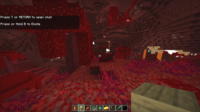
- Navigate the Nether Safely: In the often-treacherous and dark Nether dimension, this pack provides crucial clarity, helping players avoid lava pits and navigate perilous terrain more securely.
- Perfect for Content Creators: Offers superior visual quality for recording gameplay videos or live streams, making your content more engaging and easier for viewers to follow, especially in dark scenarios.
- Maintains Game Colors: Unlike some night vision solutions that might tint the entire screen or alter colors, this pack brightens dark areas while preserving the original color palette of Minecraft.
How to Download and Install NIGHT VISION (RESOURCE PACK)
Installing the NIGHT VISION (RESOURCE PACK) is straightforward and doesn't require any external software. Follow these steps to activate it in your game:
- Step 1: Download the Resource Pack: Download the resource pack file (usually a .zip file) from the secure direct link provided on IQMOD. Ensure you download the version compatible with your specific Minecraft client.
- Step 2: Open Your Resource Pack Folder: Launch Minecraft, then navigate to "Options" > "Resource Packs" > "Open Pack Folder." This will open the directory where your resource packs are stored.
- Step 3: Move the Pack File: Drag and drop the downloaded resource pack file (the .zip file) into the folder you opened in the previous step. Do not extract the file; simply move the .zip as is.
- Step 4: Activate the Pack In-Game: Return to Minecraft. The NIGHT VISION resource pack should now appear under the "Available Resource Packs" list. Click on its icon to move it to the "Selected Resource Packs" list.
- Step 5: Confirm Activation: Click the "Done" button to confirm the activation of the resource pack. Minecraft may take a few moments to reload the resources. Once complete, you will notice the night vision effect is automatically applied in your world.
For a complete guide, check out our Minecraft Mods Installation Guide.
System Requirements and Compatibility
- Minecraft Version: Compatible with most modern Minecraft Java Edition (Vanilla) versions (e.g., 1.16, 1.17, 1.18, 1.19, 1.20, and newer). Please refer to the download page for specific version compatibility.
- Mod Loader: None required. Functions as a standard resource pack and does not need Forge, Fabric, or any other mod loader.
- Platform: Minecraft Java Edition.
- Dependencies: None. This resource pack operates independently and does not require any other mods to function.
Pro Tips for Using NIGHT VISION (RESOURCE PACK)
1. Seamless Night Building: Leverage the permanent night vision to construct intricate buildings or landscapes during the in-game night cycle without the constant need for temporary lighting. This allows for uninterrupted creative flow and better visualization of your final design.
2. Efficient Resource Gathering: When mining or exploring caves, the enhanced visibility allows you to spot valuable ores, hidden pathways, and dangerous lava pools much more quickly and safely, optimizing your resource collection efforts.
3. Strategic Mob Encounters: Use the ability to see mobs from afar to your advantage. Plan your attacks, set up traps, or simply avoid dangerous encounters like a group of Creepers or Skeletons in the dark.
4. Unrestricted Underwater Exploration: Dive into the deepest oceans with perfect clarity. Build underwater bases, explore shipwrecks, or discover ocean monuments without the visual limitations of darkness, enhancing your aquatic adventures.
5. Master the Nether and End: Navigate the often-hostile and dark dimensions of the Nether and the End with unprecedented ease. Avoid unexpected encounters with Ghasts or falling into deadly lava lakes due to poor visibility.
6. Combine with Shaders (Carefully): While this pack provides night vision, you can still use it alongside shader packs. Ensure the Night Vision Resource Pack is placed *above* your shader pack in the resource pack order to ensure its lighting effect takes precedence while still enjoying the visual enhancements of the shader.
Is NIGHT VISION (RESOURCE PACK) Safe and Free?
Yes, the NIGHT VISION (RESOURCE PACK) is absolutely safe to use and completely free of charge. All resource packs and mods available on IQMOD are thoroughly scanned to ensure they are free from any malicious software or viruses. As a simple resource pack that doesn't modify core game code, it poses no risk to your account or system. You can download and install it with full confidence, enjoying its benefits without any cost. IQMOD is committed to providing safe and reliable content for the Minecraft community.
Why Download from IQMOD?
IQMOD is your premier destination for downloading the best and most reliable Minecraft mods and resource packs. When you download the NIGHT VISION (RESOURCE PACK) from our website, you are guaranteed to receive:
- Direct and Secure Download Links: No intrusive ads, no dangerous redirects. Just click and download directly to your device.
- Always Up-to-Date Versions: We diligently update all our content to ensure compatibility with the latest Minecraft releases, providing you with the best possible experience.
- Exceptional Support: The IQMOD team is ready to assist you with any questions or issues you might encounter during download or installation.
- Trusted Community Resource: We offer carefully vetted and tested content to ensure a smooth and secure gaming experience.
Don't wait! Download the NIGHT VISION (RESOURCE PACK) now and transform your Minecraft adventures with unparalleled clarity.
NIGHT VISION (RESOURCE PACK) Mod for Minecraft - Download Minecraft Mod Screenshots
View images and verify quality before download
Image Gallery
NIGHT VISION (RESOURCE PACK) Mod for Minecraft - Download Technical Information
Learn technical details, version, and supported platform
Technical Specifications

Your Own Minecraft Server! 🎮
Start your own server with friends on BisectHosting — insane performance, one-click mod installs, and 24/7 support. Use the discount code and start at the lowest price!
Download and Share
Download for free or share it with friends
Get the advantage!
Subscribe for early access to exclusive mods and direct downloads without timers or ads.
Mod not opening in Minecraft? This applies to Bedrock edition only (mobile/console) — the issue is your file manager, not the mod. Use our app IQ OpenMC to open the file and it will give you the option to open it in Minecraft directly. (Java players don't need this step)